
AI agent for special education teachers
Classroom Behavior Pattern Review Agent
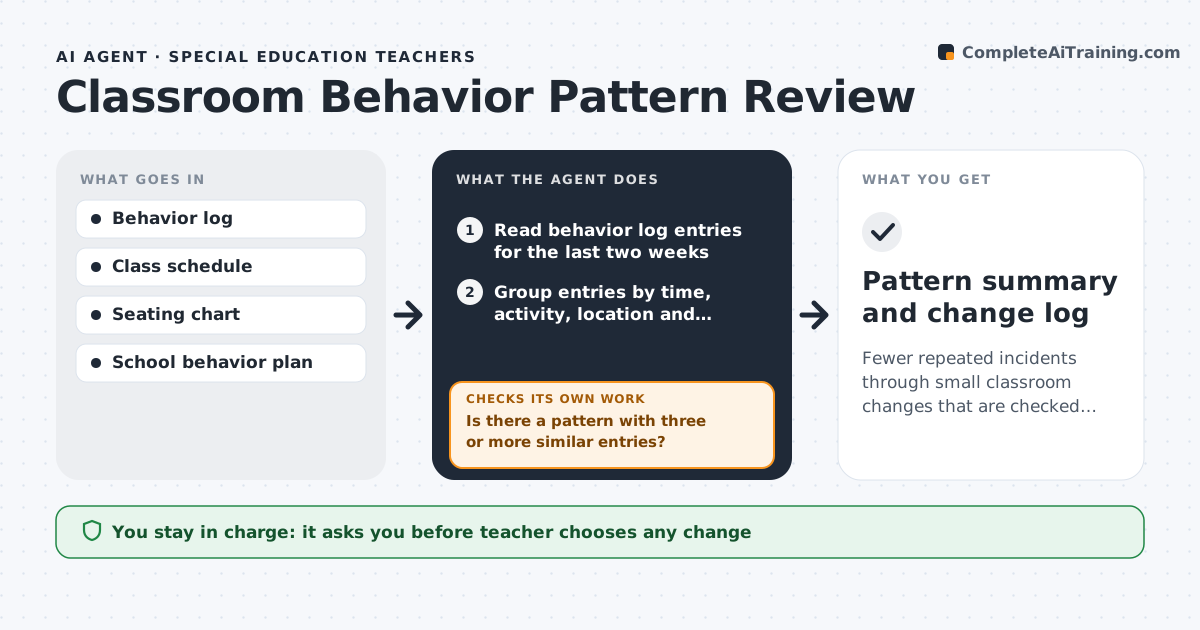
Fewer repeated incidents through small classroom changes that are checked against the log
What it does
Teachers log incidents and positive notes all week but rarely have time to step back and look for patterns. This agent reads the last two weeks of the behavior log and groups entries by student, time of day, activity, location and trigger. A pattern needs three or more similar entries; if none shows up, it says so and waits for more data. When it finds one, it suggests one or two changes from the school's behavior plan, such as a seating change or a new transition routine. The teacher picks what to try. Two weeks later the agent compares incident counts, and if the targeted incidents did not drop by a third, it suggests the next option. Anything involving parents, counselors or discipline stays with the teacher. Edge case: a sudden spike for one student is only flagged, never answered with suggested consequences.
How it works
Follow the arrows from top to bottom. The orange dashed arrow is the loop: when a check fails, the agent goes back and tries again.
Read the steps as a list
- Friday review runs
- Read behavior log entries for the last two weeks
- Group entries by time, activity, location and trigger
- Is there a pattern with three or more similar entries?If not: note that no pattern was found and wait for the next week's data. Back to step 2.
- Suggest one or two changes from the school behavior plan
- Teacher picks a change to tryThe agent waits here for your OK.
- Compare incident counts two weeks after the change
- Did targeted incidents drop by a third or more?If not: suggest the next option from the plan. Back to step 5.
- Pattern summary and change log
How it decides
A pattern needs at least three similar entries in two weeks. A change counts as working when targeted incidents drop by at least a third.
- Three similar entries in two weeks make a pattern
- Spikes for one student are flagged for the teacher, not handled by suggestions
- Only strategies from the school's behavior plan are suggested
Make it yours
Every agent is a starting point. You choose these settings for your own situation.
- Pattern threshold (default 3 entries in 2 weeks)
- Review day (default Friday)
- Which behavior plan to draw strategies from
- Whether to include positive notes in the analysis
What keeps you in control
It always asks you first
- Teacher chooses any change
- Any contact with parents or referral to staff is done by the teacher
Hard limits
- Never recommends discipline or consequences for a student
- Does not share behavior data outside the teacher's account
It stops when
- Done: pattern addressed or no pattern found
- Stop: the log has fewer than ten entries
Set it up
We guide you through the set-up, step by step
Members get the full set-up guide for this agent. No technical skills needed: you copy, paste and upload.
- One set of instructions to paste into your AI, with the clicks for ChatGPT, Claude, Microsoft 365 Copilot, Gemini and Grok
- The agent then walks you through connecting your own data, one source at a time
- A downloadable copy with the flow chart, the rules and the full guide



