AI agent for photographers
Client Gallery Delivery Agent
Galleries that meet the contract and shot list on time
What it does
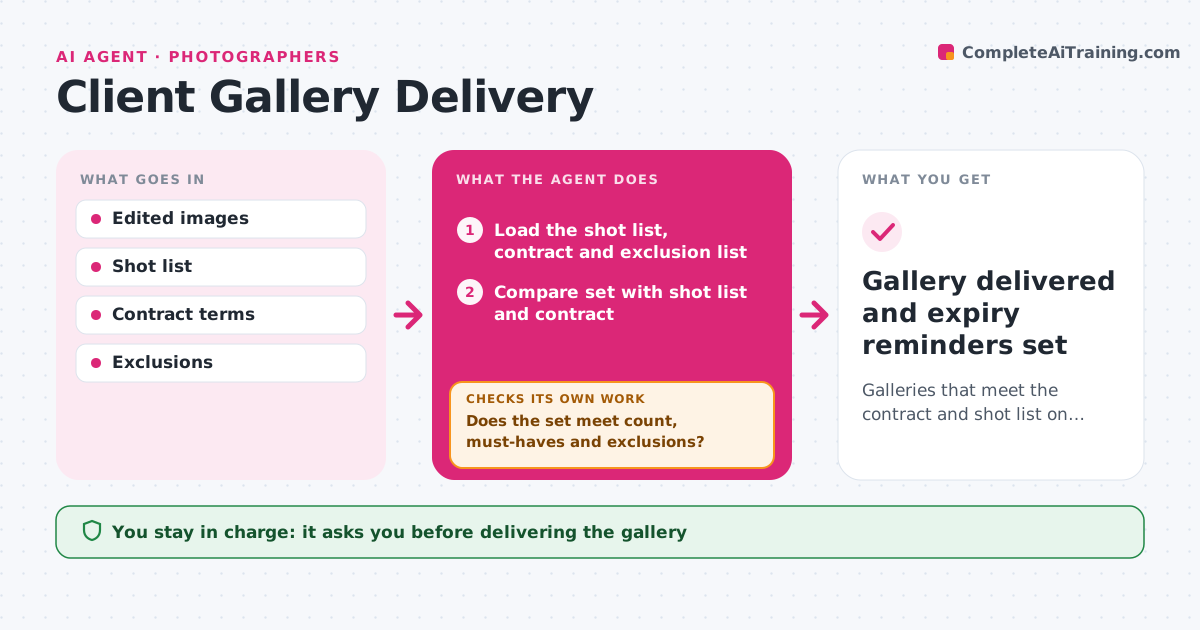
Delivering a client gallery that is short of the contracted count or missing a key shot leads to unhappy clients and refunds. After editing, this agent compares the culled and edited set with the shot list and contract: number of images promised, must-have shots and any exclusions. It checks edits are applied consistently across the set and that no near-duplicates or closed-eye frames slipped through. Gaps go back to the photographer and are checked again. It builds the online gallery, sets download and print options, and drafts the delivery email. It sends reminders to the client before the gallery expires. The photographer approves the gallery and messages. Edge case: images of a guest who asked not to be photographed are removed.
How it works
Follow the arrows from top to bottom. The orange dashed arrow is the loop: when a check fails, the agent goes back and tries again.
Read the steps as a list
- Editing done
- Load the shot list, contract and exclusion list
- Compare set with shot list and contract
- Check consistency, duplicates and closed eyes
- Does the set meet count, must-haves and exclusions?If not: send gaps back to the photographer and recheck the new set. Back to step 3.
- Build the gallery and draft the delivery email
- Do download and print options match the contract?If not: correct the gallery settings. Back to step 6.
- Photographer approves deliveryThe agent waits here for your OK.
- Gallery delivered and expiry reminders set
How it decides
It checks count, must-haves, exclusions and consistency before the gallery goes out.
- Remove excluded people
- Flag sets under the promised count
- Near-duplicates are thinned
Make it yours
Every agent is a starting point. You choose these settings for your own situation.
- Gallery platform
- Expiry reminders
- Consistency checks
- Email template
What keeps you in control
It always asks you first
- Delivering the gallery
Hard limits
- Never delivers without approval
- Never posts client images publicly
It stops when
- Done: gallery delivered
- Stop: client dispute, hand to photographer
Set it up
We guide you through the set-up, step by step
Members get the full set-up guide for this agent. No technical skills needed: you copy, paste and upload.
- One set of instructions to paste into your AI, with the clicks for ChatGPT, Claude, Microsoft 365 Copilot, Gemini and Grok
- The agent then walks you through connecting your own data, one source at a time
- A downloadable copy with the flow chart, the rules and the full guide