AI agent for photographers
Client Gallery Selection Reminder Agent
Selections from every client by the deadline, with the editing plan adjusted as picks arrive
What it does
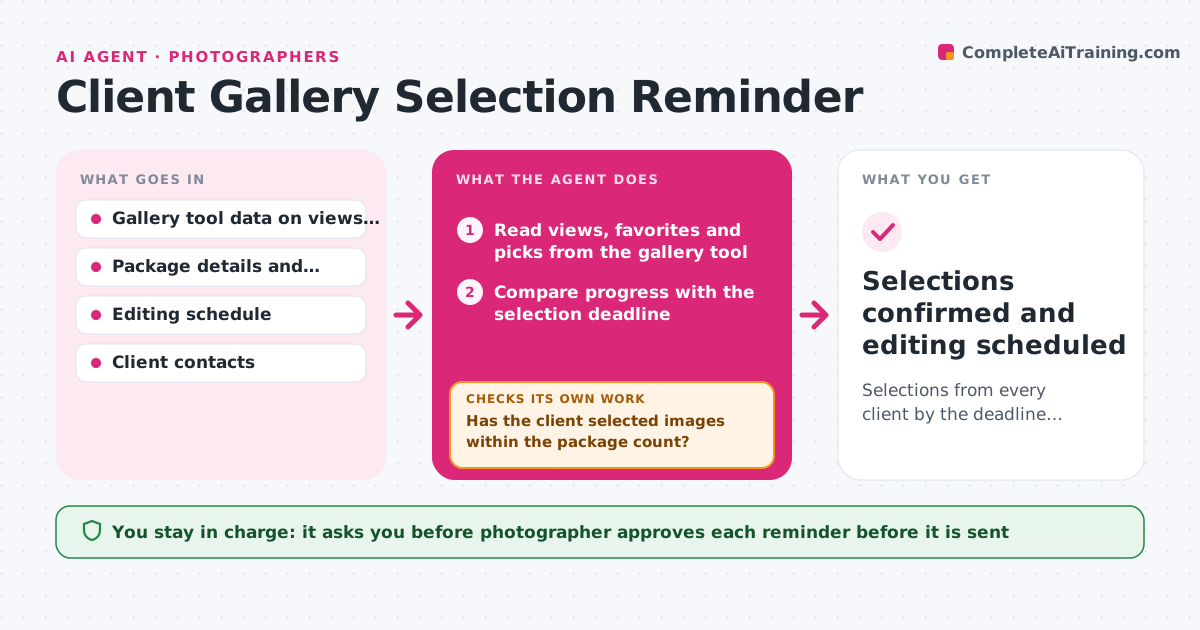
After delivering a proofing gallery, the photographer waits. Two weeks later nothing has been selected, and the editing slot has gone. This agent tracks each gallery after delivery, reading views, favorites and final picks from the gallery tool. It flags clients who have not viewed or have not selected, and explains what the delay does to the delivery date and the editing plan. It drafts reminders in steps, gentle first and firmer later, with the deadline impact stated, and rechecks selections daily. When selections arrive, it counts them against the package and updates the editing plan, flagging extra images beyond the package. The photographer approves reminders. Edge case: a client who viewed the gallery 12 times but picked nothing gets a different message, offering help choosing.
How it works
Follow the arrows from top to bottom. The orange dashed arrow is the loop: when a check fails, the agent goes back and tries again.
Read the steps as a list
- Gallery delivered to client
- Read views, favorites and picks from the gallery tool
- Compare progress with the selection deadline
- Has the client selected images within the package count?If not: Choose the next reminder step based on days elapsed and viewing behavior. Back to step 2.
- Draft the reminder with the deadline impact
- Photographer approves the reminderThe agent waits here for your OK.
- Send the approved reminder and recheck the gallery the next day
- Did selections arrive after the reminder?If not: Move to a firmer step or a different channel and update the editing dates. Back to step 2.
- Count picks against the package and flag extras
- Update the editing plan and delivery date
- Selections confirmed and editing scheduled
How it decides
It picks the reminder step from days since delivery and viewing behavior, and shifts the editing dates when selections are late or exceed the package.
- Send the first reminder 3 days after delivery with no picks
- Send the second at 7 days and a final notice at 10 days
- Offer help choosing when the client has viewed 5 or more times without picks
- Flag picks above the package count for the photographer
Make it yours
Every agent is a starting point. You choose these settings for your own situation.
- Reminder days (default 3, 7 and 10)
- Message tone
- Package sizes
- Gallery tool used
- What happens at the final notice
What keeps you in control
It always asks you first
- Photographer approves each reminder before it is sent
Hard limits
- Never send a reminder without approval
- Never add charges for extra images without the photographer's decision
It stops when
- Done: Selections are in and editing is scheduled
- Stop: The client does not respond to the final notice, so the agent hands the decision to the photographer
Set it up
We guide you through the set-up, step by step
Members get the full set-up guide for this agent. No technical skills needed: you copy, paste and upload.
- One set of instructions to paste into your AI, with the clicks for ChatGPT, Claude, Microsoft 365 Copilot, Gemini and Grok
- The agent then walks you through connecting your own data, one source at a time
- A downloadable copy with the flow chart, the rules and the full guide