AI agent for marketing consultants
Client Marketing Audit Agent
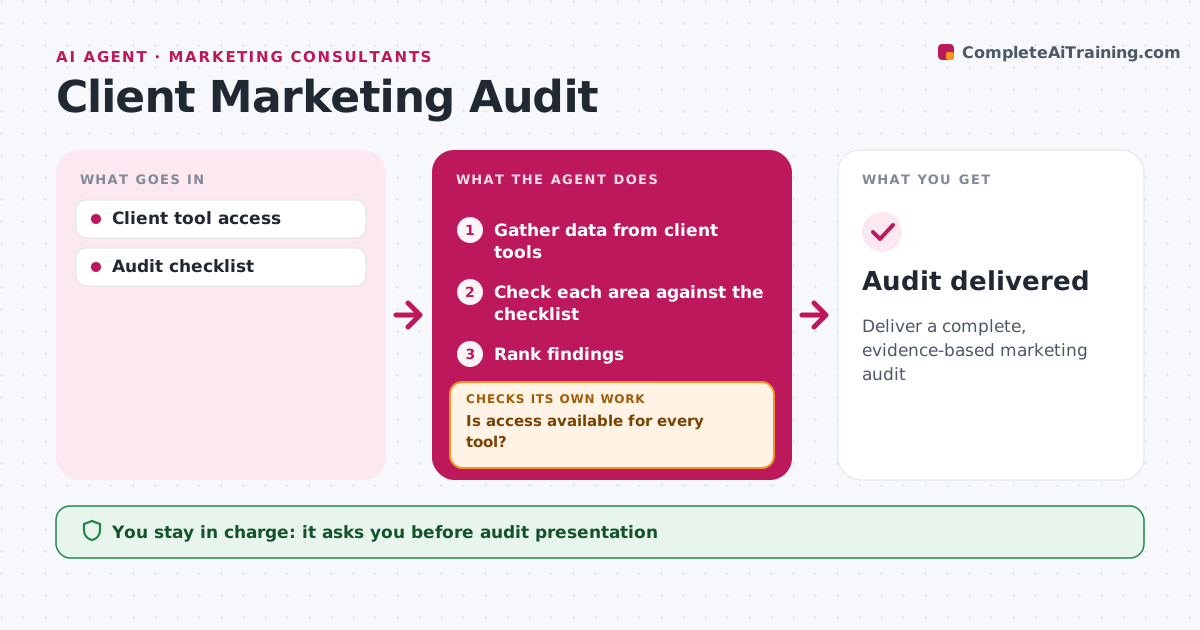
Deliver a complete, evidence-based marketing audit
What it does
Consultants start most engagements with a marketing audit, and collecting data from a client's tools can take weeks. Once the client signs, this agent gathers data from analytics, ad accounts, the email platform, the website and social channels, using read-only access only. It first checks that access is available for every tool. If not, it asks the client and waits before auditing that area. It then checks each area against the audit checklist: tracking setup, funnel conversion, channel mix, content gaps and brand consistency. It records each finding with evidence and ranks findings by impact and ease of fixing. It drafts the audit with priorities. The consultant reviews it and presents it to the client. Edge case: tracking errors found early are flagged first, because they affect the accuracy of every other finding.
How it works
Follow the arrows from top to bottom. The orange dashed arrow is the loop: when a check fails, the agent goes back and tries again.
Read the steps as a list
- Client signs
- Gather data from client tools
- Is access available for every tool?If not: request access and wait. Back to step 2.
- Check each area against the checklist
- Rank findings
- Draft the audit
- Consultant reviews before presentingThe agent waits here for your OK.
- Audit delivered
How it decides
Findings are ranked by impact and ease of fix.
- Tracking errors flagged first
- Read-only access only
- Rank by impact and ease
Make it yours
Every agent is a starting point. You choose these settings for your own situation.
- Checklist
- Tools covered
- Audit format
What keeps you in control
It always asks you first
- Audit presentation
Hard limits
- Never changes client settings
- Never shares client data
It stops when
- Done: audit delivered
- Stop: client withdraws
Set it up
We guide you through the set-up, step by step
Members get the full set-up guide for this agent. No technical skills needed: you copy, paste and upload.
- One set of instructions to paste into your AI, with the clicks for ChatGPT, Claude, Microsoft 365 Copilot, Gemini and Grok
- The agent then walks you through connecting your own data, one source at a time
- A downloadable copy with the flow chart, the rules and the full guide