AI agent for translators
Client Query List Management Agent
One tracked query list where each answer is applied consistently to the draft
What it does
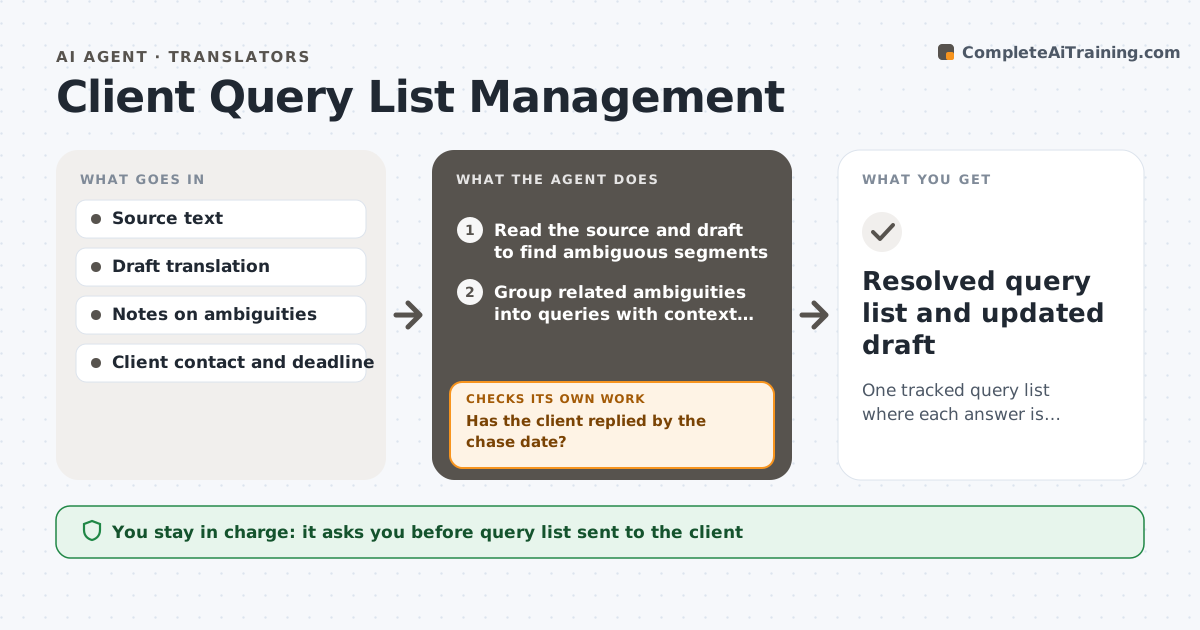
Translators meet ambiguous source text all the time, and questions to the client get scattered across emails, so work stalls. This agent collects ambiguities while translating, groups them into one query list with context and options, and tracks replies. It applies each answer to the draft and rechecks the segments it touches, including repeats elsewhere. It chases overdue replies and notes which sections are blocked. The translator approves the query list and the changes. Edge case: an answer to query 3 changes how a term was translated 14 times earlier, so the agent finds each place and proposes the update.
How it works
Follow the arrows from top to bottom. The orange dashed arrow is the loop: when a check fails, the agent goes back and tries again.
Read the steps as a list
- Translation in progress
- Read the source and draft to find ambiguous segments
- Group related ambiguities into queries with context and options
- Translator approves the query listThe agent waits here for your OK.
- Send the list and track replies
- Has the client replied by the chase date?If not: draft a polite reminder and mark blocked sections. Back to step 5.
- Read the replies and find every segment each answer affects
- Propose changes to the draft
- Is the draft consistent with the answers across all segments?If not: recheck the segments and fix inconsistencies. Back to step 7.
- Translator approves the changesThe agent waits here for your OK.
- Resolved query list and updated draft
How it decides
An ambiguity becomes a query when two readings change the translation. Answers are applied to all matching segments.
- Raise a query only when two readings change the meaning
- Group queries by topic into one message
- Chase after 2 business days
- Apply an answer to all matching segments
Make it yours
Every agent is a starting point. You choose these settings for your own situation.
- Chase delay (default 2 business days)
- Query format
- Segments to scan
- Deadline buffer
What keeps you in control
It always asks you first
- Query list sent to the client
- Changes to the draft
Hard limits
- Never sends queries without approval
- Never guesses a meaning when the client has not answered
It stops when
- Done: all queries answered and applied
- Stop: client cannot be reached before the deadline
Set it up
We guide you through the set-up, step by step
Members get the full set-up guide for this agent. No technical skills needed: you copy, paste and upload.
- One set of instructions to paste into your AI, with the clicks for ChatGPT, Claude, Microsoft 365 Copilot, Gemini and Grok
- The agent then walks you through connecting your own data, one source at a time
- A downloadable copy with the flow chart, the rules and the full guide