AI agent for tax advisors
Client Tax Document Collection Agent
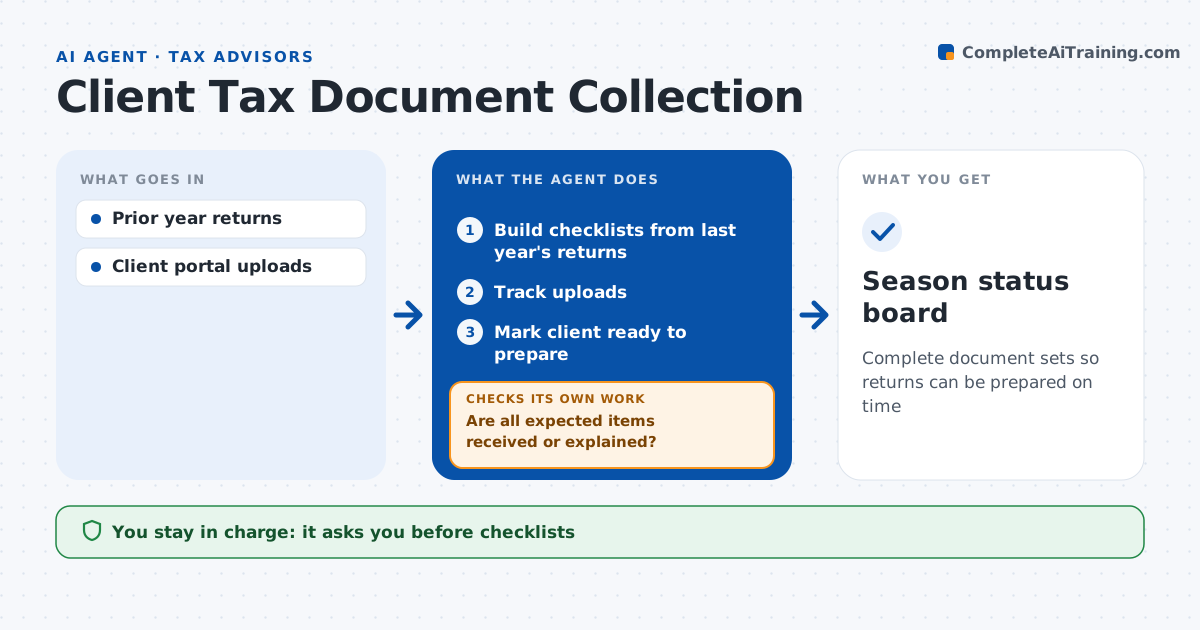
Complete document sets so returns can be prepared on time
What it does
Tax season stalls when clients send documents in pieces and forget items they had last year. At the start of the season, this agent builds a checklist for each client from last year's return, such as W-2s, 1099s, K-1s, mortgage interest and charitable receipts. The advisor approves each checklist before it goes out through the portal. As documents arrive, the agent ticks them off, compares payers and amounts with last year, and flags missing items or new income types for the advisor. It then checks whether every expected item is received or explained. If not, it drafts reminders and specific questions, sends them once approved, and checks again. A return is marked ready only when all items are in or explained. The advisor approves every client message. Edge case: a client had a K-1 last year but none was uploaded, so the agent asks whether the investment was sold.
How it works
Follow the arrows from top to bottom. The orange dashed arrow is the loop: when a check fails, the agent goes back and tries again.
Read the steps as a list
- Tax season starts
- Build checklists from last year's returns
- Advisor approves checklistsThe agent waits here for your OK.
- Track uploads
- Are all expected items received or explained?If not: send reminders and ask about missing items. Back to step 4.
- Mark client ready to prepare
- Season status board
How it decides
It builds the list from last year's return and marks a client ready when all expected items arrive or are explained.
- Missing K-1 or 1099 from last year: ask
- New income type: flag for advisor
- Ready when all items in or explained
Make it yours
Every agent is a starting point. You choose these settings for your own situation.
- Reminder cadence
- Checklist items
- Extension cut-off
- Message tone
What keeps you in control
It always asks you first
- Checklists
- Client messages
Hard limits
- Never prepares returns
- Never stores ID numbers in messages
It stops when
- Done: client ready
- Stop: client asks for extension
Set it up
We guide you through the set-up, step by step
Members get the full set-up guide for this agent. No technical skills needed: you copy, paste and upload.
- One set of instructions to paste into your AI, with the clicks for ChatGPT, Claude, Microsoft 365 Copilot, Gemini and Grok
- The agent then walks you through connecting your own data, one source at a time
- A downloadable copy with the flow chart, the rules and the full guide