AI agent for sustainability analysts
Climate Risk Register Update Agent
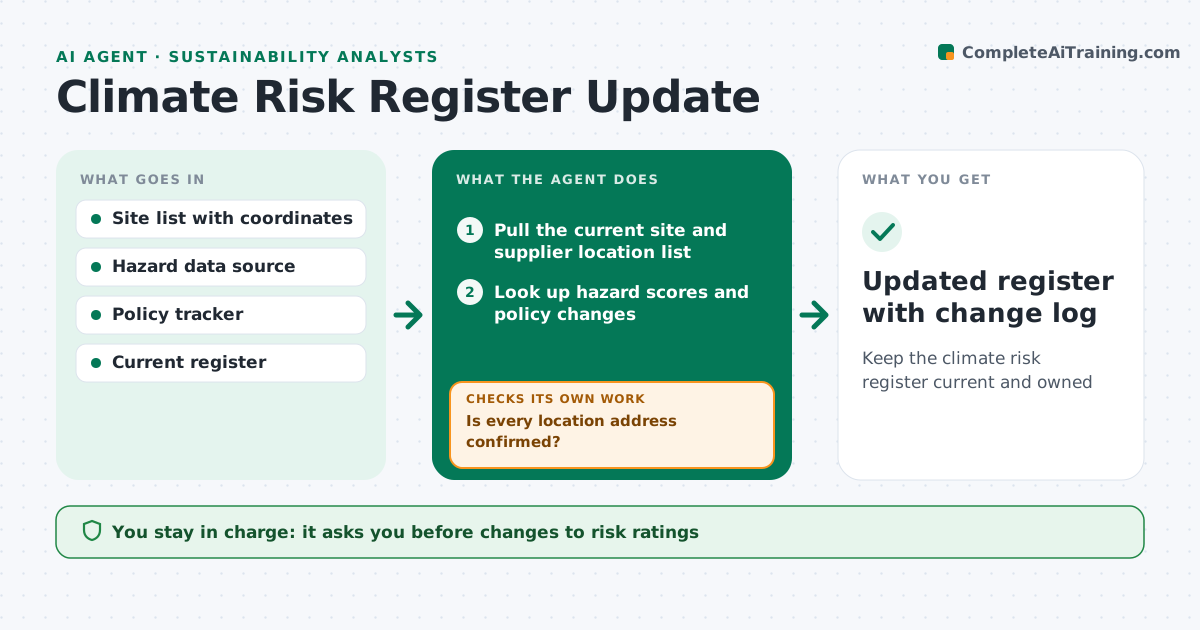
Keep the climate risk register current and owned
What it does
Climate risk work means checking each site and supply route against physical hazards, such as floods and heat, and against transition risks, such as new carbon rules. Each quarter this agent pulls the current site and supplier location list. It first checks that every address is confirmed; unclear addresses are held rather than scored on a guess. It looks up hazard scores for each location from the chosen data source and scans for policy changes that are adopted or formally proposed in the countries where the company operates. It rescores each risk with the register's matrix and compares with last quarter. Any risk that moves up a band, or any new site, goes to its risk owner with the reason. After the owner responds, it rescores. The analyst approves changes before the register is shared. Edge case: a site with an uncertain address is held for confirmation.
How it works
Follow the arrows from top to bottom. The orange dashed arrow is the loop: when a check fails, the agent goes back and tries again.
Read the steps as a list
- Quarter starts
- Pull the current site and supplier location list
- Is every location address confirmed?If not: hold unconfirmed sites and ask facilities to confirm. Back to step 2.
- Look up hazard scores and policy changes
- Rescore each risk with the register matrix
- Compare with last quarter and list band changes
- Has every changed or new risk been reviewed by its owner?If not: send the owner the change and reason, collect input, then rescore. Back to step 5.
- Analyst approves register changesThe agent waits here for your OK.
- Updated register with change log
How it decides
It scores likelihood and impact with the register's own matrix. Moves of one band or more, and new unscored items, need owner review.
- A move of one band or more needs owner review
- Unconfirmed addresses are not scored
- Policy changes only count once adopted or formally proposed
Make it yours
Every agent is a starting point. You choose these settings for your own situation.
- Hazard data source
- Scoring matrix
- Review cadence
- Who owns each risk category
What keeps you in control
It always asks you first
- Changes to risk ratings
- Sharing the register with leadership
Hard limits
- Never delete a risk, only close it with a reason
- Scores use only the approved method
It stops when
- Done: all changes reviewed and approved
- Stop: hazard data source unavailable, keep last quarter's scores and note it
Set it up
We guide you through the set-up, step by step
Members get the full set-up guide for this agent. No technical skills needed: you copy, paste and upload.
- One set of instructions to paste into your AI, with the clicks for ChatGPT, Claude, Microsoft 365 Copilot, Gemini and Grok
- The agent then walks you through connecting your own data, one source at a time
- A downloadable copy with the flow chart, the rules and the full guide