AI agent for sustainability managers
Target Progress Tracking Agent
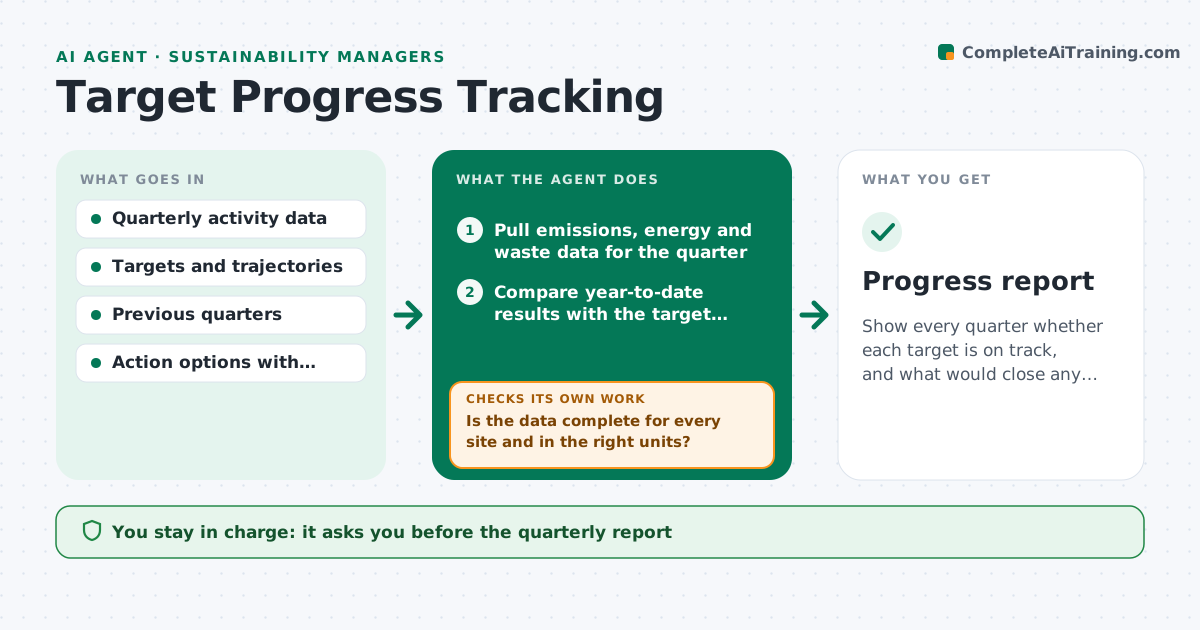
Show every quarter whether each target is on track, and what would close any gap.
What it does
A company sets targets for emissions, energy and waste, and often learns it is off track only at year end. Each quarter, this agent pulls the latest data from the places the analyst names, such as utility bills, fuel logs and waste invoices. It checks the data is complete and in the right units, then compares year-to-date results with the target trajectory for each metric and site. It flags those behind plan, estimates the gap at year end, and proposes actions with an estimated effect, such as an efficiency project or a supplier change. It rechecks the projection after adding the actions. It never reports externally. The analyst approves the report. Edge case: a quarter with missing bills is estimated and labeled, not treated as zero.
How it works
Follow the arrows from top to bottom. The orange dashed arrow is the loop: when a check fails, the agent goes back and tries again.
Read the steps as a list
- Quarter closes
- Pull emissions, energy and waste data for the quarter
- Is the data complete for every site and in the right units?If not: request the missing data, estimate with a label and note the estimate. Back to step 2.
- Compare year-to-date results with the target trajectory
- Project the year-end position for each metric
- Flag metrics behind plan and size the gap
- Propose actions with estimated effect
- Do the proposed actions close the projected gap?If not: add or scale actions and list any gap that remains. Back to step 6.
- Write the quarterly report
- Analyst approves the reportThe agent waits here for your OK.
- Progress report
How it decides
It compares year-to-date with the pro rata trajectory and flags a metric behind when it misses by more than the set margin. It proposes only actions that add up to close the projected gap.
- Flag a metric when year-to-date is more than 5% behind trajectory
- Label estimated data clearly
- Propose actions only with a stated effect and source
- Report any remaining gap, not hide it
Make it yours
Every agent is a starting point. You choose these settings for your own situation.
- Metrics and targets
- Behind-plan margin (default 5%)
- Data sources
- Action library
- Report format
What keeps you in control
It always asks you first
- The quarterly report
- Any change to targets
Hard limits
- Never publish results externally
- Never change targets
It stops when
- Done: report approved
- Stop: major data missing for the quarter
Set it up
We guide you through the set-up, step by step
Members get the full set-up guide for this agent. No technical skills needed: you copy, paste and upload.
- One set of instructions to paste into your AI, with the clicks for ChatGPT, Claude, Microsoft 365 Copilot, Gemini and Grok
- The agent then walks you through connecting your own data, one source at a time
- A downloadable copy with the flow chart, the rules and the full guide