AI agent for medical billers
Clinic Billing Document Readiness Agent
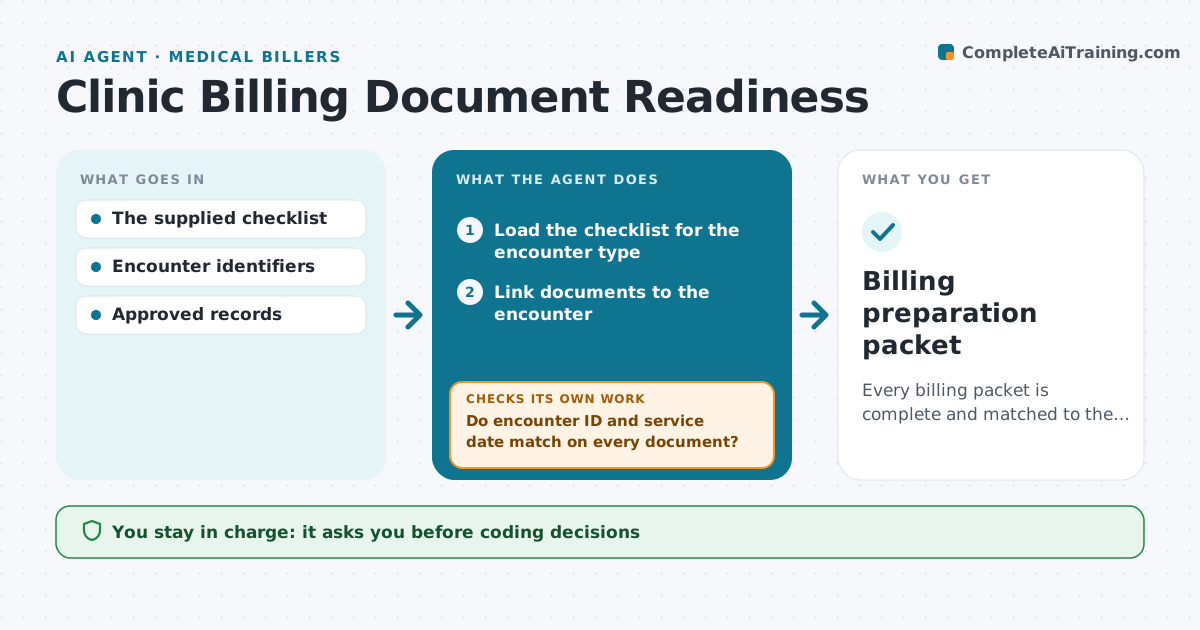
Every billing packet is complete and matched to the right encounter.
What it does
Billing packets need supporting documents that match each encounter, and gaps lead to denied claims. When an encounter is ready, this agent links its documents and checks that each one has the matching encounter ID and service date. It handles mismatched encounters first. For any missing or mismatched evidence, it creates a task for the responsible team. When a corrected document arrives, it revalidates the packet. The packet is ready only when every checklist item is linked. The billing administrator reviews it; coding decisions and claims submission stay with billing staff. Edge case: a replacement note has a different service date, so the item stays open.
How it works
Follow the arrows from top to bottom. The orange dashed arrow is the loop: when a check fails, the agent goes back and tries again.
Read the steps as a list
- Encounter ready for billing
- Load the checklist for the encounter type
- Link documents to the encounter
- Do encounter ID and service date match on every document?If not: create a missing-evidence task. Back to step 3.
- Revalidate when corrections arrive
- Is every checklist item linked?If not: keep the packet open. Back to step 5.
- Billing administrator reviewsThe agent waits here for your OK.
- Billing preparation packet
How it decides
It checks the mismatched encounters first and revalidates on corrections.
- Match on encounter ID and service date.
- A packet is ready only when all checklist items are linked.
- Mismatched encounters are handled first.
- No coding or claim submission by the agent.
Make it yours
Every agent is a starting point. You choose these settings for your own situation.
- Checklist per encounter type
- Teams that receive missing-evidence tasks
- How often to revalidate (default daily)
- Who reviews packets
- Packet output format
What keeps you in control
It always asks you first
- Coding decisions
- Claims submission
- Clinical conclusions
Hard limits
- No coding or submission.
It stops when
- Done: packet ready.
Set it up
We guide you through the set-up, step by step
Members get the full set-up guide for this agent. No technical skills needed: you copy, paste and upload.
- One set of instructions to paste into your AI, with the clicks for ChatGPT, Claude, Microsoft 365 Copilot, Gemini and Grok
- The agent then walks you through connecting your own data, one source at a time
- A downloadable copy with the flow chart, the rules and the full guide