AI agent for dentists
Practice Production and Collections Review Agent
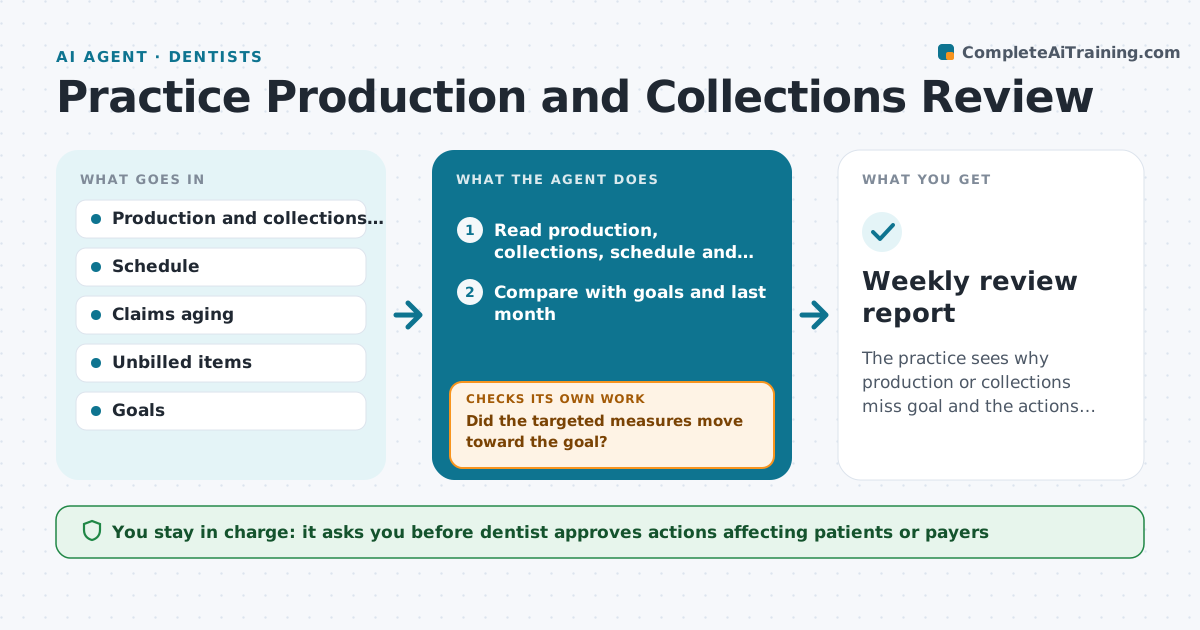
The practice sees why production or collections miss goal and the actions taken close the gap.
What it does
Production and collections can slip for weeks before anyone looks at why. Every week the agent reads production, collections and the schedule, compares them with the goals and last month, and breaks the gap into causes: cancellations and open chair time, unbilled treatment, slow insurance claims, patient balances and treatment not scheduled. It ranks the causes by dollar impact and proposes actions, for example billing the 12 unbilled visits or chasing the 40 oldest claims. Next week it checks whether the numbers moved and which actions were done. The dentist approves any action that affects patients or payers. Edge case: a low week caused by a holiday is not treated as a problem.
How it works
Follow the arrows from top to bottom. The orange dashed arrow is the loop: when a check fails, the agent goes back and tries again.
Read the steps as a list
- Weekly run
- Read production, collections, schedule and claims reports
- Compare with goals and last month
- Break the gap into causes and size each in dollars
- Rank the causes and propose actions
- Dentist approves the actionsThe agent waits here for your OK.
- Create tasks for staff
- Read the next week's numbers
- Did the targeted measures move toward the goal?If not: Reassess the cause, drop actions that did not help and propose new ones. Back to step 3.
- Update the action log
- Weekly review report
How it decides
It breaks the gap into causes, ranks by dollar impact and measures the result of each action.
- Unbilled treatment is first
- Claims older than 30 days go to follow-up
- Holiday weeks adjust the goal
- An action is judged on the next 2 weeks
Make it yours
Every agent is a starting point. You choose these settings for your own situation.
- Goals
- Claims age limit
- Report day
- Cause categories
- Holiday calendar
What keeps you in control
It always asks you first
- Dentist approves actions affecting patients or payers
- Manager approves staff task changes
Hard limits
- Never alter financial records
- Never contact patients or payers without approval
- Never report figures it cannot trace
It stops when
- Done: goals are met or the cause is documented
- Stop: the data source fails
Set it up
We guide you through the set-up, step by step
Members get the full set-up guide for this agent. No technical skills needed: you copy, paste and upload.
- One set of instructions to paste into your AI, with the clicks for ChatGPT, Claude, Microsoft 365 Copilot, Gemini and Grok
- The agent then walks you through connecting your own data, one source at a time
- A downloadable copy with the flow chart, the rules and the full guide