AI agent for law students
Clinic Client File Hygiene Agent
Every clinic file has its required forms, notes and deadlines, and the supervisor sees the gaps.
What it does
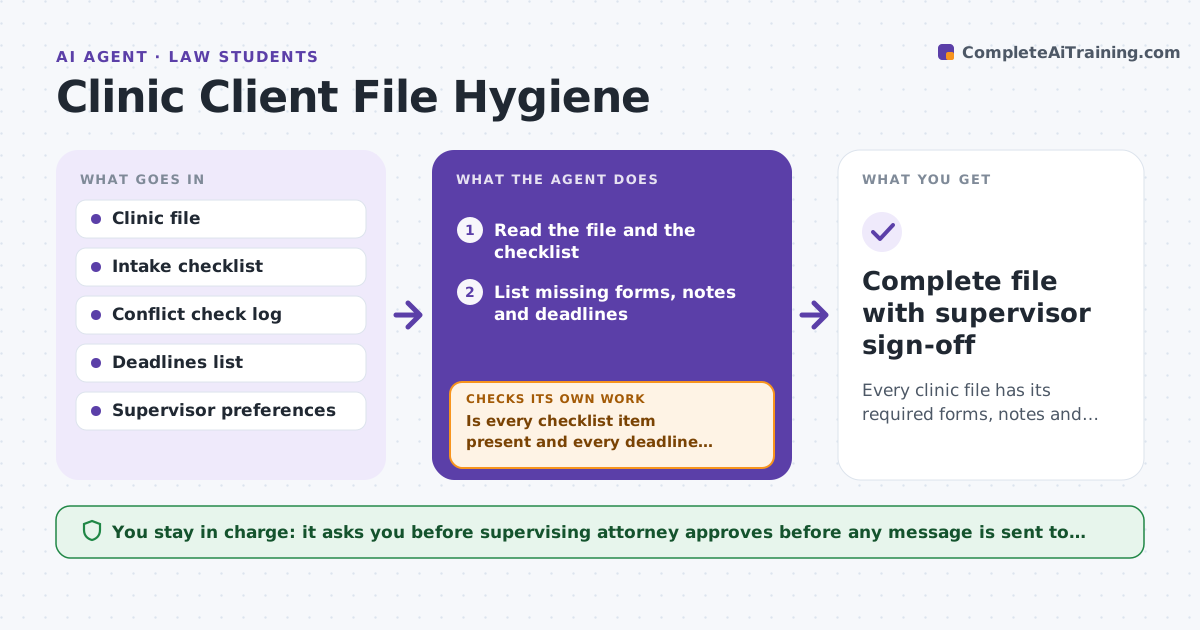
Clinic files often lack intake forms, consent, conflict checks or deadlines, and supervising attorneys find out late. This agent reviews each file for required items and lists what is missing. It drafts a note for the supervising attorney with the open items and deadlines, and rechecks after the student updates the file. A student sends nothing outward until the supervisor approves. Each week it also checks the calendar so no deadline lives only in someone's head. If the student's update does not fully fix an item, the agent keeps it on the list and says what is still missing. It decides what blocks work by risk: a missing conflict check or consent stops everything, a missing note does not. Edge case: a file has a signed engagement but no conflict check recorded, so the agent flags the missing check before any other work.
How it works
Follow the arrows from top to bottom. The orange dashed arrow is the loop: when a check fails, the agent goes back and tries again.
Read the steps as a list
- Weekly file review
- Read the file and the checklist
- List missing forms, notes and deadlines
- Flag blockers such as no conflict check or consent
- Draft the note for the supervising attorney
- Supervising attorney reviews the noteThe agent waits here for your OK.
- Recheck the file after the student's updates
- Is every checklist item present and every deadline recorded?If not: update the note and return it to the student. Back to step 3.
- Complete file with supervisor sign-off
How it decides
It compares the file to the checklist. It treats a missing conflict check or consent as a blocker.
- Treat a missing conflict check as a blocker
- Flag a deadline not on the calendar
- Flag a missing consent
- Require a note after each client contact
Make it yours
Every agent is a starting point. You choose these settings for your own situation.
- Checklist items
- Review frequency
- Blockers
- Supervisor note format
- Deadline lead time
What keeps you in control
It always asks you first
- Supervising attorney approves before any message is sent to the client or court
Hard limits
- Never send anything to the client or court
- Never mark a conflict check complete without a record
It stops when
- Done: file is complete and the supervisor has reviewed
- Stop: a blocker needs the supervisor
Set it up
We guide you through the set-up, step by step
Members get the full set-up guide for this agent. No technical skills needed: you copy, paste and upload.
- One set of instructions to paste into your AI, with the clicks for ChatGPT, Claude, Microsoft 365 Copilot, Gemini and Grok
- The agent then walks you through connecting your own data, one source at a time
- A downloadable copy with the flow chart, the rules and the full guide