AI agent for medical practice managers
Clinic Credential Evidence Agent
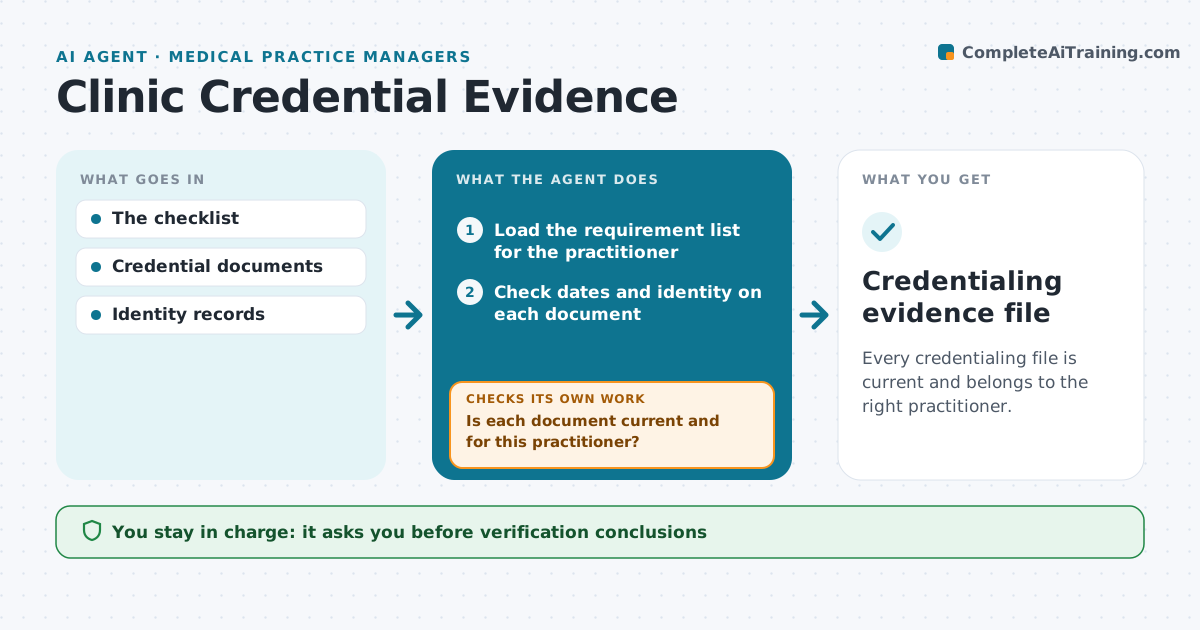
Every credentialing file is current and belongs to the right practitioner.
What it does
Credential files for clinicians often contain expired licenses or documents that belong to someone else. At each credentialing cycle or upload, this agent checks every document for its expiry date and identity, meaning the practitioner's name and license number. A document with another practitioner's number never closes a requirement. For each expired, expiring or mismatched item, it drafts a targeted follow-up. When new documents arrive, it checks them again. Once all items are current, it assembles a review packet. The credentialing administrator reviews it; verification conclusions and practice authorization stay with the committee. Edge case: a license expires two days after the review date, so it counts as current but is flagged for renewal.
How it works
Follow the arrows from top to bottom. The orange dashed arrow is the loop: when a check fails, the agent goes back and tries again.
Read the steps as a list
- Credentialing cycle or new upload
- Load the requirement list for the practitioner
- Check dates and identity on each document
- Is each document current and for this practitioner?If not: draft a targeted follow-up. Back to step 3.
- Flag documents expiring soon
- Assemble the review packet
- Credentialing administrator reviewsThe agent waits here for your OK.
- Credentialing evidence file
How it decides
It checks expiry and identity per document and follows up on the gaps.
- Current means not expired on the review date.
- Identity requires a matching name and license number.
- Documents expiring within the set window are flagged for renewal.
- The agent never grants practice authorization.
Make it yours
Every agent is a starting point. You choose these settings for your own situation.
- Required documents per practitioner type
- Days before expiry to flag a renewal (default 60)
- Follow-up channel and reminder schedule
- Who reviews the packet
- Packet format
What keeps you in control
It always asks you first
- Verification conclusions
- Practice authorization
Hard limits
- No verification conclusions.
It stops when
- Done: file current.
Set it up
We guide you through the set-up, step by step
Members get the full set-up guide for this agent. No technical skills needed: you copy, paste and upload.
- One set of instructions to paste into your AI, with the clicks for ChatGPT, Claude, Microsoft 365 Copilot, Gemini and Grok
- The agent then walks you through connecting your own data, one source at a time
- A downloadable copy with the flow chart, the rules and the full guide