AI agent for medical practice managers
Leave Coverage Constraint Agent
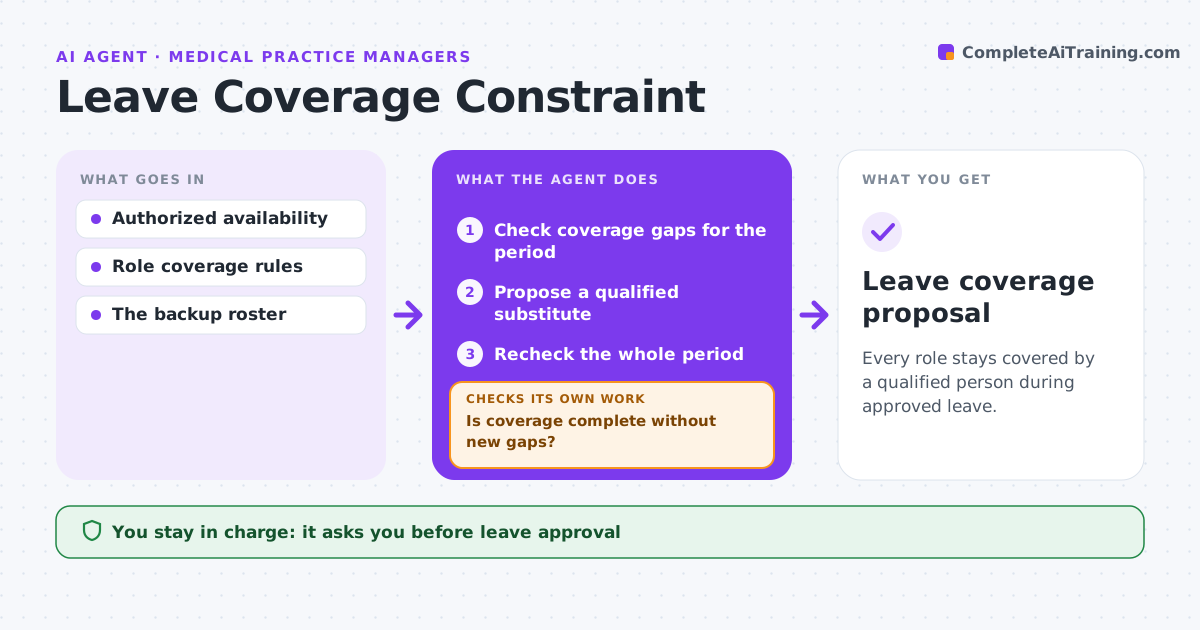
Every role stays covered by a qualified person during approved leave.
What it does
Leave coverage plans often name a backup who is not qualified or authorized for the absent person's duties. When leave is approved, this agent checks every duty and shift in the leave period for gaps. For each gap it proposes a substitute whose qualifications and authorizations match the role, and who is available. After each change it rechecks the whole period, because moving one person can open a gap somewhere else. If no qualified substitute exists, the gap goes to the coordinator rather than being filled with someone unsuitable. The coordinator confirms staffing. Edge case: the proposed backup for a pharmacist is qualified but is already the only cover for another site that week, so the agent tries the next candidate.
How it works
Follow the arrows from top to bottom. The orange dashed arrow is the loop: when a check fails, the agent goes back and tries again.
Read the steps as a list
- Leave approved
- Check coverage gaps for the period
- Propose a qualified substitute
- Recheck the whole period
- Is coverage complete without new gaps?If not: try another substitute or return the gap to a coordinator. Back to step 3.
- Coordinator confirms staffingThe agent waits here for your OK.
- Leave coverage proposal
How it decides
It picks substitutes by explicit qualifications and rechecks the whole period after each change.
- A substitute must match every required qualification.
- Recheck the whole leave period after each change.
- After three failed candidates for one gap, send the gap to the coordinator.
Make it yours
Every agent is a starting point. You choose these settings for your own situation.
- Qualification and authorization rules per role
- Maximum hours a substitute may take on (default 48 per week)
- How far ahead coverage is planned (default 2 weeks before leave)
- Who confirms staffing (default coordinator)
What keeps you in control
It always asks you first
- Leave approval
- Staffing decisions
Hard limits
- Drafts only.
It stops when
- Done: covered.
- Needs a human: no qualified backup.
Set it up
We guide you through the set-up, step by step
Members get the full set-up guide for this agent. No technical skills needed: you copy, paste and upload.
- One set of instructions to paste into your AI, with the clicks for ChatGPT, Claude, Microsoft 365 Copilot, Gemini and Grok
- The agent then walks you through connecting your own data, one source at a time
- A downloadable copy with the flow chart, the rules and the full guide