AI agent for biomedical engineers
Clinical Engineering Field Corrective Action Agent
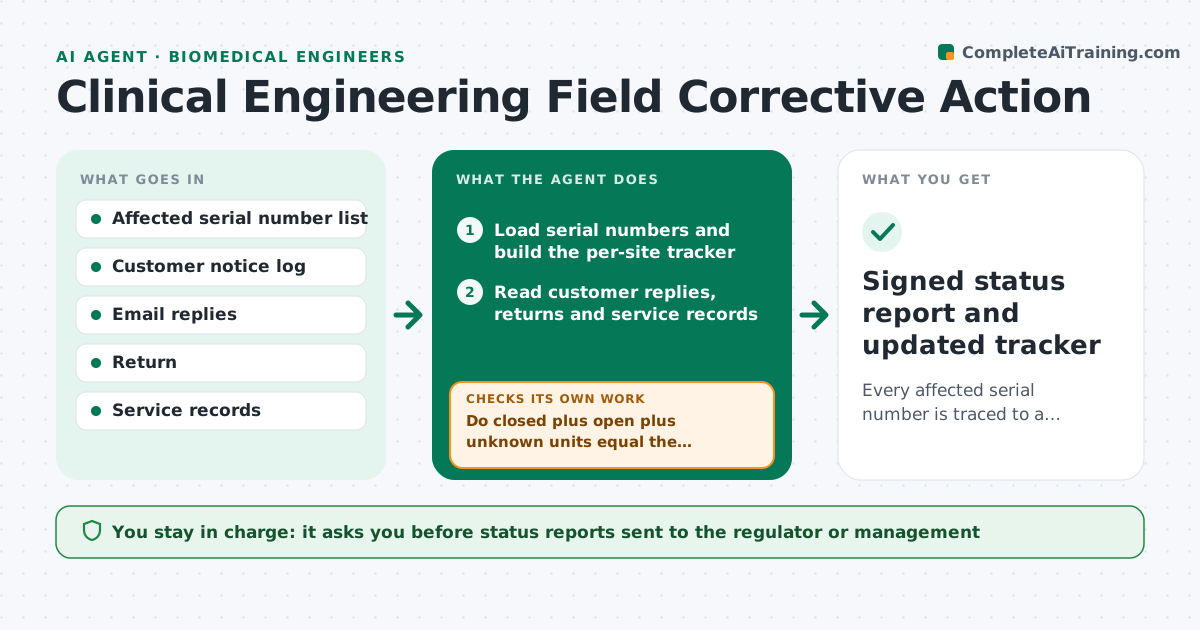
Every affected serial number is traced to a closed, corrected or explained status, with counts that tie to the recall list
What it does
During a device recall, the field work lives in email threads and half-updated spreadsheets, so nobody can say how many units are truly closed. This agent starts from the affected serial number list and builds one tracker. It records which customers were notified, who acknowledged, and whether each unit was returned, corrected or still in service. It reads replies and updates each site's status. After every batch of updates it recounts open, closed and unknown units and compares the total to the original list. Sites with no acknowledgement get a draft reminder; sites with a conflicting answer go to the engineer. It never sends anything itself. The regulatory lead approves every status report. Edge case: a hospital reports a serial number that is not on the affected list, so the agent holds it as a possible list error instead of closing it.
How it works
Follow the arrows from top to bottom. The orange dashed arrow is the loop: when a check fails, the agent goes back and tries again.
Read the steps as a list
- Recall action opens with an affected serial list
- Load serial numbers and build the per-site tracker
- Read customer replies, returns and service records
- Update each unit's status and note the evidence
- Do closed plus open plus unknown units equal the original list?If not: find the missing or extra serials and correct the tracker. Back to step 4.
- Rank open sites by age of notice and risk
- Draft reminders for sites with no acknowledgement
- Did every reminded site respond within the set window?If not: escalate the site to the engineer with the full history and reread incoming replies. Back to step 3.
- Draft the status report with counts and exceptions
- Regulatory lead approves the status reportThe agent waits here for your OK.
- Signed status report and updated tracker
How it decides
A unit is closed only when a reply or service record shows return, correction or confirmed removal. Counts must tie to the original list before a report is drafted.
- Close a unit only with written evidence of return, correction or removal
- Send a reminder to any site with no reply after 5 business days
- Escalate a site after 2 reminders without response
- Hold any serial not on the affected list as a possible list error
Make it yours
Every agent is a starting point. You choose these settings for your own situation.
- Days before a reminder is drafted (default 5)
- Number of reminders before escalation (default 2)
- Report schedule (default weekly)
- Statuses that count as closed
What keeps you in control
It always asks you first
- Status reports sent to the regulator or management
- Any reminder or notice sent to a customer
Hard limits
- Never marks a unit closed without evidence
- Never sends notices or reports without approval
It stops when
- Done: every serial is closed or explained and counts tie out
- Stop: the affected serial list changes and needs regulatory review
Set it up
We guide you through the set-up, step by step
Members get the full set-up guide for this agent. No technical skills needed: you copy, paste and upload.
- One set of instructions to paste into your AI, with the clicks for ChatGPT, Claude, Microsoft 365 Copilot, Gemini and Grok
- The agent then walks you through connecting your own data, one source at a time
- A downloadable copy with the flow chart, the rules and the full guide