AI agent for biomedical engineers
Usability Study Use Error Tracking Agent
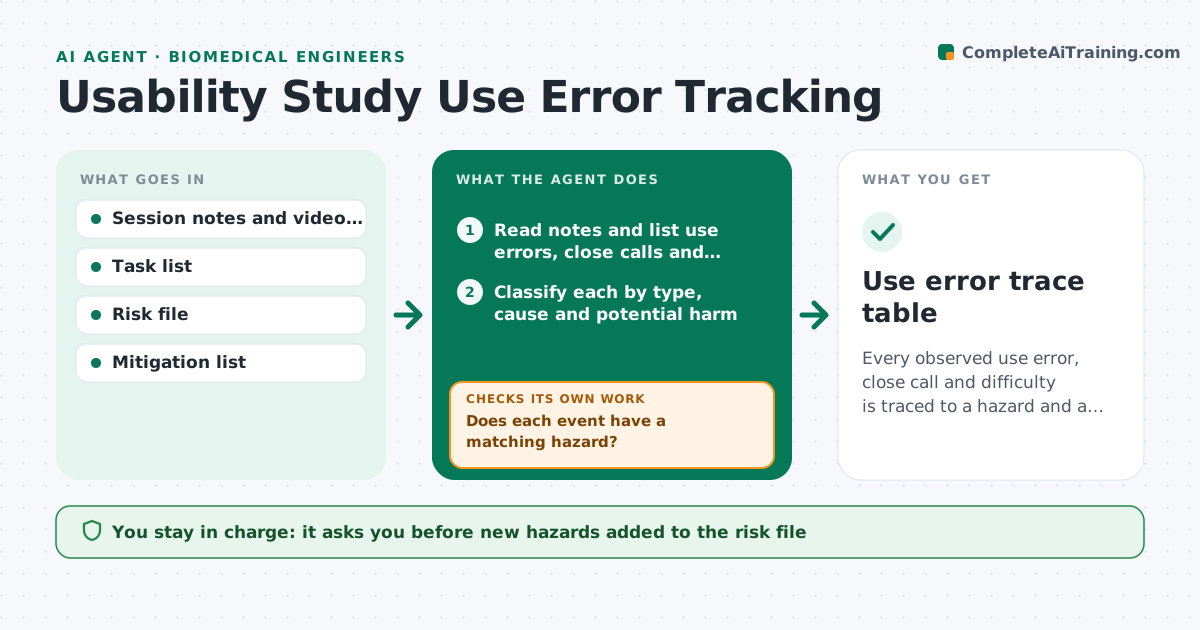
Every observed use error, close call and difficulty is traced to a hazard and a mitigation before the report.
What it does
A usability test produces hours of notes, and a use error buried in session 6 never reaches the risk file. This agent reads the session notes and classifies each use error by task, type and severity of possible harm. It links each to the matching hazard and hazardous situation in the risk file and checks that every error has a mitigation, such as a design change, a label or training. Missing links go back to you as a list with suggested matches. After you update the risk file, it rechecks. It then drafts the use error summary for the usability report. You approve the report. Edge case: a close call or difficulty is tracked even when no error occurred.
How it works
Follow the arrows from top to bottom. The orange dashed arrow is the loop: when a check fails, the agent goes back and tries again.
Read the steps as a list
- Session notes received
- Read notes and list use errors, close calls and difficulties by task
- Classify each by type, cause and potential harm
- Match each to hazards and hazardous situations in the risk file
- Does each event have a matching hazard?If not: propose a new hazard entry or a better match for the engineer. Back to step 4.
- Engineer approves new hazards and linksThe agent waits here for your OK.
- Does each linked hazard have a mitigation with evidence?If not: list the gaps and suggest a mitigation type for each. Back to step 4.
- Recheck the risk file after the engineer updates it
- Draft the use error summary table for the report
- Engineer approves the usability reportThe agent waits here for your OK.
- Use error trace table
How it decides
An event is complete when it has a classification, a linked hazard and at least one mitigation with verification evidence.
- Error with possible serious harm: mark as critical and require a mitigation
- Same error in 2 or more participants: flag as a pattern
- Participant needed help from the moderator: count as a use error
- Close call with no harm path: record as an observation, not a hazard
Make it yours
Every agent is a starting point. You choose these settings for your own situation.
- Event categories and severity scale
- Task list
- Pattern threshold in participants (default 2)
- Report template
- Risk file format
What keeps you in control
It always asks you first
- New hazards added to the risk file
- The final usability report
Hard limits
- Never change the risk file itself
- Never drop an event because it looks minor
It stops when
- Done: all events traced and report approved
- Stop: risk file not accessible
Set it up
We guide you through the set-up, step by step
Members get the full set-up guide for this agent. No technical skills needed: you copy, paste and upload.
- One set of instructions to paste into your AI, with the clicks for ChatGPT, Claude, Microsoft 365 Copilot, Gemini and Grok
- The agent then walks you through connecting your own data, one source at a time
- A downloadable copy with the flow chart, the rules and the full guide