AI agent for executive coachs
Coaching Package and Billing Tracker Agent
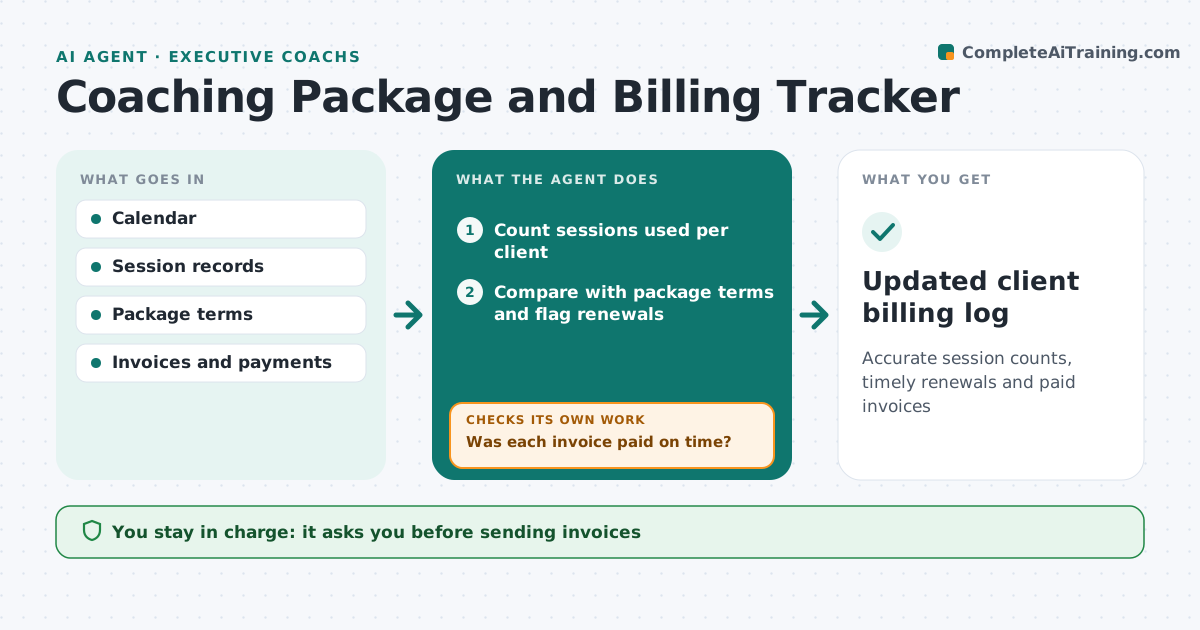
Accurate session counts, timely renewals and paid invoices
What it does
Coaches sell packages of sessions, and tracking usage, renewals and payments across clients eats time. This agent reads the calendar and session notes to count sessions used per client and compares them with each package. A session canceled inside the late-cancel window counts as used if the contract says so. When a client nears the end of a package, it drafts a renewal note for the coach. It drafts invoices for completed sessions or new packages. It then checks each invoice was paid by the due date, and if not, drafts a polite reminder, then a second one a week later. It also checks the session count matches the calendar before each invoice. The coach approves every invoice and message.
How it works
Follow the arrows from top to bottom. The orange dashed arrow is the loop: when a check fails, the agent goes back and tries again.
Read the steps as a list
- Weekly admin run
- Count sessions used per client
- Compare with package terms and flag renewals
- Draft invoices and renewal notes
- Coach approves invoices and messagesThe agent waits here for your OK.
- Watch payments against due dates
- Was each invoice paid on time?If not: draft a polite reminder for coach approval. Back to step 6.
- Updated client billing log
How it decides
It counts sessions by contract rules and flags renewals when two sessions remain.
- Late cancels follow the contract
- Renewal flag at two sessions left
- One reminder per week at most
Make it yours
Every agent is a starting point. You choose these settings for your own situation.
- Renewal flag point
- Late-cancel rule
- Reminder tone
- Invoice template
What keeps you in control
It always asks you first
- Sending invoices
- Sending reminders
Hard limits
- Never charges cards
- Never sends without approval
It stops when
- Done: all clients current
- Stop: dispute about sessions; hand to coach
Set it up
We guide you through the set-up, step by step
Members get the full set-up guide for this agent. No technical skills needed: you copy, paste and upload.
- One set of instructions to paste into your AI, with the clicks for ChatGPT, Claude, Microsoft 365 Copilot, Gemini and Grok
- The agent then walks you through connecting your own data, one source at a time
- A downloadable copy with the flow chart, the rules and the full guide