AI agent for sales development representatives
Cold Call Block Preparation Agent
A ready, verified calling list before every block and clean outcomes logged after it
What it does
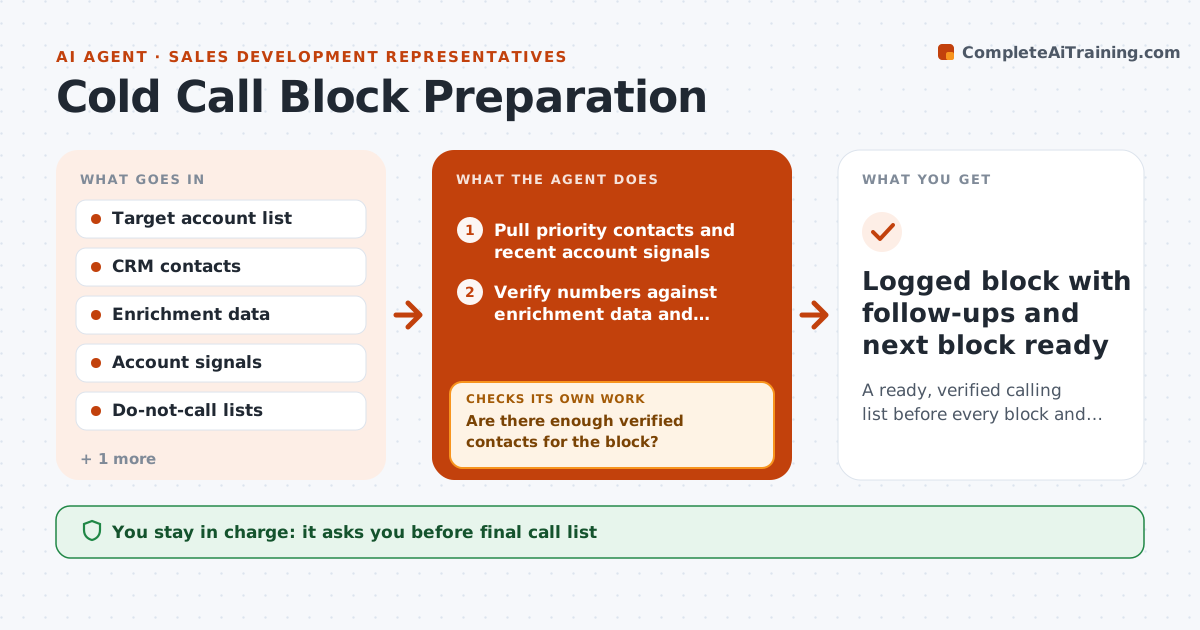
Most SDRs have a set calling block each day, but the list is often stale, half the numbers are wrong and there is no reason ready for each call. This agent builds the next block from your target accounts: it picks contacts by priority, checks phone numbers against the enrichment source and recent bounce or wrong-number logs, and writes a one-line reason to call from recent account signals. After the block it reads your call outcomes, logs them in the CRM, schedules follow-ups and removes bad numbers. If too many numbers fail, it rebuilds the list for the next block with better-verified contacts instead of repeating them. You decide who to call and approve any follow-up email. Edge case: a contact in a region with do-not-call rules is skipped unless there is a prior consent record.
How it works
Follow the arrows from top to bottom. The orange dashed arrow is the loop: when a check fails, the agent goes back and tries again.
Read the steps as a list
- Call block is 30 minutes away
- Pull priority contacts and recent account signals
- Verify numbers against enrichment data and do-not-call lists
- Are there enough verified contacts for the block?If not: pull the next accounts on the list and verify again. Back to step 2.
- Write a one-line reason to call for each contact
- SDR reviews and adjusts the list before callingThe agent waits here for your OK.
- After the block, log outcomes and schedule follow-ups in the CRM
- Was the wrong-number rate under the limit?If not: mark failed numbers, switch source for next block and note it. Back to step 3.
- Logged block with follow-ups and next block ready
How it decides
Contacts are ranked by account priority, title fit and a fresh signal in the last 30 days. Numbers marked wrong twice are removed.
- A block needs at least 40 verified contacts, default
- Numbers marked wrong twice are removed from all lists
- Contacts called in the last 5 business days are skipped
- Wrong-number rate above 15% triggers a source change
Make it yours
Every agent is a starting point. You choose these settings for your own situation.
- Block size (default 40 contacts)
- Wrong-number limit (default 15%)
- Signal freshness window (default 30 days)
- Skip period after a call (default 5 business days)
What keeps you in control
It always asks you first
- Final call list
- Follow-up emails
Hard limits
- Never calls or emails a contact on its own
- Never ignores do-not-call status
It stops when
- Done: outcomes logged and next list ready
- Stop: target account list is empty, ask the manager for new accounts
Set it up
We guide you through the set-up, step by step
Members get the full set-up guide for this agent. No technical skills needed: you copy, paste and upload.
- One set of instructions to paste into your AI, with the clicks for ChatGPT, Claude, Microsoft 365 Copilot, Gemini and Grok
- The agent then walks you through connecting your own data, one source at a time
- A downloadable copy with the flow chart, the rules and the full guide