AI agent for real estate brokers
Commission Disbursement Review Agent
An accurate commission disbursement authorization approved before closing
What it does
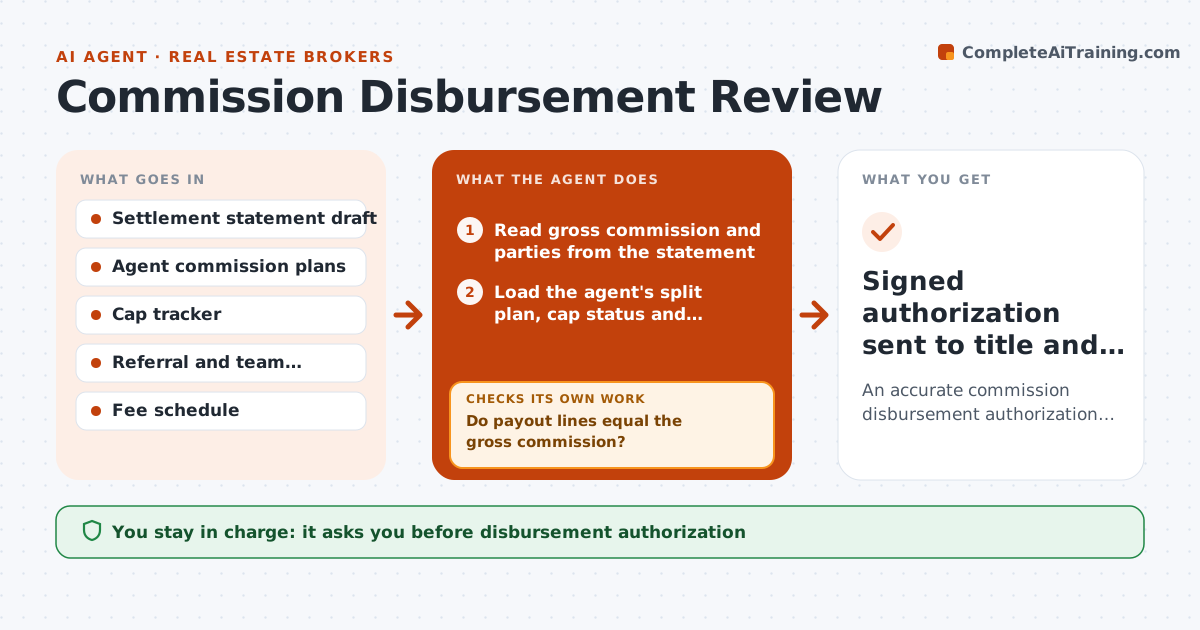
Before closing, a broker sends a commission disbursement authorization to the title company. Each one depends on the agent's split plan, caps, transaction fees, referral agreements and team splits. Brokers often check these from memory or a spreadsheet and errors mean clawbacks and unhappy agents. This agent reads the settlement statement draft, the agent's plan and year-to-date cap status, and any referral agreement on file. It calculates every payout line and compares the total to the gross commission on the statement. If the totals do not tie or a referral agreement is missing a signature, it lists the gap and asks the agent for the document. It drafts the authorization only when everything ties. You approve and sign. Edge case: an agent who hits their annual cap mid-transaction gets the split change applied only to the amount above the cap.
How it works
Follow the arrows from top to bottom. The orange dashed arrow is the loop: when a check fails, the agent goes back and tries again.
Read the steps as a list
- Settlement statement draft arrives
- Read gross commission and parties from the statement
- Load the agent's split plan, cap status and referral agreements
- Calculate split, fees, team share and referral payouts
- Do payout lines equal the gross commission?If not: recheck cap status and fee schedule and list the gap. Back to step 4.
- Is every referral or team agreement signed and on file?If not: request the missing document from the agent. Back to step 3.
- Draft the disbursement authorization
- Broker approves and signs the authorizationThe agent waits here for your OK.
- Signed authorization sent to title and cap tracker updated
How it decides
Payout lines follow the agent's plan in force on the contract date. The authorization is drafted only when lines add up to the gross commission within one dollar.
- The plan in force on the contract date applies
- Totals must tie to the gross commission within one dollar
- Referral payouts require a signed agreement on file
- Cap crossings split the commission at the cap amount
Make it yours
Every agent is a starting point. You choose these settings for your own situation.
- Tie tolerance (default one dollar)
- Fee schedule source (default office fee table)
- Days before closing to start review (default 5)
- Who gets the cap tracker update (default office administrator)
What keeps you in control
It always asks you first
- Disbursement authorization
- Any exception to an agent's plan
Hard limits
- Never sends an authorization without broker signature
- Never changes an agent's plan
It stops when
- Done: authorization signed and cap tracker updated
- Stop: settlement statement commission differs from the listing agreement, broker decides
Set it up
We guide you through the set-up, step by step
Members get the full set-up guide for this agent. No technical skills needed: you copy, paste and upload.
- One set of instructions to paste into your AI, with the clicks for ChatGPT, Claude, Microsoft 365 Copilot, Gemini and Grok
- The agent then walks you through connecting your own data, one source at a time
- A downloadable copy with the flow chart, the rules and the full guide