AI agent for energy engineers
Commissioning Deficiency Close-out Agent
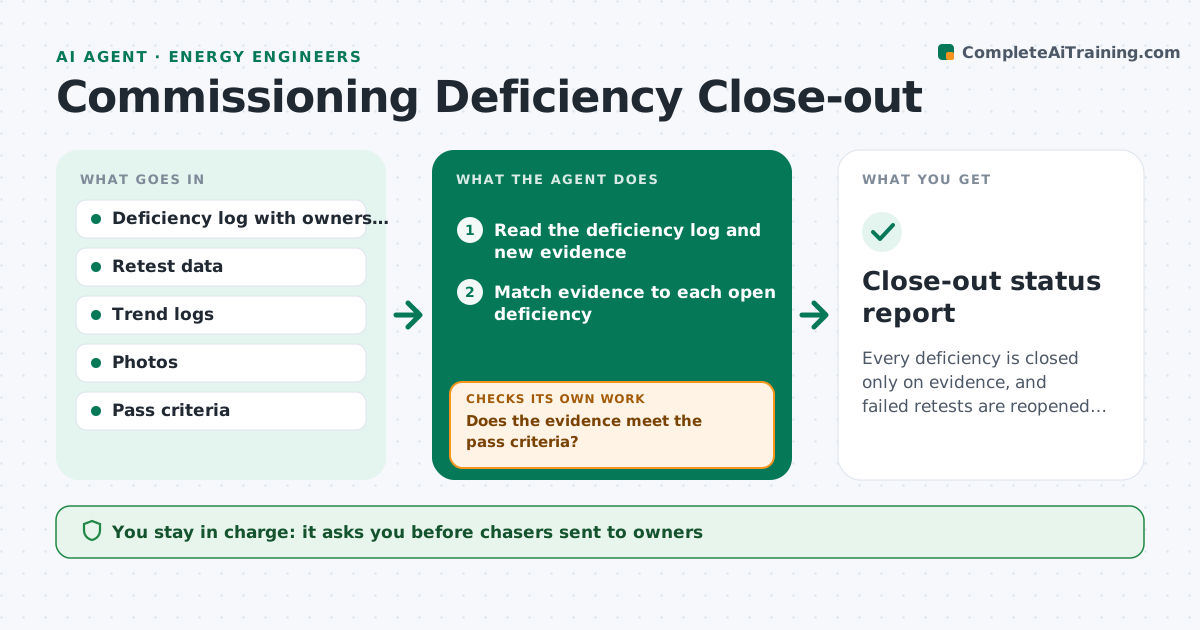
Every deficiency is closed only on evidence, and failed retests are reopened right away.
What it does
Commissioning finds 120 deficiencies, the contractor says most are fixed, and months later the issues are still listed as open. This agent lists each deficiency with its owner and due date and checks for evidence of the fix, such as a retest reading, a trend log or a photo. It chases overdue items with short messages to the owner. When retest data arrives, it compares the reading to the pass criteria. If a retest fails, it reopens the item and attaches the new reading. The engineer approves each closure. Edge case: a deficiency that appears fixed but whose related item fails shows up as a linked reopening.
How it works
Follow the arrows from top to bottom. The orange dashed arrow is the loop: when a check fails, the agent goes back and tries again.
Read the steps as a list
- Weekly run or new evidence
- Read the deficiency log and new evidence
- Match evidence to each open deficiency
- Does the evidence meet the pass criteria?If not: reopen the item and attach the reading, or mark evidence insufficient. Back to step 3.
- Flag overdue items by age and system
- Draft chasers to owners for overdue and reopened items
- Engineer approves chasersThe agent waits here for your OK.
- Read owner replies and retest data
- Do linked items and related systems still pass?If not: reopen the linked item and list the dependency. Back to step 3.
- Engineer approves each closureThe agent waits here for your OK.
- Close-out status report
How it decides
An item can close only when the evidence meets its pass criteria. No evidence or a failed reading keeps it open.
- Retest reading outside the pass range: reopen
- Photo only for a performance issue: request a trend log
- Item overdue over 30 days: escalate to the project manager
- Closure of an item that affects another system: recheck that system
Make it yours
Every agent is a starting point. You choose these settings for your own situation.
- Pass criteria by system
- Overdue limit in days (default 30)
- Evidence types accepted
- Chaser frequency
- Report format
What keeps you in control
It always asks you first
- Chasers sent to owners
- Each closure
Hard limits
- Never close an item
- Never accept a statement without data or a photo
It stops when
- Done: all items closed with evidence
- Stop: project handed over with open items listed
Set it up
We guide you through the set-up, step by step
Members get the full set-up guide for this agent. No technical skills needed: you copy, paste and upload.
- One set of instructions to paste into your AI, with the clicks for ChatGPT, Claude, Microsoft 365 Copilot, Gemini and Grok
- The agent then walks you through connecting your own data, one source at a time
- A downloadable copy with the flow chart, the rules and the full guide