AI agent for editors
Communications Correction Propagation Agent
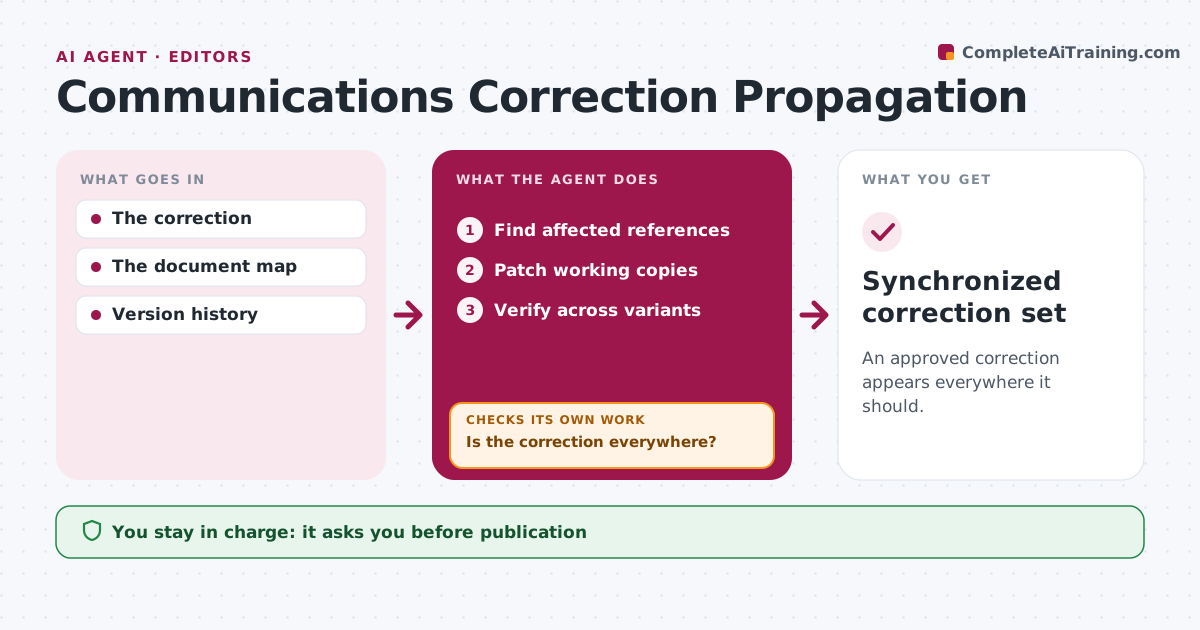
An approved correction appears everywhere it should.
What it does
Approved corrections often fail to reach every place the error appears, such as captions, attachments and translations. When a correction is approved, this agent searches for affected references by meaning and by identifiers like names, figures and file IDs, not just exact text. It patches working copies of each affected item. It then verifies the correction across all versions. Where it finds misses, it runs another targeted pass instead of a risky global find-and-replace that could change unrelated text. It keeps a list of every place changed. Editorial approves publication and any change to the correction itself. Edge case: a caption and an attachment still carry the old name, so the second pass catches them.
How it works
Follow the arrows from top to bottom. The orange dashed arrow is the loop: when a check fails, the agent goes back and tries again.
Read the steps as a list
- Correction approved
- Find affected references
- Patch working copies
- Verify across variants
- Is the correction everywhere?If not: run another targeted pass. Back to step 2.
- Editorial approves publicationThe agent waits here for your OK.
- Synchronized correction set
How it decides
It searches by meaning and runs another targeted pass on misses.
- Targeted passes only, never global replacement.
- Search by meaning and identifiers, not just exact text.
- Every changed place is listed for editorial review.
Make it yours
Every agent is a starting point. You choose these settings for your own situation.
- Where to search (web pages, attachments, translations, social posts)
- Identifiers to match besides exact text
- Maximum targeted passes before flagging (default 3)
- Who approves publication
What keeps you in control
It always asks you first
- Publication
- Changing the correction
Hard limits
- Working copies only.
It stops when
- Done: verified.
Set it up
We guide you through the set-up, step by step
Members get the full set-up guide for this agent. No technical skills needed: you copy, paste and upload.
- One set of instructions to paste into your AI, with the clicks for ChatGPT, Claude, Microsoft 365 Copilot, Gemini and Grok
- The agent then walks you through connecting your own data, one source at a time
- A downloadable copy with the flow chart, the rules and the full guide