AI agent for editors
Communications FAQ Gap Agent
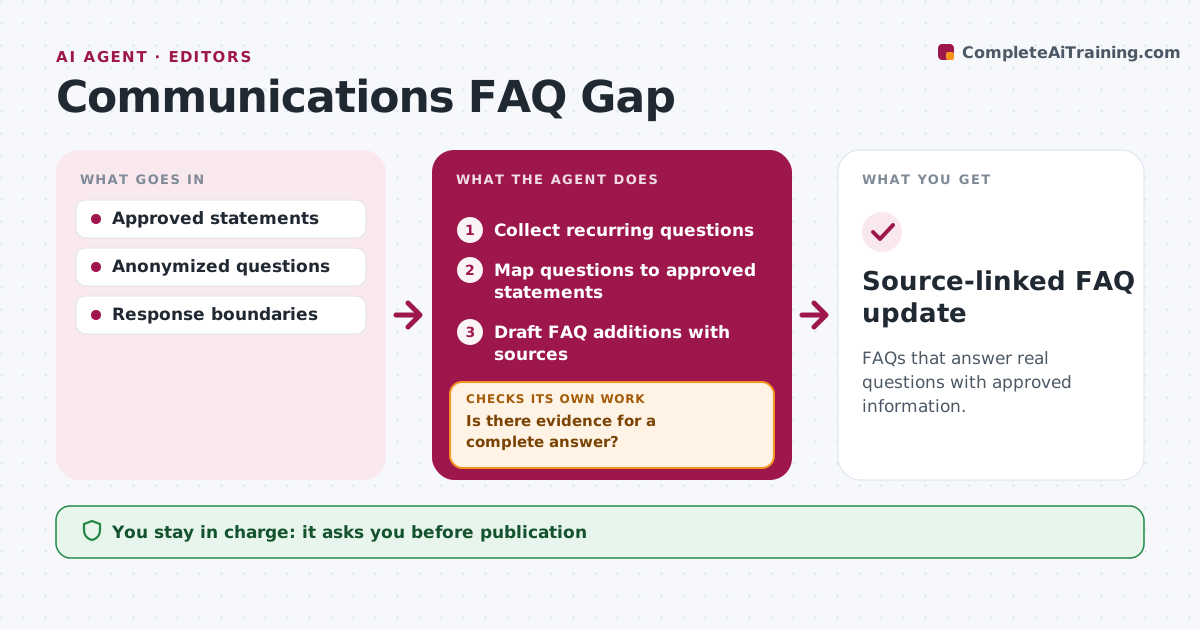
FAQs that answer real questions with approved information.
What it does
Corporate FAQs often miss the questions people actually ask. Each month this agent collects recurring questions from inboxes, support tickets and event Q&A. It maps each question to approved company statements. Where the evidence supports a complete answer, it drafts the FAQ entry with a link to the source. Where an answer would need details the statements do not contain, it records a gap for the owner instead of writing something plausible. It also checks that existing answers still match current statements. The editor approves publication. Edge case: the approved statement does not say which regions a change covers, so that detail is recorded as a gap.
How it works
Follow the arrows from top to bottom. The orange dashed arrow is the loop: when a check fails, the agent goes back and tries again.
Read the steps as a list
- Monthly FAQ review
- Collect recurring questions
- Map questions to approved statements
- Is there evidence for a complete answer?If not: record a gap for the owner. Back to step 3.
- Draft FAQ additions with sources
- Do existing answers still match current statements?If not: draft a correction. Back to step 5.
- Editor approves publicationThe agent waits here for your OK.
- Source-linked FAQ update
How it decides
It answers only with exact supporting evidence.
- No plausible but unsupported answers.
- Every answer links to an approved statement.
- Gaps go to a named owner.
Make it yours
Every agent is a starting point. You choose these settings for your own situation.
- Question sources to scan
- Minimum times a question must appear (default 3)
- Owner map for gaps
- Who approves publication
What keeps you in control
It always asks you first
- Publication
- Policy commitments
Hard limits
- No policy commitments.
It stops when
- Done: update drafted.
Set it up
We guide you through the set-up, step by step
Members get the full set-up guide for this agent. No technical skills needed: you copy, paste and upload.
- One set of instructions to paste into your AI, with the clicks for ChatGPT, Claude, Microsoft 365 Copilot, Gemini and Grok
- The agent then walks you through connecting your own data, one source at a time
- A downloadable copy with the flow chart, the rules and the full guide