AI agent for police officers
Community Concern Follow-Up Agent
Every community concern tracked to an action and a measured result
What it does
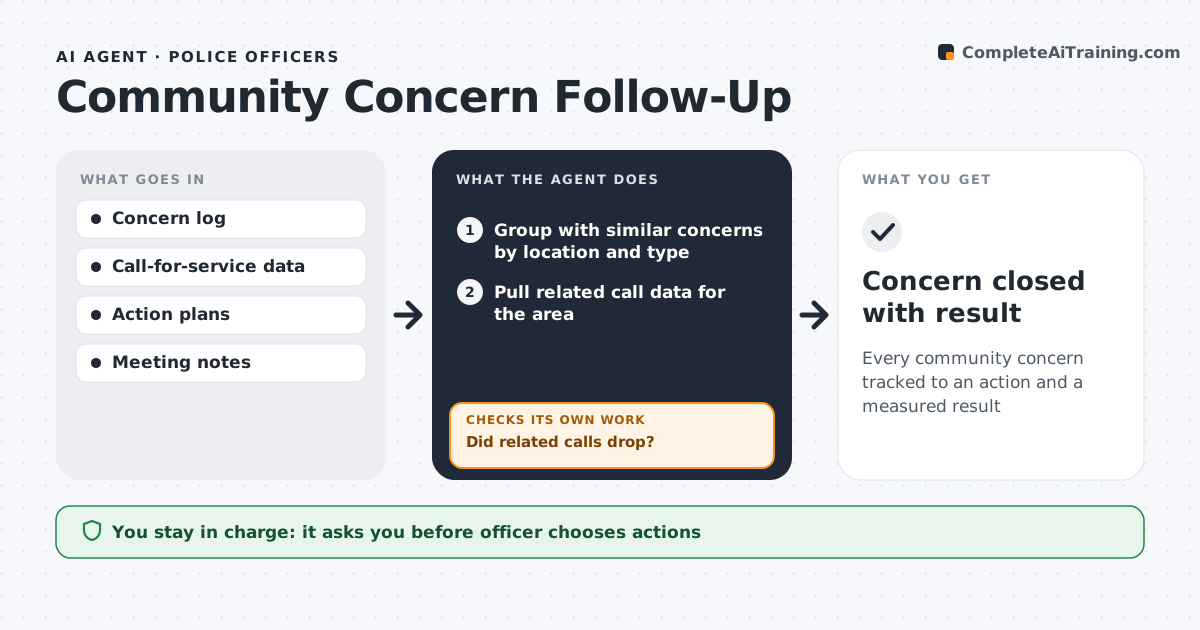
Residents raise issues such as speeding, noise or drug activity at meetings and by phone, and they want to know something happened. This agent logs each concern and groups repeats by location and type. It pulls related call data for the area to see if the problem shows up in records. The officer chooses an action plan. After the action, the agent compares call data over equal before and after periods. If related calls did not drop, it brings the issue back for a new plan. When results improve, it drafts a short update for residents, and the officer approves anything public. Named individuals never appear in updates. Edge case: concerns naming a specific person are logged for the officer but never turned into a public update.
How it works
Follow the arrows from top to bottom. The orange dashed arrow is the loop: when a check fails, the agent goes back and tries again.
Read the steps as a list
- New concern logged
- Group with similar concerns by location and type
- Pull related call data for the area
- Officer chooses an action planThe agent waits here for your OK.
- Compare call data before and after the action
- Did related calls drop?If not: bring the issue back for a new plan. Back to step 4.
- Draft a short update for residents
- Officer approves the public updateThe agent waits here for your OK.
- Concern closed with result
How it decides
Repeat concerns at the same place become one issue. Improvement means fewer related calls over the same length of time.
- Same location and type group together
- Measure over equal before and after periods
- Named individuals never appear in updates
Make it yours
Every agent is a starting point. You choose these settings for your own situation.
- Measurement period (default 30 days)
- Concern categories
- Update channel (newsletter, meeting, social)
- Grouping distance
What keeps you in control
It always asks you first
- Officer chooses actions
- Officer approves public updates
Hard limits
- Never posts publicly
- No personal data in updates
It stops when
- Done: concern resolved
- Stop: concern referred to another agency
Set it up
We guide you through the set-up, step by step
Members get the full set-up guide for this agent. No technical skills needed: you copy, paste and upload.
- One set of instructions to paste into your AI, with the clicks for ChatGPT, Claude, Microsoft 365 Copilot, Gemini and Grok
- The agent then walks you through connecting your own data, one source at a time
- A downloadable copy with the flow chart, the rules and the full guide