AI agent for police officers
Use-of-Force Review Packet Agent
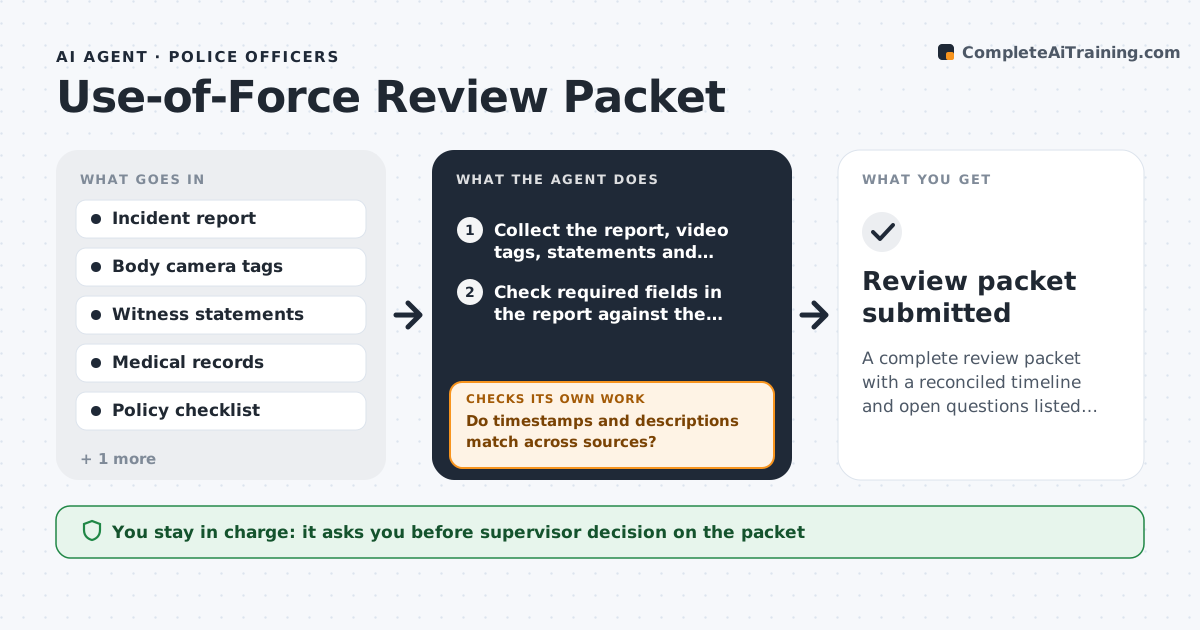
A complete review packet with a reconciled timeline and open questions listed before the review deadline
What it does
When force is used, a supervisor must collect reports, body camera video, witness statements and medical records before a review deadline. This agent gathers each item, checks the required fields in the report and compares the timeline across sources. It finds mismatches, such as a report that puts the incident at 22:14 while the video starts at 22:09, and asks the officer or witness for a clarification. It tracks what is still missing and requests it. It then builds a review packet with a combined timeline, the evidence list and the open questions. It checks that every required item is in the packet and that no clarification is left unanswered. The supervisor decides what is sent upward. Edge case: a statement taken before the video was available is flagged for a follow-up question.
How it works
Follow the arrows from top to bottom. The orange dashed arrow is the loop: when a check fails, the agent goes back and tries again.
Read the steps as a list
- Use-of-force report is filed
- Collect the report, video tags, statements and medical records
- Check required fields in the report against the policy
- Build a combined timeline from all sources
- Do timestamps and descriptions match across sources?If not: list the mismatches as questions for the officer or witness. Back to step 4.
- Request clarifications and missing items
- Is every checklist item present and every question answered?If not: set a follow-up date and flag the open items to the supervisor. Back to step 6.
- Assemble the packet with timeline, evidence list and open questions
- Supervisor decides what is sent upwardThe agent waits here for your OK.
- Review packet submitted
How it decides
A packet is complete when every item on the policy checklist is present and timeline differences are explained. Differences stay as open questions rather than being resolved by guesswork.
- Flag timestamp differences over 2 minutes
- Mark a report as incomplete if a required field is blank
- Never resolve a conflict by choosing one account without a note
- Track the review deadline and warn 3 days before
Make it yours
Every agent is a starting point. You choose these settings for your own situation.
- Policy checklist
- Timestamp tolerance (default 2 minutes)
- Review deadlines
- Packet format
What keeps you in control
It always asks you first
- Supervisor decision on the packet
Hard limits
- Never judges whether the force was justified
- Never edits a report or video
It stops when
- Done: the packet is complete and the supervisor submits it
- Stop: video or the report is unavailable
Set it up
We guide you through the set-up, step by step
Members get the full set-up guide for this agent. No technical skills needed: you copy, paste and upload.
- One set of instructions to paste into your AI, with the clicks for ChatGPT, Claude, Microsoft 365 Copilot, Gemini and Grok
- The agent then walks you through connecting your own data, one source at a time
- A downloadable copy with the flow chart, the rules and the full guide