AI agent for real estate brokers
Comparative Market Analysis Agent
Produce a defensible price range with supporting comps
What it does
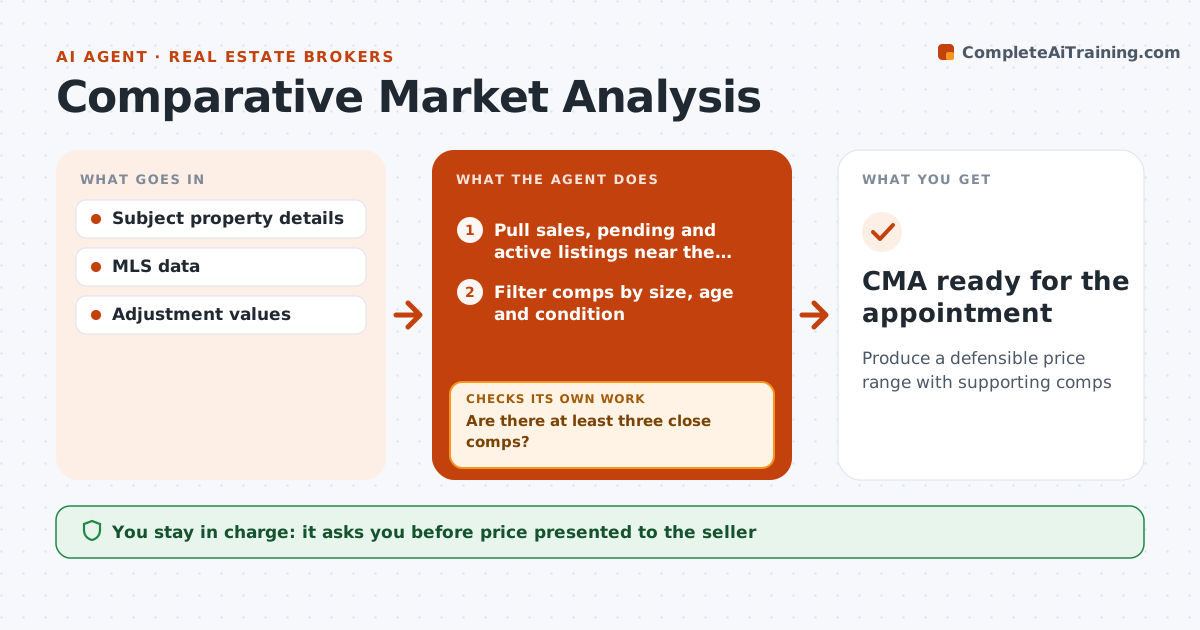
Before a listing appointment, agents need a price range they can defend to the seller. This agent pulls recent sales, pending and active listings near the subject home from the MLS. It filters comps by size within 20%, age, style and condition, preferring sales within 6 months and 1 mile. Distressed sales are excluded unless the subject is also distressed. It checks there are at least three close comps; if not, it widens the radius or date range and searches again. It adjusts each comp for differences such as bedrooms, garage and lot size using local values, and calculates a range. It drafts a CMA report with comps and a short explanation. The agent reviews, adjusts and decides the price to present. Edge case: a distressed sale is excluded unless the subject home is distressed too.
How it works
Follow the arrows from top to bottom. The orange dashed arrow is the loop: when a check fails, the agent goes back and tries again.
Read the steps as a list
- Listing appointment booked
- Pull sales, pending and active listings near the home
- Filter comps by size, age and condition
- Are there at least three close comps?If not: widen radius or date range and search again. Back to step 2.
- Adjust comps and calculate the range
- Draft the CMA report
- Agent reviews and sets the price to presentThe agent waits here for your OK.
- CMA ready for the appointment
How it decides
Comps must be within the set distance, date and size range. Adjustments use local values for features.
- Exclude distressed sales unless subject is distressed
- Prefer sales within 6 months and 1 mile
- Size within 20%
Make it yours
Every agent is a starting point. You choose these settings for your own situation.
- Distance and date limits
- Adjustment values
- Report format
- Comps count
What keeps you in control
It always asks you first
- Price presented to the seller
Hard limits
- Never presents value as an appraisal
- Never shares client info with other agents
It stops when
- Done: CMA ready
- Stop: subject details incomplete
Set it up
We guide you through the set-up, step by step
Members get the full set-up guide for this agent. No technical skills needed: you copy, paste and upload.
- One set of instructions to paste into your AI, with the clicks for ChatGPT, Claude, Microsoft 365 Copilot, Gemini and Grok
- The agent then walks you through connecting your own data, one source at a time
- A downloadable copy with the flow chart, the rules and the full guide