AI agent for compensation analysts
Compensation Band Maintenance Agent
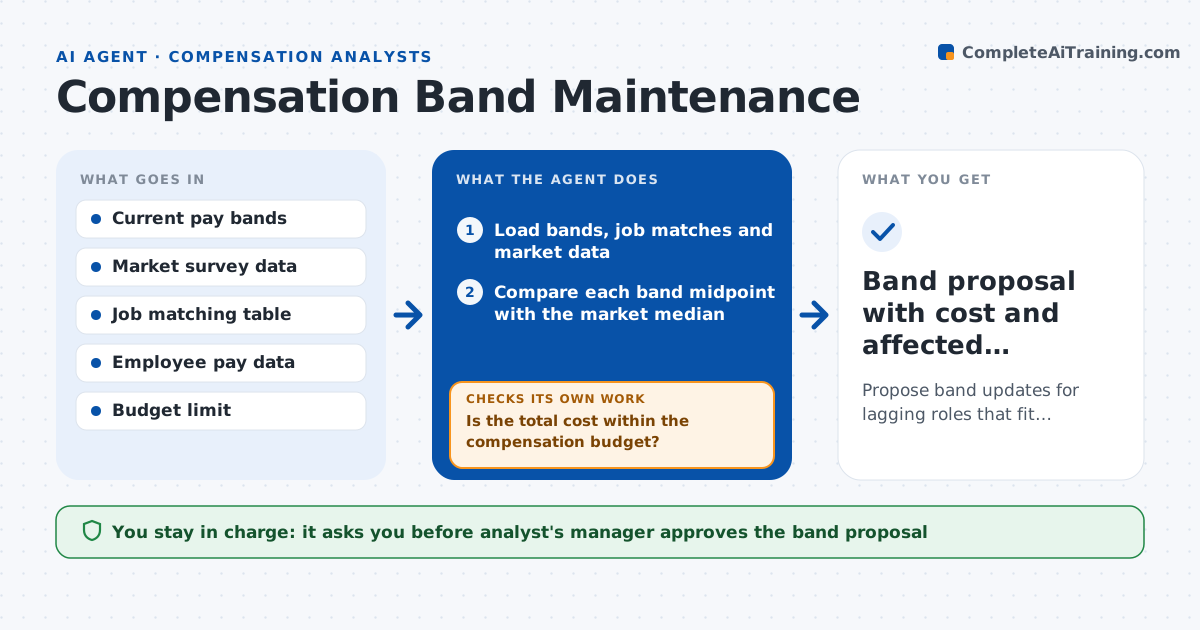
Propose band updates for lagging roles that fit within the compensation budget.
What it does
Pay bands are set once, then drift out of line as the market moves, so recruiting stalls and staff are paid below the market. This agent reads the current band structure and fresh market survey data, matches each role to market benchmarks, and finds roles where the band midpoint lags the market by more than a set percentage. It counts the employees affected and the cost of moving them into the new band. It then drafts proposed band changes and reruns the cost after each version. If the cost exceeds the budget, it tries phasing or narrowing the change. The analyst's manager approves the final proposal.
How it works
Follow the arrows from top to bottom. The orange dashed arrow is the loop: when a check fails, the agent goes back and tries again.
Read the steps as a list
- New market data arrives
- Load bands, job matches and market data
- Compare each band midpoint with the market median
- Flag roles that lag the market by more than the threshold
- Count affected employees and compute cost to bring them into range
- Draft proposed new bands
- Is the total cost within the compensation budget?If not: phase the change over two cycles or narrow it to the largest gaps and redraft. Back to step 6.
- Check the new bands against internal level ordering
- Manager approves the band proposalThe agent waits here for your OK.
- Band proposal with cost and affected employees
How it decides
It flags a band when the midpoint trails the market median by more than the threshold, then picks the smallest change that closes the gap within budget.
- Flag a band when the midpoint is more than 8 percent below market median
- Require at least 3 market sources for a benchmark
- Keep each level's midpoint above the level below
- Prefer phasing over cutting adjustments when over budget
Make it yours
Every agent is a starting point. You choose these settings for your own situation.
- Lag threshold (default 8 percent)
- Market percentile used (default 50th)
- Minimum sources per benchmark
- Budget limit and phasing rules
What keeps you in control
It always asks you first
- Analyst's manager approves the band proposal
- HR director approves changes to employee pay ranges
Hard limits
- Never changes any employee's pay
- Marks thin market data clearly
It stops when
- Done: proposal within budget and ordered correctly
- Stop: fewer than 3 market sources for a role, mark it for manual review
Set it up
We guide you through the set-up, step by step
Members get the full set-up guide for this agent. No technical skills needed: you copy, paste and upload.
- One set of instructions to paste into your AI, with the clicks for ChatGPT, Claude, Microsoft 365 Copilot, Gemini and Grok
- The agent then walks you through connecting your own data, one source at a time
- A downloadable copy with the flow chart, the rules and the full guide