AI agent for compensation analysts
Promotion Cycle Pay Adjustment Agent
Get promotion raises into the guideline range and within the budget with a clear explanation for each exception.
What it does
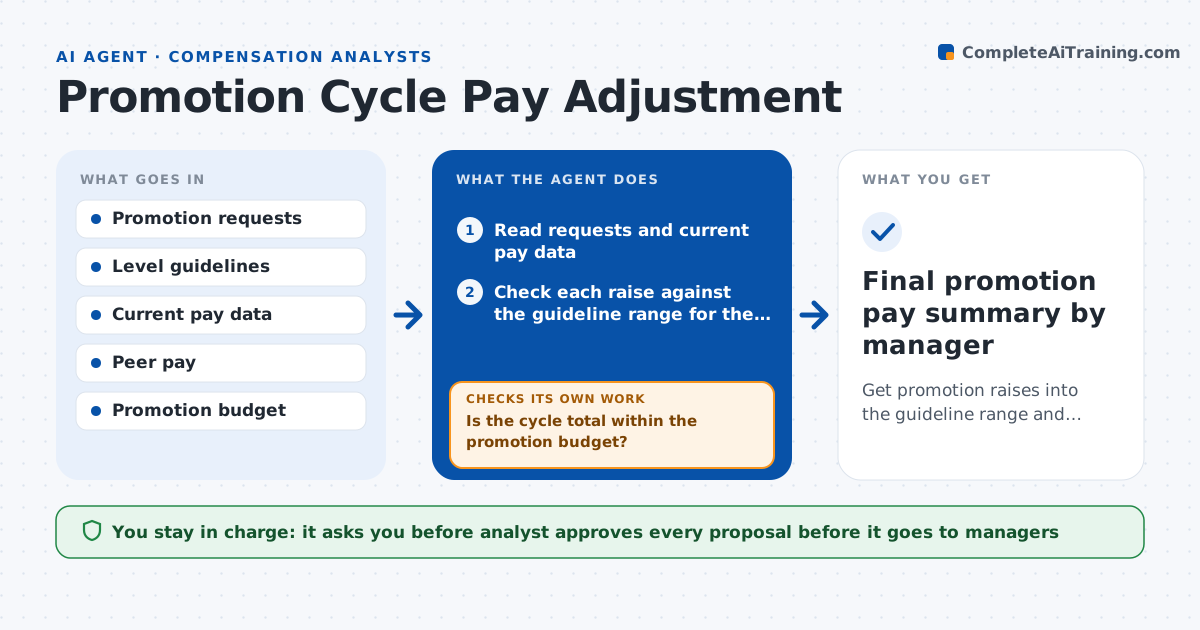
During promotion season, managers propose raises in very different sizes, and the total passes the budget before anyone notices. This agent reads each promotion request and checks the proposed raise against the guideline range for the new level. It also compares the new pay with peers at that level for internal equity, and keeps a running total against the budget. It flags outliers, such as a raise far above the range or a promotee paid above senior colleagues, and builds a summary by manager. Each time requests change it reruns the totals. If the total goes over budget, it shows options. The analyst approves proposals before they go back to managers.
How it works
Follow the arrows from top to bottom. The orange dashed arrow is the loop: when a check fails, the agent goes back and tries again.
Read the steps as a list
- Promotion requests are submitted
- Read requests and current pay data
- Check each raise against the guideline range for the new level
- Compare the new pay with peers at that level
- Flag outliers and total cost by manager
- Is the cycle total within the promotion budget?If not: model options such as trimming the largest exceptions or phasing the dates. Back to step 3.
- Draft a proposal summary with notes for each exception
- Analyst approves proposals before they go to managersThe agent waits here for your OK.
- Rerun totals after managers revise requests
- Are all remaining exceptions within limits or justified?If not: return the exceptions to the manager with the guideline. Back to step 7.
- Final promotion pay summary by manager
How it decides
It accepts a raise inside the guideline range and equity band, and flags anything outside with the reason.
- Flag any raise outside the guideline range for the new level
- Flag a new salary above 110 percent of the peer median
- Require a written reason for every exception
- Stop approving more raises when the budget is used up
Make it yours
Every agent is a starting point. You choose these settings for your own situation.
- Guideline ranges by level
- Peer premium limit (default 110 percent)
- Budget amount
- Effective date rules
What keeps you in control
It always asks you first
- Analyst approves every proposal before it goes to managers
- HR director approves exceptions above the guideline
Hard limits
- Never changes a salary record
- Does not tell managers the outcome before analyst approval
It stops when
- Done: all requests within range or justified and the total within budget
- Stop: guideline range is missing for a level
Set it up
We guide you through the set-up, step by step
Members get the full set-up guide for this agent. No technical skills needed: you copy, paste and upload.
- One set of instructions to paste into your AI, with the clicks for ChatGPT, Claude, Microsoft 365 Copilot, Gemini and Grok
- The agent then walks you through connecting your own data, one source at a time
- A downloadable copy with the flow chart, the rules and the full guide