AI agent for career coachs
Salary Benchmark Research Agent
Give the client a defensible salary range with the reasons behind it.
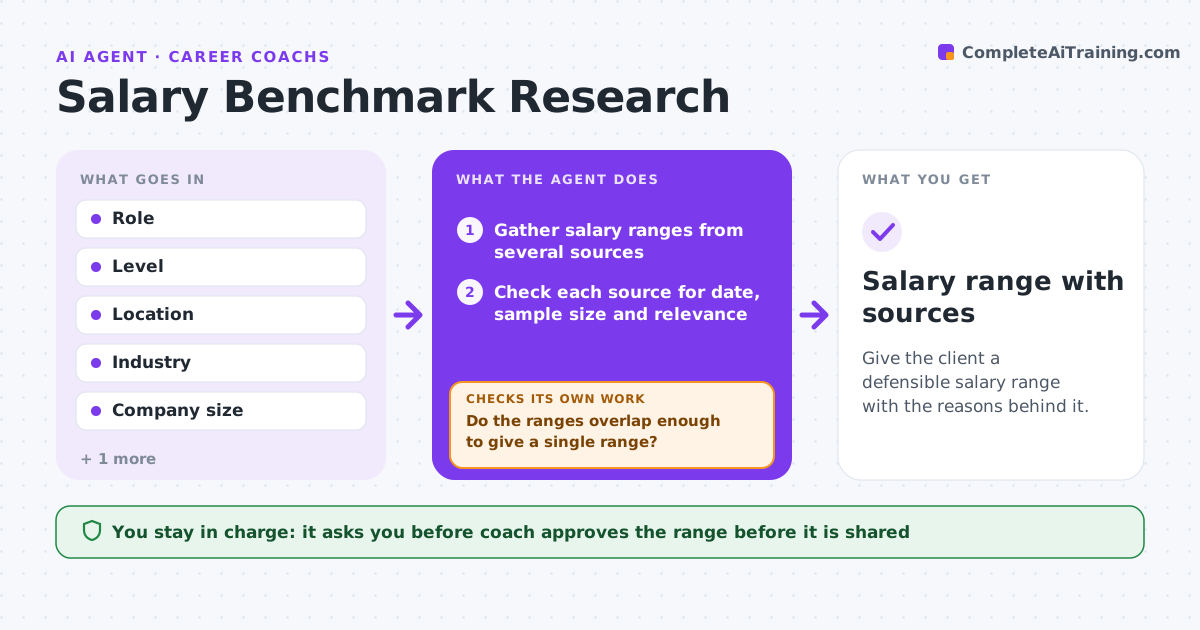
What it does
Before an offer or negotiation, clients need a salary range they can defend, but sources conflict. This agent gathers ranges for the role, level, location and industry from several sources, checks the quality of each (sample size, date, source type), and reconciles them. When sources disagree, it widens the search and explains why the range is wide. It drafts a recommended range with notes on each source and what to say if the employer pushes back, and the coach approves before the client sees it. Edge case: one source shows base pay and another total compensation, so the agent converts them to the same basis before comparing.
How it works
Follow the arrows from top to bottom. The orange dashed arrow is the loop: when a check fails, the agent goes back and tries again.
Read the steps as a list
- Offer or negotiation is coming
- Gather salary ranges from several sources
- Check each source for date, sample size and relevance
- Convert all to the same basis (base pay)
- Do the ranges overlap enough to give a single range?If not: widen the search to nearby roles, locations or years. Back to step 2.
- Reconcile and draft the range with notes
- Coach approves the rangeThe agent waits here for your OK.
- Save the research sheet
- Salary range with sources
How it decides
It keeps sources that are recent, sized and relevant. If the ranges do not overlap, it widens the search and explains.
- Exclude data older than 18 months
- Require at least 3 usable sources
- Convert total compensation to base pay
- Explain the width of the range
Make it yours
Every agent is a starting point. You choose these settings for your own situation.
- Source list
- Data age limit (default 18 months)
- Minimum sources (default 3)
- Currency and basis
What keeps you in control
It always asks you first
- Coach approves the range before it is shared
Hard limits
- Never invent data
- Never present a range without sources
It stops when
- Done: range approved
- Stop: not enough data, tell the coach
Set it up
We guide you through the set-up, step by step
Members get the full set-up guide for this agent. No technical skills needed: you copy, paste and upload.
- One set of instructions to paste into your AI, with the clicks for ChatGPT, Claude, Microsoft 365 Copilot, Gemini and Grok
- The agent then walks you through connecting your own data, one source at a time
- A downloadable copy with the flow chart, the rules and the full guide