AI agent for hr analysts
Compensation Data Request from Managers Agent
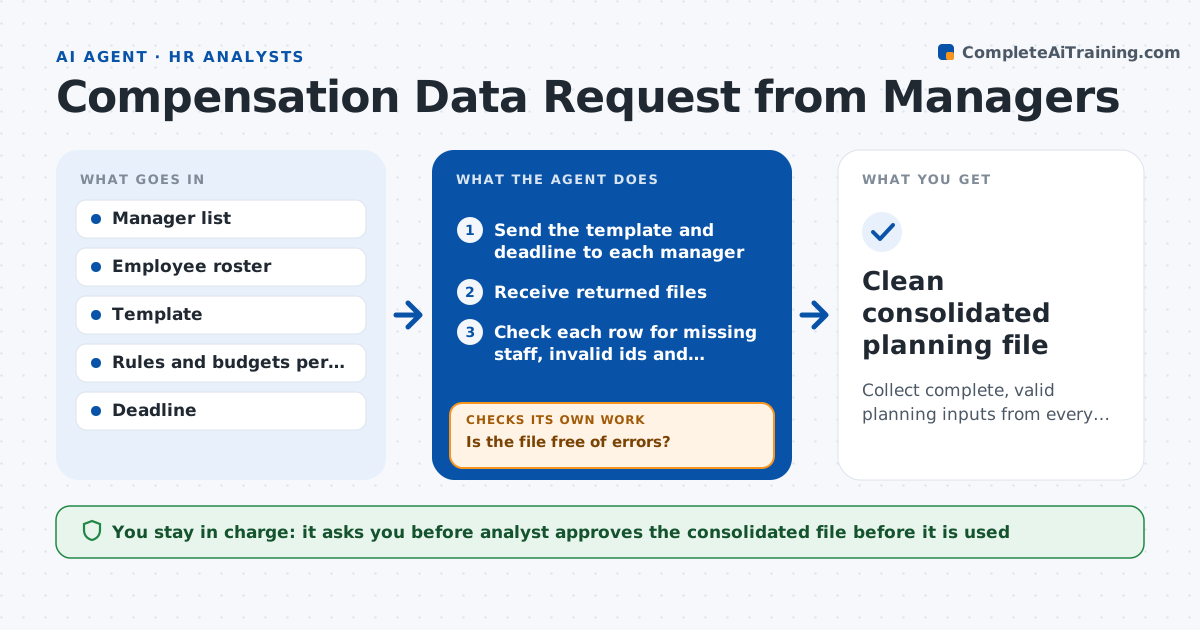
Collect complete, valid planning inputs from every manager and consolidate them.
What it does
Every planning cycle, managers must return pay recommendations in a template, and many come back with missing rows, wrong employee numbers or amounts outside the rules. This agent sends the data request with the template and deadline to each manager. When a file returns, it checks every row for missing employees, invalid ids, out-of-range amounts, wrong dates and totals above the manager's budget. It sends a specific correction note and checks the resubmitted file. It chases managers who have not replied and tracks completion by department. After all files are clean, it builds the consolidated file. The analyst approves it before it is used.
How it works
Follow the arrows from top to bottom. The orange dashed arrow is the loop: when a check fails, the agent goes back and tries again.
Read the steps as a list
- Planning cycle opens
- Send the template and deadline to each manager
- Receive returned files
- Check each row for missing staff, invalid ids and amounts out of range
- Check totals against the manager's budget
- Is the file free of errors?If not: send a correction note listing each problem and check the new file. Back to step 3.
- Chase managers who have not returned a file
- Track completion by department
- Build the consolidated file
- Analyst approves the consolidated fileThe agent waits here for your OK.
- Clean consolidated planning file
How it decides
It checks each row against the roster and rules, and accepts a file only when no errors remain.
- Reject rows whose employee id is not on the roster
- Flag raises outside the allowed range
- Flag manager totals above budget
- Chase 3 days before and on the deadline
Make it yours
Every agent is a starting point. You choose these settings for your own situation.
- Deadline and reminder days
- Allowed raise range
- Template version
- Manager budget source
- Consolidated file format
What keeps you in control
It always asks you first
- Analyst approves the consolidated file before it is used
- HR director approves any exception to the rules
Hard limits
- Never changes a manager's figures
- Does not send pay data outside the manager's own team
It stops when
- Done: all managers submitted clean files and the consolidated file is approved
- Stop: roster is out of date, ask HR to refresh it
Set it up
We guide you through the set-up, step by step
Members get the full set-up guide for this agent. No technical skills needed: you copy, paste and upload.
- One set of instructions to paste into your AI, with the clicks for ChatGPT, Claude, Microsoft 365 Copilot, Gemini and Grok
- The agent then walks you through connecting your own data, one source at a time
- A downloadable copy with the flow chart, the rules and the full guide