AI agent for director of finances
Headcount Plan vs Actual Agent
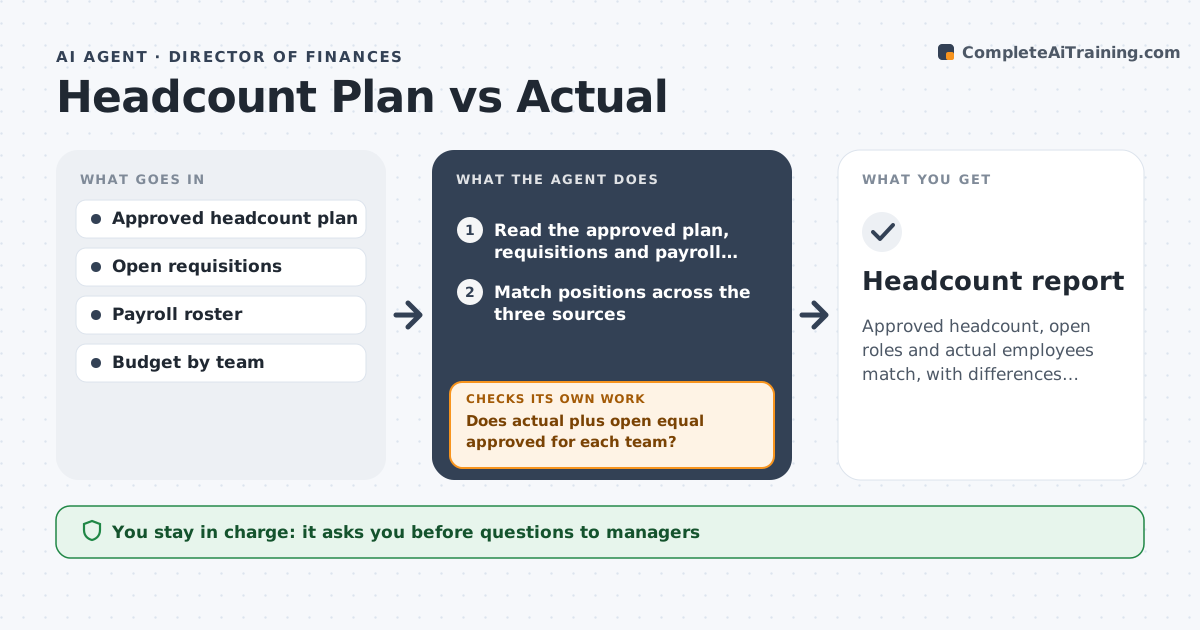
Approved headcount, open roles and actual employees match, with differences explained.
What it does
Finance budgets for 120 people and payroll shows 126, with three open requisitions nobody mentions. This agent compares approved positions, open requisitions and payroll rosters, finds mismatches, forecasts spend and drafts questions for managers. It rechecks after each reply. It starts each month with the approved plan, adds actual employees and open requisitions, and shows each team's difference on one page. Questions to managers are specific, such as which role this person fills, so replies are quick and the numbers settle within days. It also forecasts the year's spend using each hire's expected start date, so finance sees the effect early. Edge case: a contractor converted to an employee appears in both lists, so the agent counts them once. HR approves the report before it goes to finance.
How it works
Follow the arrows from top to bottom. The orange dashed arrow is the loop: when a check fails, the agent goes back and tries again.
Read the steps as a list
- Monthly headcount review
- Read the approved plan, requisitions and payroll roster
- Match positions across the three sources
- Does actual plus open equal approved for each team?If not: list mismatches and likely causes. Back to step 3.
- Draft questions for managers on each mismatch
- HR approves the questionsThe agent waits here for your OK.
- Collect replies and update the comparison
- Are all mismatches explained?If not: follow up with the manager or flag for finance. Back to step 7.
- Forecast spend for the year
- HR approves the report for financeThe agent waits here for your OK.
- Headcount report
How it decides
It flags any team where actual plus open roles differs from the approved number, and forecasts spend from start dates.
- Flag any team that differs by one or more positions.
- Count each person once.
- Forecast spend from the expected start date.
- Explain any difference before the report goes out.
Make it yours
Every agent is a starting point. You choose these settings for your own situation.
- Sources compared
- Flag threshold
- Forecast method
- Report day
- Teams covered
What keeps you in control
It always asks you first
- Questions to managers
- The report to finance
Hard limits
- Do not change plan or payroll data.
- Do not share salary data in the report.
It stops when
- Done: all differences explained and the report approved
- Stop: a source is missing, so the agent asks for it
Set it up
We guide you through the set-up, step by step
Members get the full set-up guide for this agent. No technical skills needed: you copy, paste and upload.
- One set of instructions to paste into your AI, with the clicks for ChatGPT, Claude, Microsoft 365 Copilot, Gemini and Grok
- The agent then walks you through connecting your own data, one source at a time
- A downloadable copy with the flow chart, the rules and the full guide