AI agent for e-commerce managers
Competitive Price Monitoring and Repricing Agent
Competitive prices that protect margin
What it does
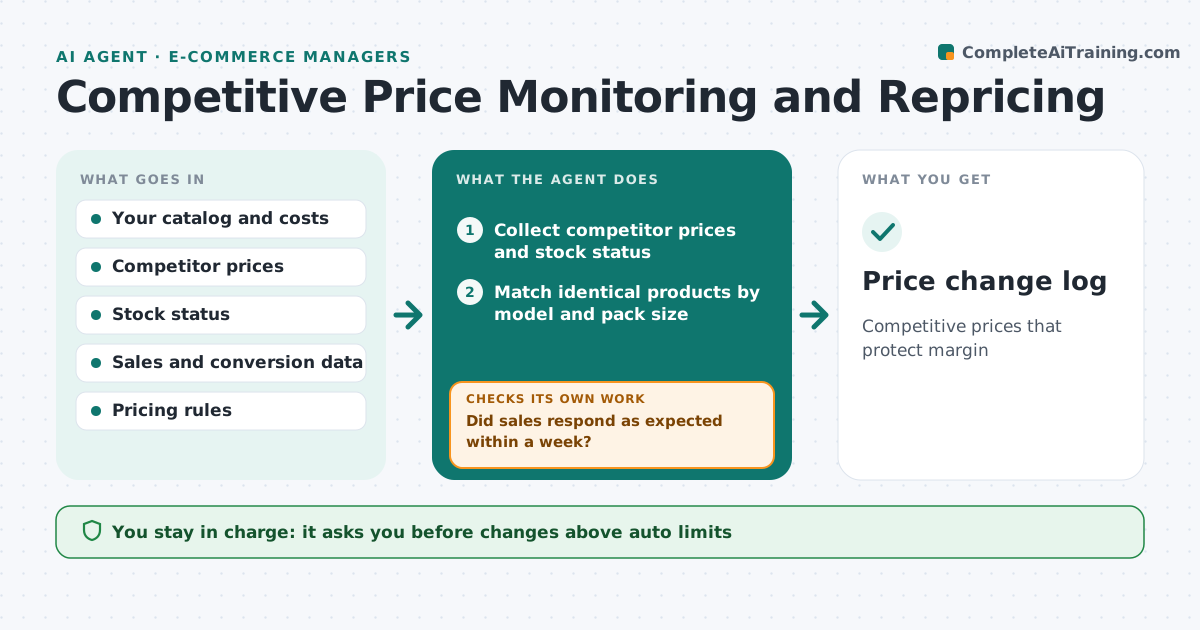
Online shoppers compare prices quickly, and competitor prices change daily. Each day this agent checks competitor prices for your key products and matches them by model and pack size, not just name. A competitor that is out of stock is ignored for price matching. It compares your price with the margin floor and recent sales. It suggests changes using your rules, such as staying within a set percent of the lowest competitor while never going below the floor. After a change, it watches sales and conversion for a set period. If sales do not respond as expected, it suggests reversing or adjusting the change. The ecommerce manager approves changes, or allows small moves within set limits.
How it works
Follow the arrows from top to bottom. The orange dashed arrow is the loop: when a check fails, the agent goes back and tries again.
Read the steps as a list
- Daily price check
- Collect competitor prices and stock status
- Match identical products by model and pack size
- Suggest prices within rules and margin floor
- Manager approves changes above auto limitsThe agent waits here for your OK.
- Watch sales and conversion after changes
- Did sales respond as expected within a week?If not: suggest reversing or adjusting the price. Back to step 4.
- Price change log
How it decides
It matches identical products and suggests prices within your rules, never below the margin floor.
- Never below margin floor
- Ignore out-of-stock competitors
- Auto changes only within 3%
Make it yours
Every agent is a starting point. You choose these settings for your own situation.
- Margin floor per category
- Auto change limit
- Competitors tracked
- Pricing rules
What keeps you in control
It always asks you first
- Changes above auto limits
Hard limits
- Never below margin floor
- Never changes prices outside rules
It stops when
- Done: daily run finished
- Stop: price data source fails
Set it up
We guide you through the set-up, step by step
Members get the full set-up guide for this agent. No technical skills needed: you copy, paste and upload.
- One set of instructions to paste into your AI, with the clicks for ChatGPT, Claude, Microsoft 365 Copilot, Gemini and Grok
- The agent then walks you through connecting your own data, one source at a time
- A downloadable copy with the flow chart, the rules and the full guide