AI agent for vice president of marketings
Competitor Ad Campaign Teardown Agent
A weekly, evidence-backed view of what each competitor is testing in message, offer and audience.
What it does
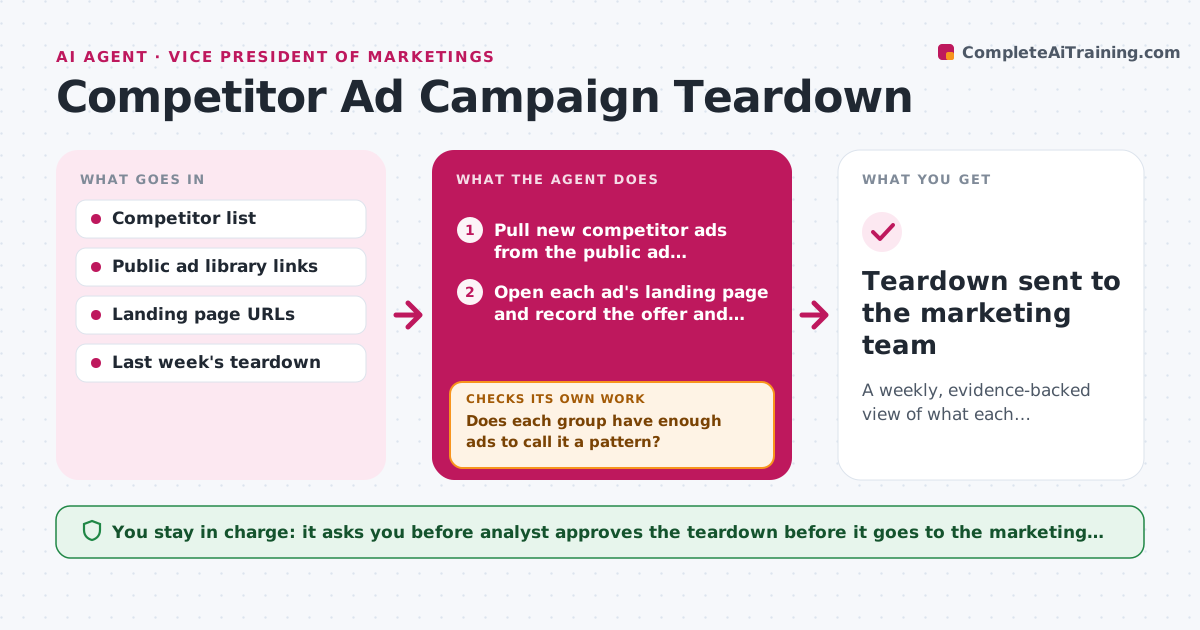
Every week competitors run new ads, and the marketing team usually hears about them from a screenshot in chat. This agent pulls new ads from public ad libraries and follows each to its landing page. It groups them by message, offer and audience, and compares each group with earlier weeks to see whether it is new or a repeat. When a pattern rests on too few ads, it widens the date range or adds another ad source before concluding anything. It then drafts the teardown with evidence links. The analyst reviews it and approves before it goes to the marketing team. Edge case: three ads that look like a new offer turn out to be one old offer in new images, so it is marked a repeat.
How it works
Follow the arrows from top to bottom. The orange dashed arrow is the loop: when a check fails, the agent goes back and tries again.
Read the steps as a list
- Weekly run begins
- Pull new competitor ads from the public ad libraries
- Open each ad's landing page and record the offer and price
- Group ads by message, offer and audience
- Does each group have enough ads to call it a pattern?If not: widen the date range and add another ad source, then regroup. Back to step 2.
- Compare each group with prior weeks to mark it new, repeat or dropped
- Do the landing pages support the offer in the ads?If not: recheck the page, then drop or relabel the group. Back to step 3.
- Draft the teardown with a summary table and evidence links
- Analyst approves the teardown before it is sharedThe agent waits here for your OK.
- Teardown sent to the marketing team
How it decides
It calls a pattern real only with at least 4 ads sharing a message or offer. Fewer ads trigger a wider search.
- Call a pattern real at 4 or more ads in the same group.
- Mark a group as a repeat when its message and offer match one from the last 8 weeks.
- Widen the window from 7 to 28 days when a group is thin.
- Leave out ads with no landing page match.
Make it yours
Every agent is a starting point. You choose these settings for your own situation.
- Competitors tracked
- Ad libraries and platforms used
- Minimum ads per pattern (default 4)
- Run day and recipients
What keeps you in control
It always asks you first
- Analyst approves the teardown before it goes to the marketing team
Hard limits
- Use only public ad sources
- Never copy competitor creative into outward material
It stops when
- Done: teardown approved and shared.
- Stop: ad libraries unavailable twice in a row, so the analyst is told.
Set it up
We guide you through the set-up, step by step
Members get the full set-up guide for this agent. No technical skills needed: you copy, paste and upload.
- One set of instructions to paste into your AI, with the clicks for ChatGPT, Claude, Microsoft 365 Copilot, Gemini and Grok
- The agent then walks you through connecting your own data, one source at a time
- A downloadable copy with the flow chart, the rules and the full guide