AI agent for vp of marketings
Marketing Attribution Reconciliation Agent
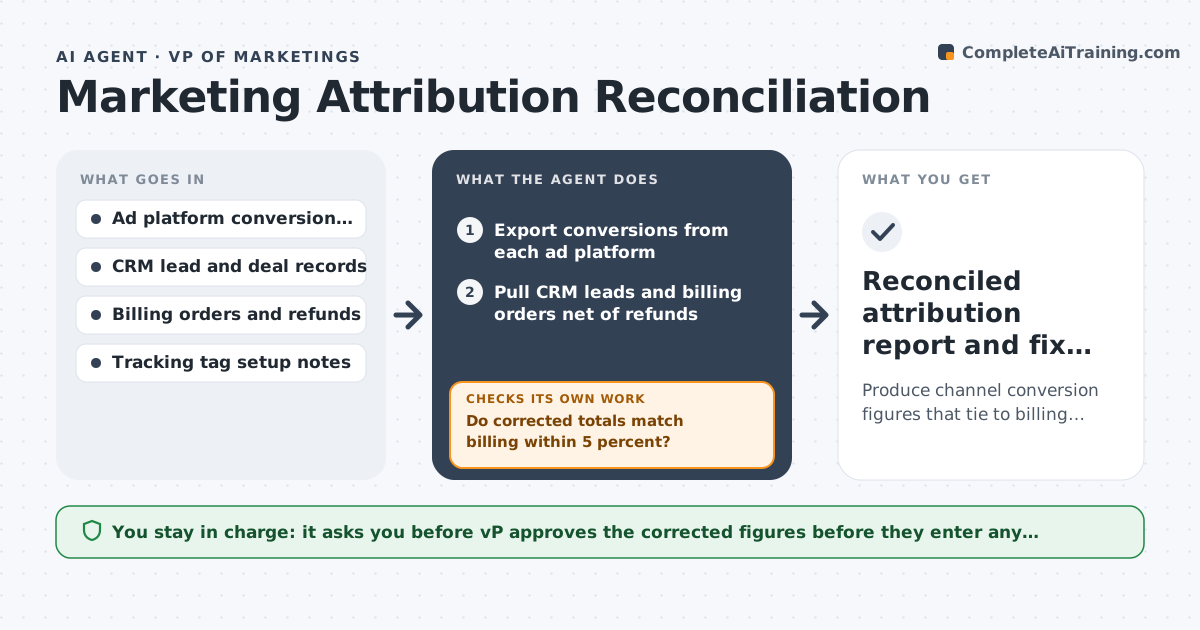
Produce channel conversion figures that tie to billing within a set margin, with gaps explained.
What it does
Add up the conversions claimed by each ad platform and the total is higher than the sales your billing shows. Budget talks then rest on numbers nobody trusts. This agent compares conversions reported by each platform with CRM leads and billing orders for the same period. It finds where the gaps are, by channel, campaign and device, then tests the likely causes: double counting, tracking tags that fail, or different attribution windows. It proposes corrected figures and rechecks after each tracking fix. If the corrected total still does not match billing within the allowed margin, it keeps looking. Edge case: refunds can make billing lower than platforms, so it nets them out first. The VP approves what goes into the budget report.
How it works
Follow the arrows from top to bottom. The orange dashed arrow is the loop: when a check fails, the agent goes back and tries again.
Read the steps as a list
- Month closes or a gap alert fires
- Export conversions from each ad platform
- Pull CRM leads and billing orders net of refunds
- Compare totals by channel, campaign and device
- Test causes: duplicates, missing tags, attribution window differences
- Build corrected conversion figures
- Do corrected totals match billing within 5 percent?If not: widen the cause tests to include offline sales and delayed conversions. Back to step 4.
- List tracking fixes with an owner for each
- Recheck after fixes are made
- VP approves figures for the budget reportThe agent waits here for your OK.
- Reconciled attribution report and fix list
How it decides
It trusts billing as the total, then allocates it across channels using the platform data that survives the checks.
- Treat billing net of refunds as the total
- Flag any platform claiming over 10 percent more than matched orders
- Count a conversion once when the same order id appears in two platforms
- Hold a channel out of the report if its gap stays above 10 percent
Make it yours
Every agent is a starting point. You choose these settings for your own situation.
- Allowed gap against billing (default 5 percent)
- Attribution window per platform
- Channels to include
- Whether refunds are netted out
- Report format for the budget review
What keeps you in control
It always asks you first
- VP approves the corrected figures before they enter any budget report
- Developer approves any change to tracking tags
Hard limits
- Reads exports only, never edits ad accounts or tags
- Marks any estimate clearly as an estimate
It stops when
- Done: corrected totals tie to billing within the margin
- Stop: billing data missing for part of the period
Set it up
We guide you through the set-up, step by step
Members get the full set-up guide for this agent. No technical skills needed: you copy, paste and upload.
- One set of instructions to paste into your AI, with the clicks for ChatGPT, Claude, Microsoft 365 Copilot, Gemini and Grok
- The agent then walks you through connecting your own data, one source at a time
- A downloadable copy with the flow chart, the rules and the full guide