AI agent for business analysts
Competitor Change Monitor Agent
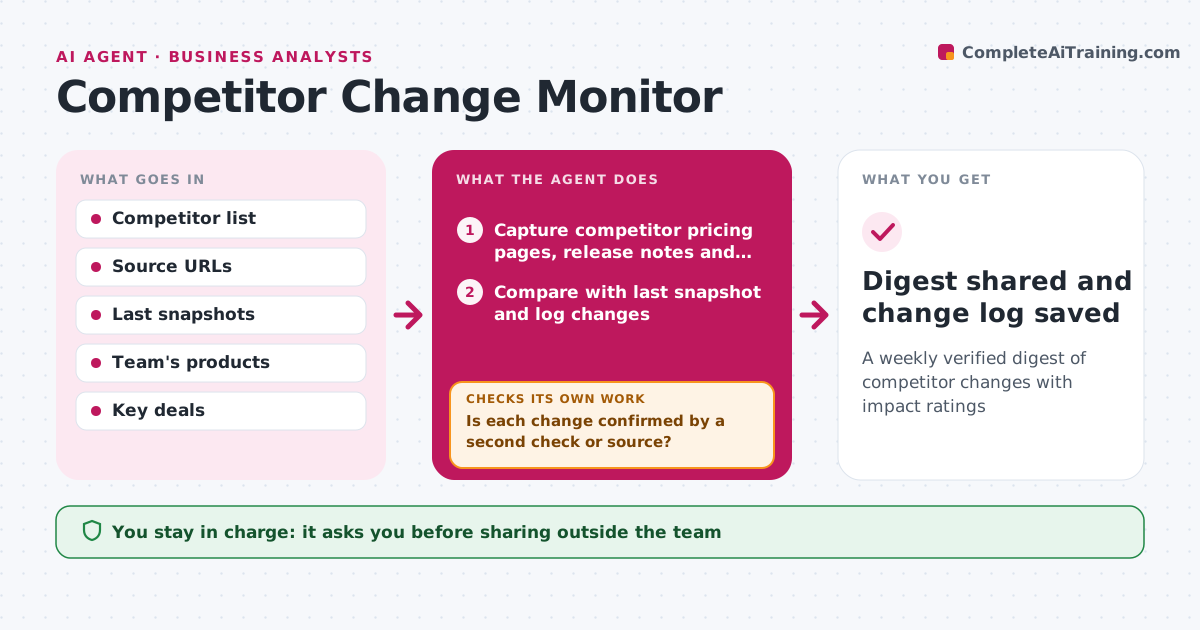
A weekly verified digest of competitor changes with impact ratings
What it does
Competitors change prices, launch features and shift messaging all the time, and moves are often noticed by chance and reported without checking. Each week this agent checks a set list of competitor sources, such as pricing pages, release notes, press releases and job postings, and compares them with the last snapshot. Each change is logged with source and date. Before reporting, it verifies the change with a second source or a fresh look at the page, and marks anything unverified. A temporary promotion is logged with its end date, not as a price change. It rates likely impact on open deals or products and drafts a short digest. The manager decides which changes need a response.
How it works
Follow the arrows from top to bottom. The orange dashed arrow is the loop: when a check fails, the agent goes back and tries again.
Read the steps as a list
- Weekly monitor run
- Capture competitor pricing pages, release notes and news
- Compare with last snapshot and log changes
- Is each change confirmed by a second check or source?If not: mark as unverified and recheck next run. Back to step 3.
- Rate impact on products and open deals
- Draft weekly digest
- Manager decides responses and digest audienceThe agent waits here for your OK.
- Digest shared and change log saved
How it decides
It compares new snapshots with old ones and rates impact by how directly the change touches the team's products or current deals.
- Only public sources are used
- Temporary promotions are logged with end dates
- High impact means a change affecting an open deal or core product
Make it yours
Every agent is a starting point. You choose these settings for your own situation.
- Competitors and sources
- Run day
- Impact rating rules
- Digest audience
What keeps you in control
It always asks you first
- Sharing outside the team
- Price or offer responses
Hard limits
- Uses public information only
- No fake accounts or scraping behind logins
It stops when
- Done: digest shared
- Stop: a source blocks access, log and skip
Set it up
We guide you through the set-up, step by step
Members get the full set-up guide for this agent. No technical skills needed: you copy, paste and upload.
- One set of instructions to paste into your AI, with the clicks for ChatGPT, Claude, Microsoft 365 Copilot, Gemini and Grok
- The agent then walks you through connecting your own data, one source at a time
- A downloadable copy with the flow chart, the rules and the full guide