AI agent for brand managers
Competitor Messaging Change Monitor Agent
A weekly view of meaningful competitor messaging changes and what they mean for your brand
What it does
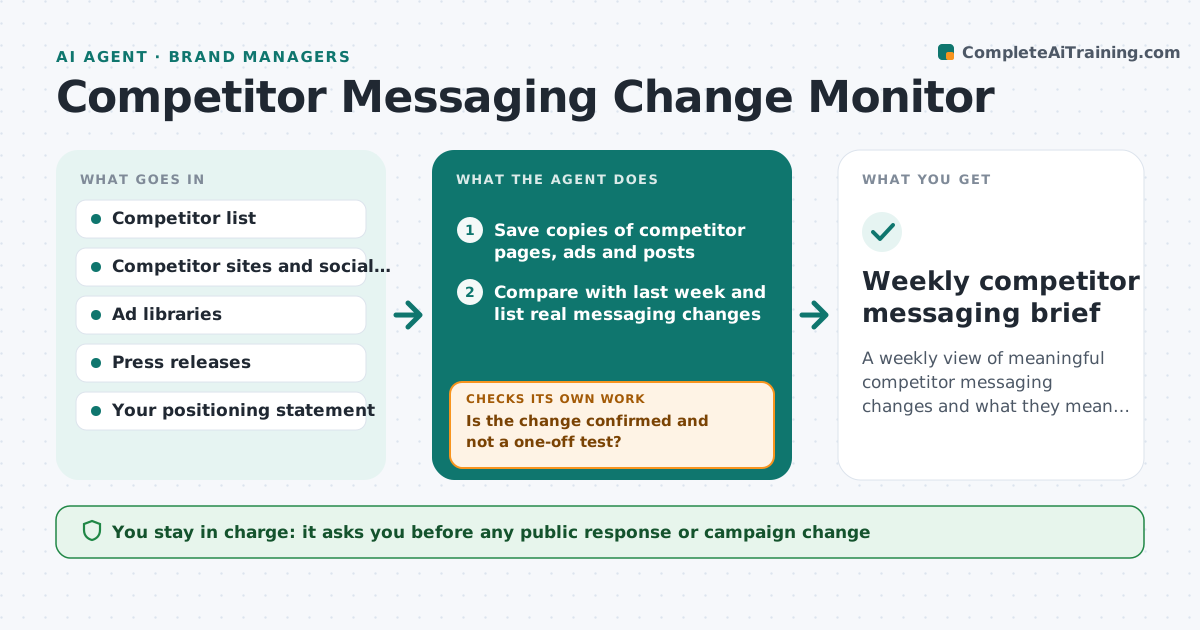
Competitors change taglines, claims and offers without warning, and brand teams notice weeks late. Each week this agent checks competitor websites, ad libraries, social accounts and press releases, and saves a copy of key pages. It compares each new copy with the last and lists real changes in positioning, claims, pricing or audience, ignoring small layout edits. For each change it checks whether it touches your own positioning or a claim you make. If a change is unclear, such as a single test ad, it watches for another week before calling it a shift. A claim that may be false or misleading is flagged for legal review, not answered directly. It drafts a weekly brief with suggested responses. The brand manager decides on any response.
How it works
Follow the arrows from top to bottom. The orange dashed arrow is the loop: when a check fails, the agent goes back and tries again.
Read the steps as a list
- Weekly scan
- Save copies of competitor pages, ads and posts
- Compare with last week and list real messaging changes
- Is the change confirmed and not a one-off test?If not: keep watching and recheck next week. Back to step 2.
- Assess effect on your positioning and claims
- Draft weekly brief with suggested responses
- Brand manager decides on responsesThe agent waits here for your OK.
- Weekly competitor messaging brief
How it decides
It reports a change only when wording about benefit, price, audience or claims changes, and treats one-off ads as tests until seen twice.
- Ignore layout-only edits
- A message seen twice is a shift
- Possibly misleading claims go to legal
Make it yours
Every agent is a starting point. You choose these settings for your own situation.
- Competitors watched
- Sources checked
- What counts as a meaningful change
- Brief day and length
What keeps you in control
It always asks you first
- Any public response or campaign change
Hard limits
- Never posts or replies publicly
- Never scrapes behind logins
It stops when
- Done: brief sent
- Stop: a competitor claim targets your brand directly; alert the brand manager the same day
Set it up
We guide you through the set-up, step by step
Members get the full set-up guide for this agent. No technical skills needed: you copy, paste and upload.
- One set of instructions to paste into your AI, with the clicks for ChatGPT, Claude, Microsoft 365 Copilot, Gemini and Grok
- The agent then walks you through connecting your own data, one source at a time
- A downloadable copy with the flow chart, the rules and the full guide