AI agent for brand managers
Brand Asset Library Cleanup Agent
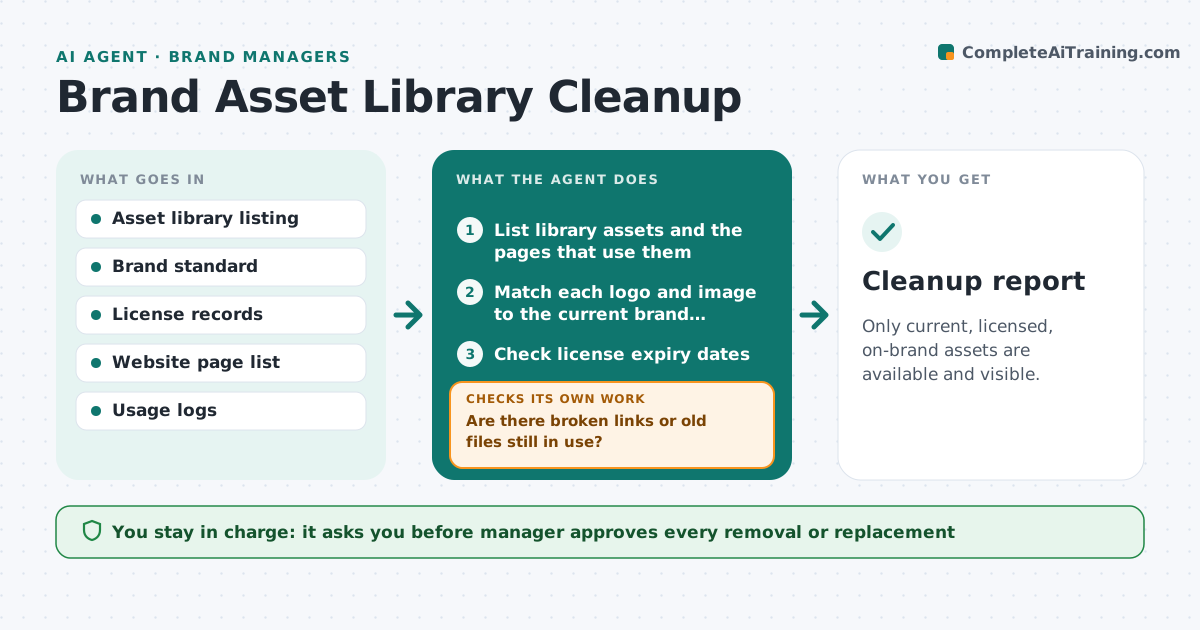
Only current, licensed, on-brand assets are available and visible.
What it does
Old logos, expired stock photos and off-brand files stay in circulation long after the standard changes. Partners and staff use whatever they find first. This agent scans the asset library and the public pages for logo versions, license expiry dates and files that break the brand standard. It matches each to the current standard and lists replacements. After cleanup it scans again, since removing a file can break a page that still links to it. It decides by the standard: current logo versions, valid licenses and approved colors. The manager approves removals. It never deletes anything. Edge case: a photo license expired last month but the image is still on the home page, so the agent marks it urgent and proposes a licensed alternative.
How it works
Follow the arrows from top to bottom. The orange dashed arrow is the loop: when a check fails, the agent goes back and tries again.
Read the steps as a list
- Cleanup cycle starts
- List library assets and the pages that use them
- Match each logo and image to the current brand standard
- Check license expiry dates
- Flag old, expired and off-brand files and rank by public use
- Propose replacements
- Manager approves removals and replacementsThe agent waits here for your OK.
- Rescan the library and the public pages
- Are there broken links or old files still in use?If not: fix the links and flag the remaining files again. Back to step 4.
- Cleanup report
How it decides
It flags a file when its version is not current, its license has expired, or it fails a standard check. It ranks files used on public pages first.
- Rank files on public pages first
- Flag any license expiring within 30 days
- Flag logo versions older than the current one
- Archive instead of delete when unsure
Make it yours
Every agent is a starting point. You choose these settings for your own situation.
- License warning days (default 30)
- Brand standard version
- Pages in scope
- Archive rules
- Scan schedule
What keeps you in control
It always asks you first
- Manager approves every removal or replacement
Hard limits
- Never delete files itself
- Never use an image without a valid license
It stops when
- Done: no old or expired assets in use
- Stop: a replacement does not exist
Set it up
We guide you through the set-up, step by step
Members get the full set-up guide for this agent. No technical skills needed: you copy, paste and upload.
- One set of instructions to paste into your AI, with the clicks for ChatGPT, Claude, Microsoft 365 Copilot, Gemini and Grok
- The agent then walks you through connecting your own data, one source at a time
- A downloadable copy with the flow chart, the rules and the full guide