AI agent for civil engineers
Concrete Test Result Review Agent
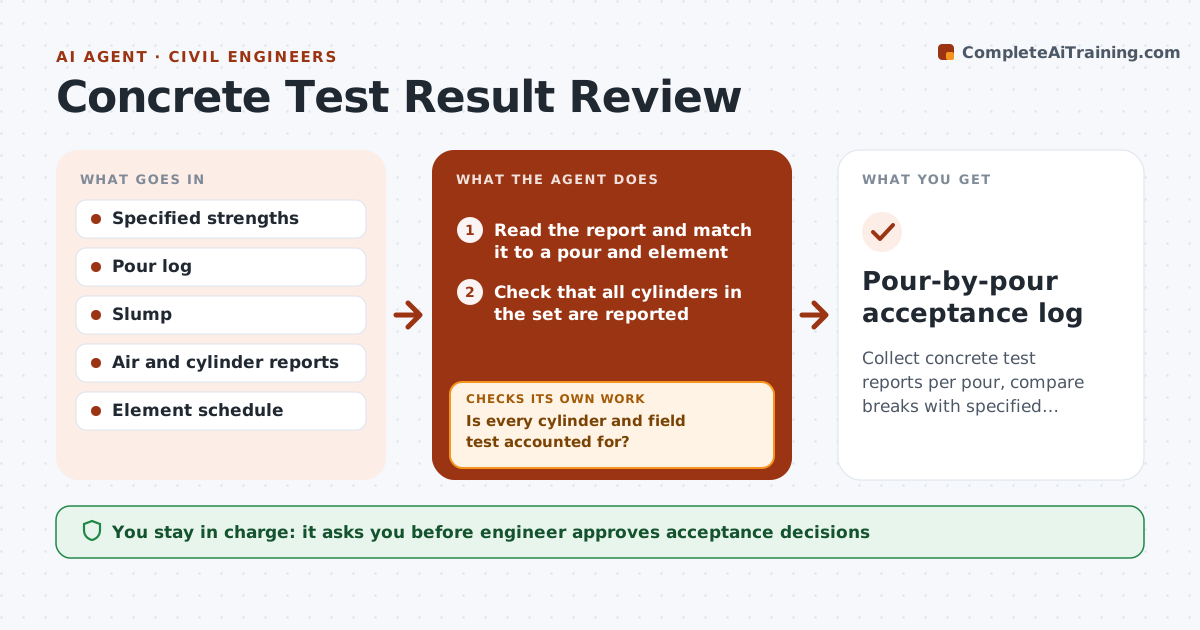
Collect concrete test reports per pour, compare breaks with specified strength, and track every low result to a decision
What it does
Cylinder results trickle in as separate reports, and a low break may be noticed weeks late. The agent collects slump, air and strength reports and ties each set to a pour and a structural element. It compares the 7-day and 28-day breaks with the specified strength and flags results that look low, using acceptance criteria. It checks that all cylinders in a set have reports and chases the missing ones. When a result is low, it links it to the affected element, proposes actions such as retest, cores or review of loads, and tracks them to a result. The engineer approves each acceptance decision. Edge case: a 7-day break is 62% of design, and the agent holds the call until the 28-day result.
How it works
Follow the arrows from top to bottom. The orange dashed arrow is the loop: when a check fails, the agent goes back and tries again.
Read the steps as a list
- Test report arrives
- Read the report and match it to a pour and element
- Check that all cylinders in the set are reported
- Is every cylinder and field test accounted for?If not: Request missing reports from the lab. Back to step 2.
- Compare breaks with specified strength by pour
- Flag low or marginal results and link to elements
- Engineer approves proposed actions for low resultsThe agent waits here for your OK.
- Track core tests or retests to results
- Do the follow-up results meet the acceptance criteria?If not: Escalate to the engineer with the numbers and options. Back to step 6.
- Pour-by-pour acceptance log
How it decides
A pour passes only when average 28-day strength meets specification; every low result opens a tracked action.
- Flag a 7-day break under 65% of specified strength
- Flag any 28-day average under specified strength
- Flag any single cylinder under specified minus 500 psi
- Request cores when the average fails the criteria
Make it yours
Every agent is a starting point. You choose these settings for your own situation.
- Acceptance criteria source
- Early-age flag level (default 65%)
- Report formats supported
- Who is alerted on low results
What keeps you in control
It always asks you first
- Engineer approves acceptance decisions
- Engineer approves core or remedial action requests
Hard limits
- Never accept or reject concrete; only the engineer decides
- Never hide a low result
It stops when
- Done: each pour is accepted or has an approved remedy
- Stop: results indicate possible structural concern and the engineer must review at once
Set it up
We guide you through the set-up, step by step
Members get the full set-up guide for this agent. No technical skills needed: you copy, paste and upload.
- One set of instructions to paste into your AI, with the clicks for ChatGPT, Claude, Microsoft 365 Copilot, Gemini and Grok
- The agent then walks you through connecting your own data, one source at a time
- A downloadable copy with the flow chart, the rules and the full guide