AI agent for mortgage brokers
Condo Project Eligibility Agent
Check a condo project's documents against lender eligibility rules and find a lender that accepts it
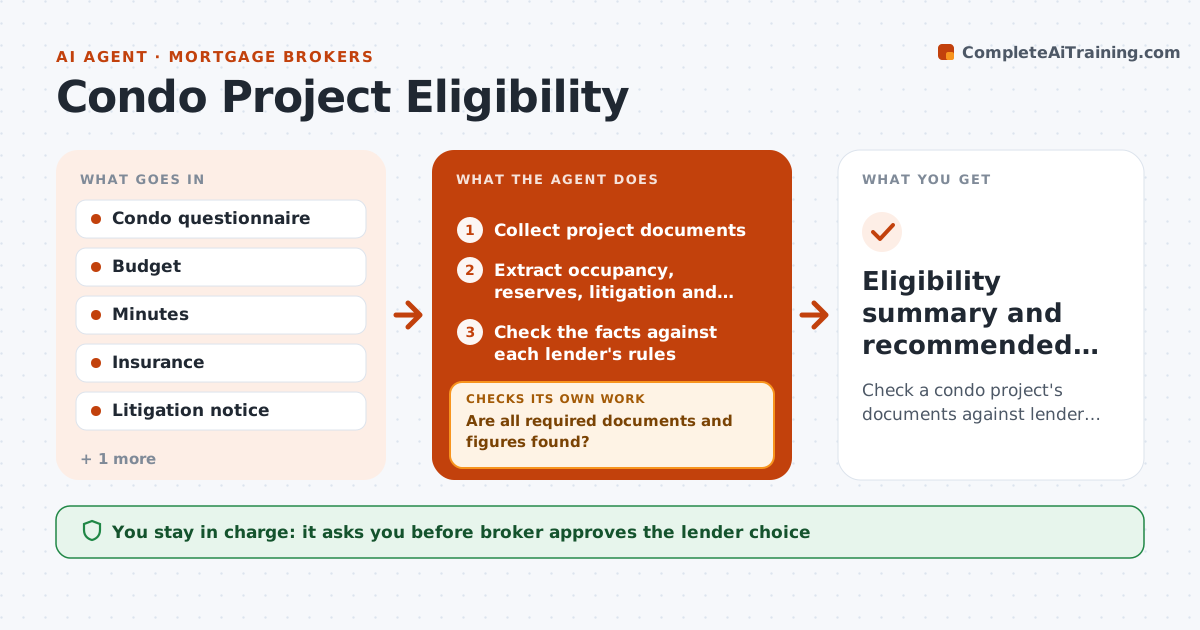
What it does
A condo loan fails when the project does not meet lender rules. The agent gathers the project documents and extracts the facts that matter: owner occupancy, litigation, reserves, delinquencies, commercial space and insurance. It checks each fact against the rules of the lenders the broker uses and lists where it fails. It requests missing documents. If one lender rejects the project, it checks other lenders and updates the options. It rechecks when new documents arrive. The broker approves the lender choice. Edge case: 12% of owners are 60 days late on dues, over the 10% limit, and the agent finds a lender with a 15% limit.
How it works
Follow the arrows from top to bottom. The orange dashed arrow is the loop: when a check fails, the agent goes back and tries again.
Read the steps as a list
- Condo purchase goes to contract
- Collect project documents
- Extract occupancy, reserves, litigation and delinquency
- Are all required documents and figures found?If not: Request the missing items from the association. Back to step 2.
- Check the facts against each lender's rules
- List failures by lender
- Does at least one lender accept the project?If not: Request exceptions or check more lenders. Back to step 5.
- Recheck after updated documents
- Broker approves the lender choiceThe agent waits here for your OK.
- Eligibility summary and recommended lender
How it decides
Each lender is tested on occupancy, litigation, reserves and delinquency; only lenders that pass are shown.
- Test every lender rule individually
- Flag delinquency above the lender limit
- Flag litigation that is not minor
- Show only lenders that pass
Make it yours
Every agent is a starting point. You choose these settings for your own situation.
- Lender list
- Rule tables
- Document checklist
- Exception request rules
What keeps you in control
It always asks you first
- Broker approves the lender choice
- Broker approves requests to the association
Hard limits
- Never promise approval
- Never use unconfirmed figures
It stops when
- Done: a lender accepts the project
- Stop: no lender accepts and the client must decide
Set it up
We guide you through the set-up, step by step
Members get the full set-up guide for this agent. No technical skills needed: you copy, paste and upload.
- One set of instructions to paste into your AI, with the clicks for ChatGPT, Claude, Microsoft 365 Copilot, Gemini and Grok
- The agent then walks you through connecting your own data, one source at a time
- A downloadable copy with the flow chart, the rules and the full guide