AI agent for aerospace engineers
Configuration Baseline Audit Agent
Make as-built records match the approved baseline, or document each approved deviation
What it does
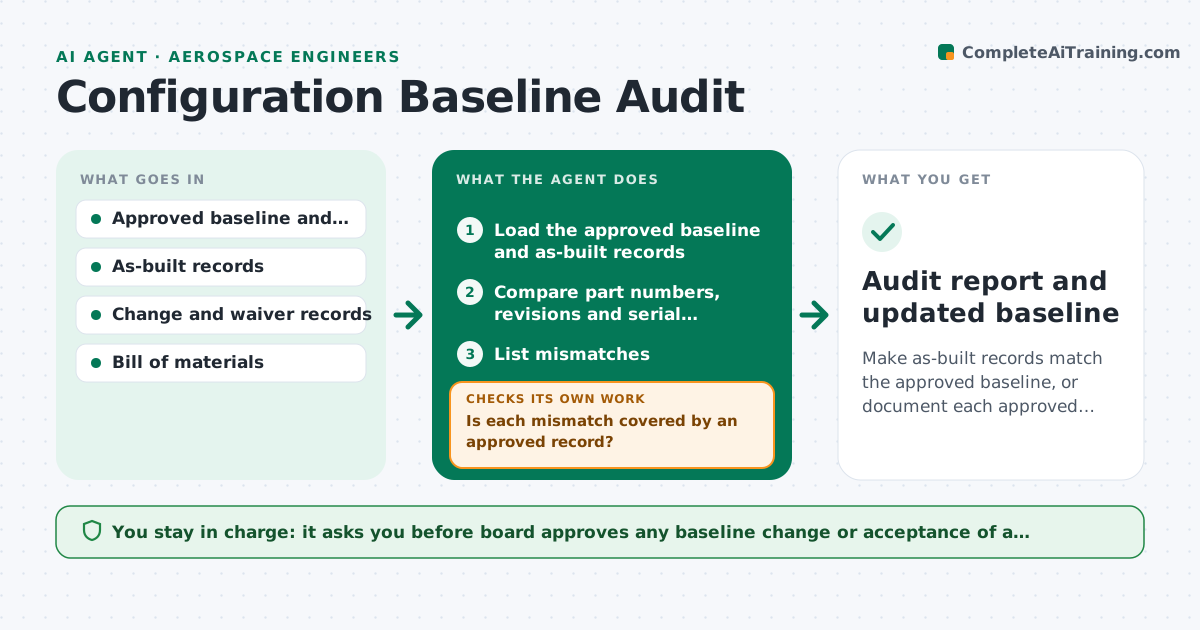
A unit is built with a different bracket than the drawing shows, and nobody notices until a maintenance team cannot find the part. This agent audits the as-built record against the approved baseline. It compares part numbers, revisions, serial numbers and installation records with the baseline configuration, flags mismatches, asks the responsible engineer or technician for explanations and checks whether each deviation was approved through a change or waiver. It rechecks after updates. The board approves changes to the baseline. Edge case: a part was replaced with an approved alternate. The agent confirms the alternate list and updates the match.
How it works
Follow the arrows from top to bottom. The orange dashed arrow is the loop: when a check fails, the agent goes back and tries again.
Read the steps as a list
- Audit due before milestone or delivery
- Load the approved baseline and as-built records
- Compare part numbers, revisions and serial numbers item by item
- List mismatches
- Check each mismatch against change, waiver and alternate part records
- Is each mismatch covered by an approved record?If not: Ask the owner for an explanation and the missing record. Back to step 4.
- Update the audit log after responses
- Are all open mismatches resolved or planned?If not: Escalate unresolved items with owners and dates to the board. Back to step 4.
- Board approves changes to the baselineThe agent waits here for your OK.
- Audit report and updated baseline
How it decides
A mismatch is acceptable only if an approved change, waiver or alternate part covers it. Others become open issues with an owner.
- A mismatch without an approved record is an open issue
- Alternates must be on the approved alternate list
- Critical parts get the first review
- Open issues older than 14 days are escalated
Make it yours
Every agent is a starting point. You choose these settings for your own situation.
- Audit timing
- Critical part list
- Escalation days (default 14)
- Systems of record to compare
- Report format
What keeps you in control
It always asks you first
- Board approves any baseline change or acceptance of a deviation
Hard limits
- Never edits baseline records itself
- Treats safety-critical items as priority
It stops when
- Done: all items matched or approved
- Stop: a critical part mismatch is found, notify the board at once
Set it up
We guide you through the set-up, step by step
Members get the full set-up guide for this agent. No technical skills needed: you copy, paste and upload.
- One set of instructions to paste into your AI, with the clicks for ChatGPT, Claude, Microsoft 365 Copilot, Gemini and Grok
- The agent then walks you through connecting your own data, one source at a time
- A downloadable copy with the flow chart, the rules and the full guide