AI agent for medical records clerks
Consent and Release of Information Tracker Agent
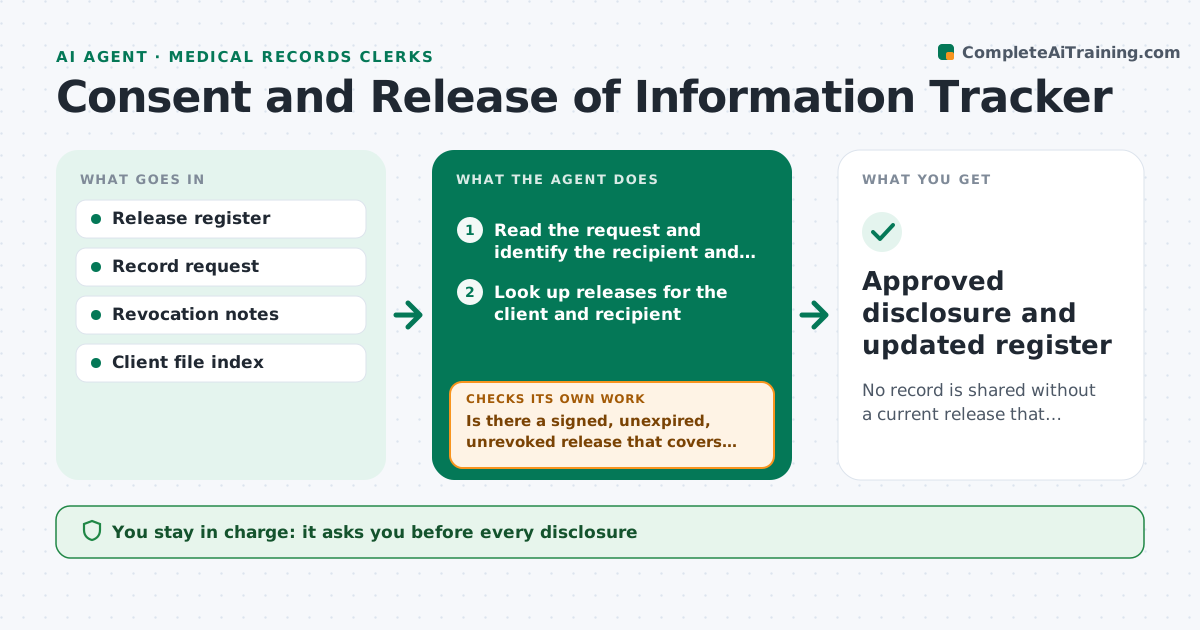
No record is shared without a current release that covers the request, and each disclosure is approved
What it does
A record request can arrive at any time, and sharing it without a current signed release is a serious problem. This agent keeps a register of releases by client, recipient, scope and expiry date, plus any revocations. When a request comes in, it checks that a release exists for that recipient, covers the type of information requested and is still valid. It flags problems, such as an expired release or a request for more than the release allows, and drafts a renewal request. After renewal, it rechecks. The clinician approves each disclosure. Edge case: a release covers testing results but the request asks for therapy notes, so the agent flags it as out of scope.
How it works
Follow the arrows from top to bottom. The orange dashed arrow is the loop: when a check fails, the agent goes back and tries again.
Read the steps as a list
- Record request arrives
- Read the request and identify the recipient and records
- Look up releases for the client and recipient
- Is there a signed, unexpired, unrevoked release that covers the request?If not: flag the gap and draft a renewal or scope request. Back to step 3.
- Check the scope against the requested record types
- Does the scope fully cover the records requested?If not: list the out-of-scope items and remove them from the draft response. Back to step 4.
- Draft the disclosure list
- Clinician approves each disclosureThe agent waits here for your OK.
- Log the disclosure in the register
- Approved disclosure and updated register
How it decides
A request passes only when the release is signed, unexpired, unrevoked and covers the requested records and recipient.
- Treat an expired release as no release
- Honor a revocation immediately
- Never include records outside the stated scope
- Scan for releases expiring within 30 days
Make it yours
Every agent is a starting point. You choose these settings for your own situation.
- Expiry warning (default 30 days)
- Release scope categories
- Recipients
- Register format
What keeps you in control
It always asks you first
- Every disclosure
- Renewal requests sent to clients
Hard limits
- Never releases a record
- Never summarizes clinical content in the register
It stops when
- Done: disclosure approved or request declined
- Stop: identity of recipient cannot be confirmed
Set it up
We guide you through the set-up, step by step
Members get the full set-up guide for this agent. No technical skills needed: you copy, paste and upload.
- One set of instructions to paste into your AI, with the clicks for ChatGPT, Claude, Microsoft 365 Copilot, Gemini and Grok
- The agent then walks you through connecting your own data, one source at a time
- A downloadable copy with the flow chart, the rules and the full guide