AI agent for head of operations
Constrained Supply Allocation Agent
A fair, rule-based allocation of scarce supply that respects commitments, approved by leadership before release.
What it does
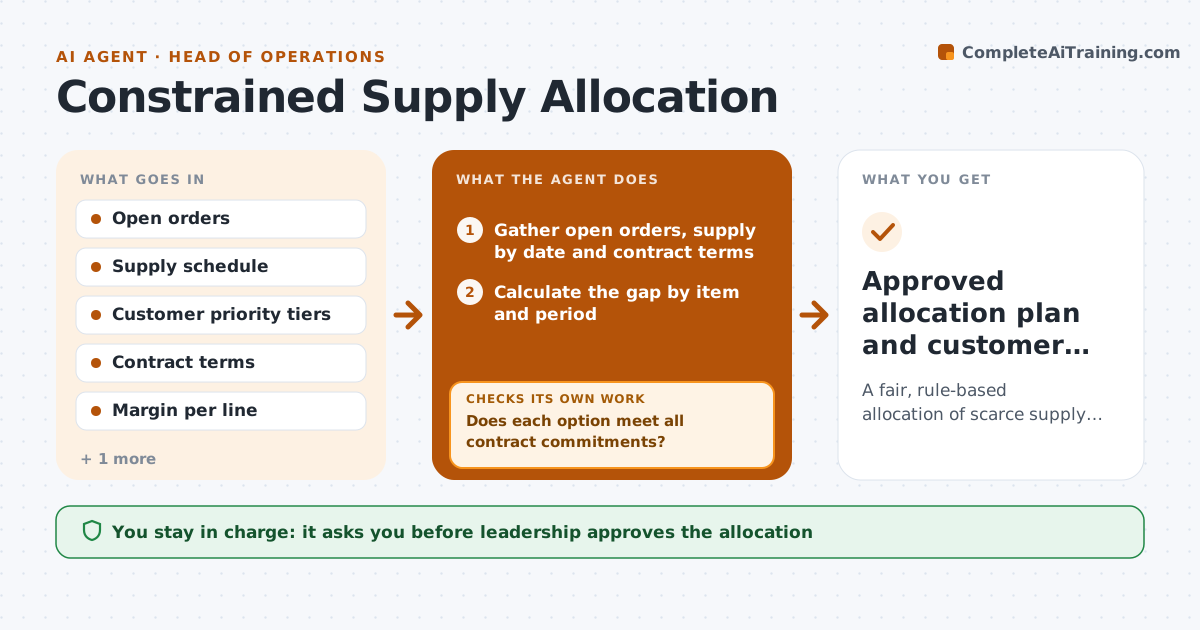
A component shortage hits and sales, plants and customers all ask for stock at once. This agent builds allocation options when a shortage appears. It gathers open orders, customer priority rules, contract commitments and margin by order, plus supply by date. It builds several options, for example by priority tier, by margin, or by fill rate across customers. It tests each against service targets and contractual penalties, and when one option breaks a commitment, it rebuilds it. Leadership approves the final allocation before anyone is told. Edge case: a small customer with a penalty clause outranks a larger one without it, and the agent shows that in the trade-off table.
How it works
Follow the arrows from top to bottom. The orange dashed arrow is the loop: when a check fails, the agent goes back and tries again.
Read the steps as a list
- Shortage identified
- Gather open orders, supply by date and contract terms
- Calculate the gap by item and period
- Build three allocation options by tier, margin and equal fill
- Test each option against service targets and contract penalties
- Does each option meet all contract commitments?If not: Rebuild the option with the committed quantities set aside first. Back to step 3.
- Compare options on revenue, penalties and customer impact
- Does the recommended option leave any customer below the minimum fill rate?If not: Adjust shares and rerun the test. Back to step 3.
- Leadership approves the final allocationThe agent waits here for your OK.
- Approved allocation plan and customer messages draft
How it decides
Contract commitments first, then priority tier, then margin, subject to a minimum fill rate per customer.
- Honor written contract quantities first
- Keep every active customer above 40% fill unless leadership decides otherwise
- Break ties by margin
- Show the cost of each penalty clause in the comparison
Make it yours
Every agent is a starting point. You choose these settings for your own situation.
- Priority tiers and rules
- Minimum fill rate (default 40%)
- Margin weighting
- Who must approve
What keeps you in control
It always asks you first
- Leadership approves the allocation
- Leadership approves customer messages before sending
Hard limits
- Never tell customers or change orders itself
- Never ignore a written contract commitment
It stops when
- Done: allocation approved and handed to order management
- Stop: contract data is missing for major customers
Set it up
We guide you through the set-up, step by step
Members get the full set-up guide for this agent. No technical skills needed: you copy, paste and upload.
- One set of instructions to paste into your AI, with the clicks for ChatGPT, Claude, Microsoft 365 Copilot, Gemini and Grok
- The agent then walks you through connecting your own data, one source at a time
- A downloadable copy with the flow chart, the rules and the full guide