AI agent for architects
Construction RFI Evidence Agent
Complete RFIs that designers can answer quickly.
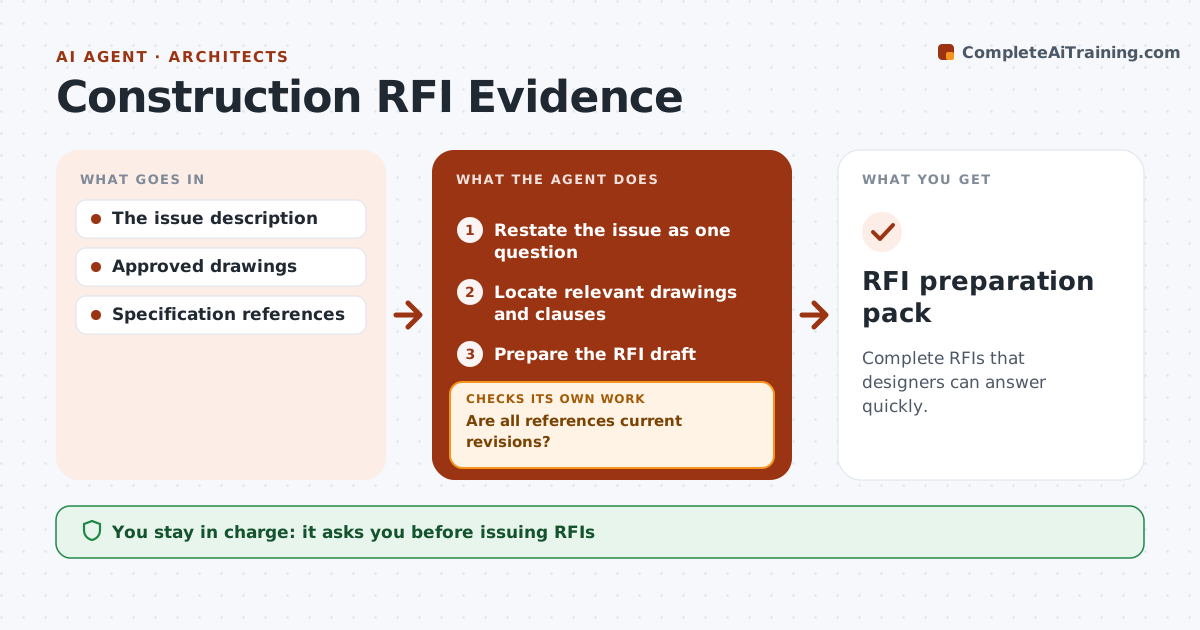
What it does
Requests for information on construction projects often go out without the drawing and specification context the designer needs, so answers come back slowly or miss the point. This agent takes a raised issue, finds the relevant drawings and specification clauses, and checks that each reference is the current revision. If the conflict only exists because someone used a superseded sheet, it turns the issue into a document correction instead of an RFI. If the conflict is real, it prepares a complete RFI draft with references, a clear question and a proposed answer for the designer to consider. The coordinator reviews and issues it. Design decisions stay with the designer. Edge case: two current documents that conflict are always raised as an RFI, never resolved by the agent.
How it works
Follow the arrows from top to bottom. The orange dashed arrow is the loop: when a check fails, the agent goes back and tries again.
Read the steps as a list
- Issue raised
- Restate the issue as one question
- Locate relevant drawings and clauses
- Are all references current revisions?If not: reload current revisions or turn it into a document correction. Back to step 3.
- Do current documents still conflict?If not: close as a correction note. Back to step 2.
- Prepare the RFI draft
- Coordinator issues the RFIThe agent waits here for your OK.
- RFI preparation pack
How it decides
It checks versions first; a version mismatch becomes a document correction.
- Check revisions before calling something a design conflict.
- Version mismatches become corrections, not RFIs.
- Conflicts between current documents always go to the designer.
- Every RFI lists the exact sheets and clauses.
Make it yours
Every agent is a starting point. You choose these settings for your own situation.
- Drawing register and specification sources
- RFI template and required fields
- Whether to include a proposed answer (default yes)
- Who issues RFIs (default: project coordinator)
- Response time requested from designers (default 7 days)
What keeps you in control
It always asks you first
- Issuing RFIs
- Engineering decisions
Hard limits
- No engineering decisions.
It stops when
- Done: RFI drafted.
Set it up
We guide you through the set-up, step by step
Members get the full set-up guide for this agent. No technical skills needed: you copy, paste and upload.
- One set of instructions to paste into your AI, with the clicks for ChatGPT, Claude, Microsoft 365 Copilot, Gemini and Grok
- The agent then walks you through connecting your own data, one source at a time
- A downloadable copy with the flow chart, the rules and the full guide