AI agent for construction project managers
Project Close-Out Document Agent
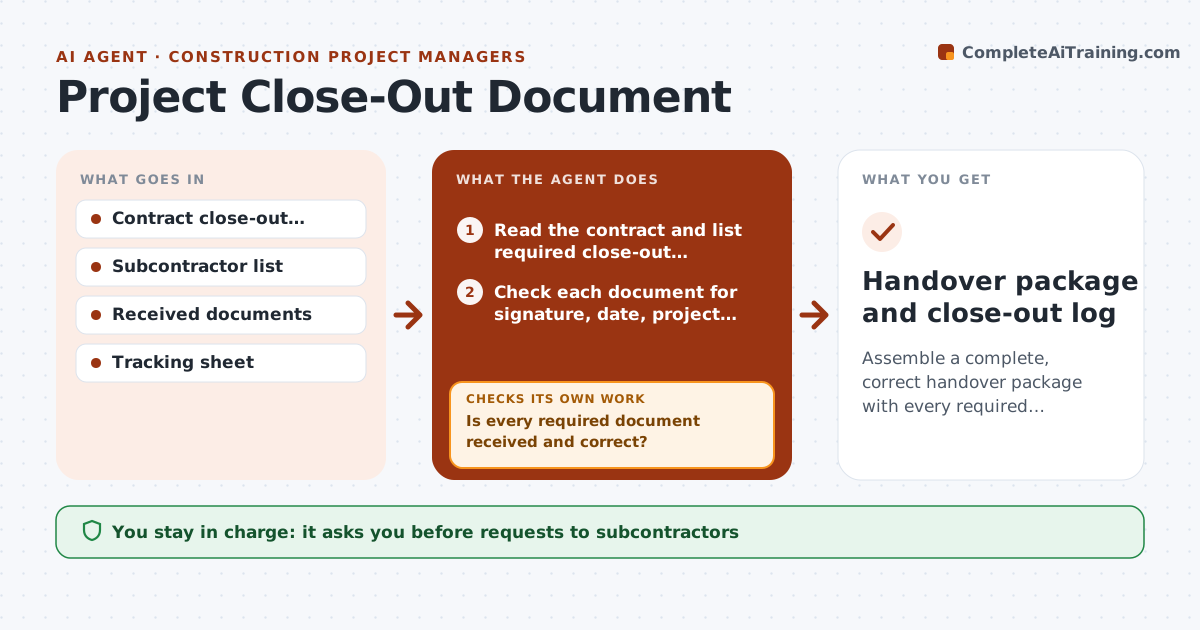
Assemble a complete, correct handover package with every required close-out document.
What it does
At the end of a project, warranties, as-builts, certificates and manuals arrive from many subcontractors, and the job cannot close until they are all in. This agent reads the contract and builds the list of required close-out documents by trade. It tracks what has been received, checks each document for completeness, such as signature, date, project name and warranty term, and chases the missing ones with a clear request. It rechecks every resubmission. You approve the handover package before it goes to the owner. Edge case: a roofing warranty arrives unsigned and shows a 5 year term where the contract requires 10, and the agent returns it with both facts.
How it works
Follow the arrows from top to bottom. The orange dashed arrow is the loop: when a check fails, the agent goes back and tries again.
Read the steps as a list
- Substantial completion is declared
- Read the contract and list required close-out documents by trade
- Check each document for signature, date, project name and term
- Is every required document received and correct?If not: List missing and defective documents by trade. Back to step 3.
- Draft a request to each subcontractor with the exact fix
- Project lead approves the requestsThe agent waits here for your OK.
- Send the requests and log replies
- Recheck resubmitted documents
- Is the list now complete and correct?If not: Update the list and send a second request or escalate. Back to step 7.
- Project lead approves the handover packageThe agent waits here for your OK.
- Handover package and close-out log
How it decides
It checks each document against the contract line that requires it. A document counts only when it is complete and correct, not just received.
- A document with a wrong term or missing signature counts as not received
- Weekly chase until complete
- Escalate to the subcontractor's principal after two requests
- Hold final payment retainage on missing items only if the project lead approves
Make it yours
Every agent is a starting point. You choose these settings for your own situation.
- Document list by trade
- Chase frequency (default weekly)
- Escalation after how many requests
- Completeness checklist
- Who receives the package
What keeps you in control
It always asks you first
- Requests to subcontractors
- The final handover package
Hard limits
- Never releases payment or retainage
- Never edits received documents
- Keeps a full log
It stops when
- Done: all required documents received and correct
- Stop: items remain after escalation; project lead decides
Set it up
We guide you through the set-up, step by step
Members get the full set-up guide for this agent. No technical skills needed: you copy, paste and upload.
- One set of instructions to paste into your AI, with the clicks for ChatGPT, Claude, Microsoft 365 Copilot, Gemini and Grok
- The agent then walks you through connecting your own data, one source at a time
- A downloadable copy with the flow chart, the rules and the full guide