AI agent for architects
Consultant Drawing Coordination Agent
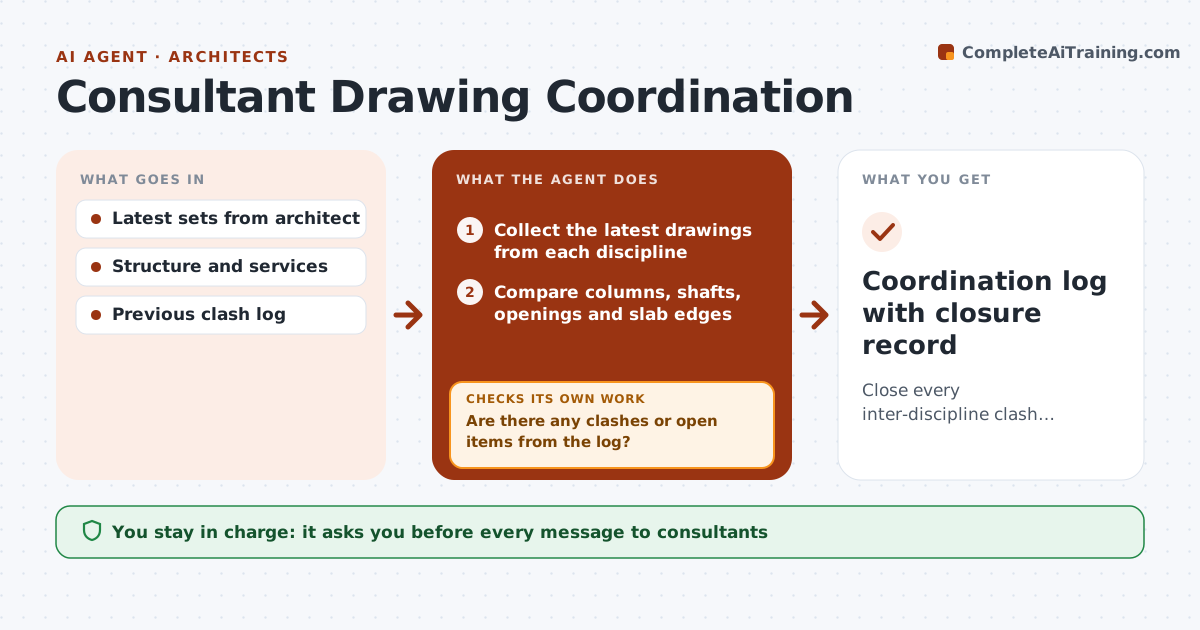
Close every inter-discipline clash before construction documents are issued.
What it does
Clashes between the structural, mechanical and architectural drawings are cheap to fix on paper and costly on site. This agent collects the latest sets from each consultant and compares the locations of columns, shafts, openings and slab edges. It flags conflicts, assigns each an owner, and drafts a log you can send. When the next revisions arrive, it checks every logged item to see if it was closed, and finds any new clash the change created. You approve all messages to consultants. Edge case: a duct riser overlaps a column by 150 mm, and the agent tracks it across three revisions until the engineer moves it.
How it works
Follow the arrows from top to bottom. The orange dashed arrow is the loop: when a check fails, the agent goes back and tries again.
Read the steps as a list
- New consultant revision arrives
- Collect the latest drawings from each discipline
- Compare columns, shafts, openings and slab edges
- Are there any clashes or open items from the log?If not: Add new clashes with location, sheets and owner. Back to step 3.
- Draft the clash log and messages to owners
- Architect approves the messagesThe agent waits here for your OK.
- Send the log and track replies
- Wait for the next revision
- Recheck every logged item
- Is each item closed with a clear gap?If not: Keep it open, update the status and remind the owner. Back to step 7.
- Coordination log with closure record
How it decides
It tracks each clash by location and compares the new revision. A clash is closed only when the new drawing shows a clear gap.
- Structural clashes rank above finish clashes
- A clash is closed only on a new drawing
- Overdue items are escalated after 2 revisions
- New clashes from fixes are logged separately
Make it yours
Every agent is a starting point. You choose these settings for your own situation.
- Clearance rule (default 50 mm)
- Disciplines included
- Priority ranking
- Escalation after how many revisions
- Format of the log
What keeps you in control
It always asks you first
- Every message to consultants
- Escalations
Hard limits
- Never edits another consultant's drawings
- Never marks an item closed without evidence
- Keeps the log read-only for others
It stops when
- Done: all items closed
- Stop: clash needs a design decision; architect decides
Set it up
We guide you through the set-up, step by step
Members get the full set-up guide for this agent. No technical skills needed: you copy, paste and upload.
- One set of instructions to paste into your AI, with the clicks for ChatGPT, Claude, Microsoft 365 Copilot, Gemini and Grok
- The agent then walks you through connecting your own data, one source at a time
- A downloadable copy with the flow chart, the rules and the full guide