AI agent for data entry specialists
Contact List Suppression Agent
Every opt-out, hard bounce and complaint applied to every list, with proof before the next send
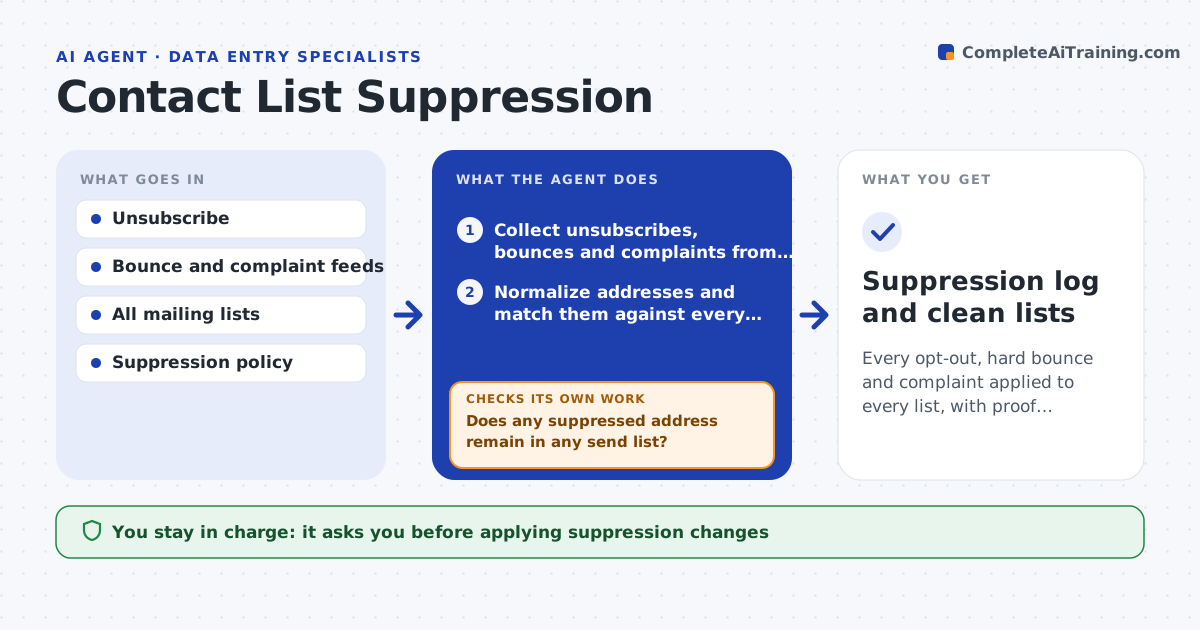
What it does
A person unsubscribes from one list and keeps getting mail from three others. This agent gathers unsubscribe, bounce and complaint records from every system that sends or receives them, then matches them to all active lists, allowing for different spellings of the same address. It removes or flags those contacts in a draft of each list, noting the reason and date. After the change it checks again that no suppressed address remains in any send list, including lists created by other teams. A person approves before the cleaned list is used for sending. Edge case: a contact who unsubscribed from marketing but is still a customer is kept on the transactional list, and the agent leaves that difference visible.
How it works
Follow the arrows from top to bottom. The orange dashed arrow is the loop: when a check fails, the agent goes back and tries again.
Read the steps as a list
- Nightly sync or pre-send check
- Collect unsubscribes, bounces and complaints from each system
- Normalize addresses and match them against every list
- Draft the removals and flags with reason and date
- Specialist approves applying themThe agent waits here for your OK.
- Apply the changes to the draft lists
- Does any suppressed address remain in any send list?If not: match on variants such as plus-addresses and re-apply. Back to step 3.
- Compare list counts before and after for unexpected drops
- Is the drop in line with the suppression count?If not: restore and find the over-removal. Back to step 6.
- Compliance approves using the cleaned listThe agent waits here for your OK.
- Suppression log and clean lists
How it decides
Hard bounces and complaints are removed everywhere. An unsubscribe is applied to the list type it covers, according to the policy.
- Remove hard bounces and complaints from all lists
- Apply an unsubscribe to the list type it covers
- Match plus-addresses and case variants as the same contact
- Hold a send when more than 5 percent of a list is suppressed unexpectedly
Make it yours
Every agent is a starting point. You choose these settings for your own situation.
- Systems to read for opt-outs
- List types and what each unsubscribe covers
- Sync schedule
- Alert threshold for unexpected drops (default 5 percent)
What keeps you in control
It always asks you first
- Applying suppression changes
- Releasing the cleaned list for sending
Hard limits
- Never sends mail or deletes the original records
- Keeps a log of each suppression and reason
It stops when
- Done: no suppressed address remains in any send list
- Stop: a feed is unreachable, so suppression would be incomplete
Set it up
We guide you through the set-up, step by step
Members get the full set-up guide for this agent. No technical skills needed: you copy, paste and upload.
- One set of instructions to paste into your AI, with the clicks for ChatGPT, Claude, Microsoft 365 Copilot, Gemini and Grok
- The agent then walks you through connecting your own data, one source at a time
- A downloadable copy with the flow chart, the rules and the full guide