AI agent for data entry specialists
Inventory Master Data Agent
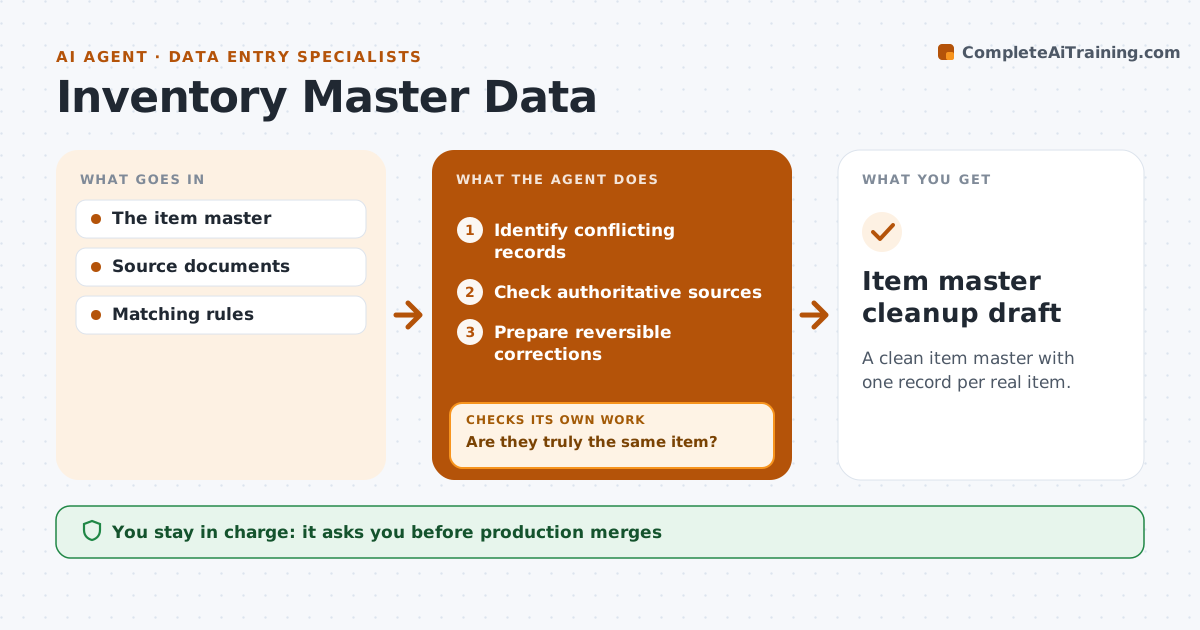
A clean item master with one record per real item.
What it does
Item master records often have inconsistent descriptions and duplicate identifiers, which causes wrong orders and phantom stock. Each quarter this agent finds conflicting or duplicate records. It checks authoritative sources, such as supplier part numbers and measured specifications, to decide if two records are truly the same item. Similar descriptions with different specs are never merged. For true duplicates, it prepares reversible corrections with an undo plan. The inventory administrator approves all merges and stock changes. Edge case: two 'M8 bolt' records differ in length, so they stay separate.
How it works
Follow the arrows from top to bottom. The orange dashed arrow is the loop: when a check fails, the agent goes back and tries again.
Read the steps as a list
- Cleanup cycle
- Identify conflicting records
- Check authoritative sources
- Are they truly the same item?If not: keep separate. Back to step 3.
- Prepare reversible corrections
- Inventory administrator approvesThe agent waits here for your OK.
- Item master cleanup draft
How it decides
It uses exact identity and specifications to decide merges.
- Merge only on exact identity and matching specs.
- Every correction has an undo plan.
- Records with open orders or stock are reviewed before merging.
Make it yours
Every agent is a starting point. You choose these settings for your own situation.
- Fields that define item identity
- Authoritative sources (supplier part numbers, spec sheets)
- Description naming standard
- Cleanup schedule (default quarterly)
What keeps you in control
It always asks you first
- Production merges
- Stock changes
Hard limits
- Staging only.
It stops when
- Done: conflicts resolved.
Set it up
We guide you through the set-up, step by step
Members get the full set-up guide for this agent. No technical skills needed: you copy, paste and upload.
- One set of instructions to paste into your AI, with the clicks for ChatGPT, Claude, Microsoft 365 Copilot, Gemini and Grok
- The agent then walks you through connecting your own data, one source at a time
- A downloadable copy with the flow chart, the rules and the full guide