AI agent for environmental engineers
Contaminated Soil Excavation Disposal Agent
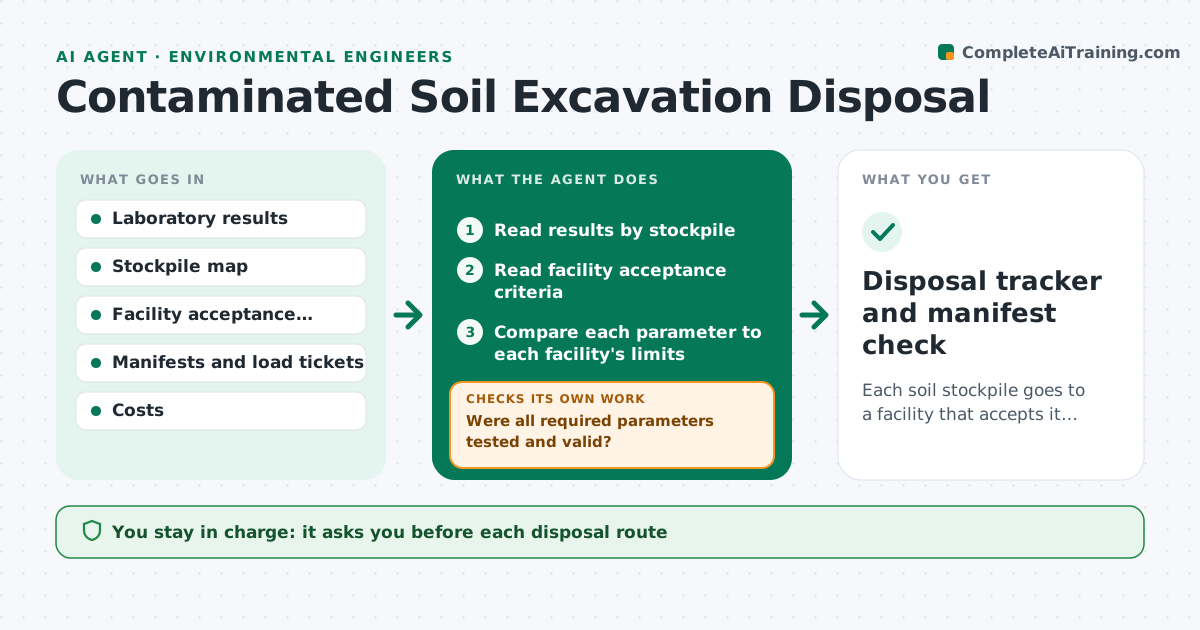
Each soil stockpile goes to a facility that accepts it, with manifests that match the approved route
What it does
Excavated soil can only go to a facility that accepts its contamination, and the paperwork must match the loads. This agent reads the sample results and compares them to the acceptance criteria of each candidate facility. It flags soil that needs more testing, for example when a parameter was not analyzed. It selects eligible facilities by criteria, distance and cost, and verifies that each manifest matches the approved route and the loaded quantity. When new results arrive it rechecks the routes. The engineer approves each disposal route. Edge case: one stockpile has a lead result just under the limit of facility A but the lab reported a detection limit issue, so the agent holds it for retesting.
How it works
Follow the arrows from top to bottom. The orange dashed arrow is the loop: when a check fails, the agent goes back and tries again.
Read the steps as a list
- Sample results arrive
- Read results by stockpile
- Read facility acceptance criteria
- Compare each parameter to each facility's limits
- Were all required parameters tested and valid?If not: list missing analyses and request more testing. Back to step 2.
- Select eligible facilities by cost and distance
- Engineer approves each disposal routeThe agent waits here for your OK.
- Read manifests and load tickets as trucks depart
- Does each manifest match the approved route and quantity?If not: stop the load and notify the engineer. Back to step 7.
- Update the stockpile and quantity tracker
- Disposal tracker and manifest check
How it decides
A facility is eligible only if every analyzed parameter is below its limit and all required parameters were tested.
- Reject a facility when any parameter exceeds its limit
- Request retesting when a result is within 10% of a limit and detection limits are high
- Choose the cheapest eligible facility within the distance rule
- Block a load with a missing or mismatched manifest
Make it yours
Every agent is a starting point. You choose these settings for your own situation.
- Facilities considered
- Margin near a limit (default 10%)
- Cost and distance weighting
- Required parameters per facility
What keeps you in control
It always asks you first
- Each disposal route
- Any change after a stop
Hard limits
- Never approves a route
- Never releases a load with a mismatched manifest
It stops when
- Done: all soil routed and manifests matched
- Stop: no facility accepts the soil
Set it up
We guide you through the set-up, step by step
Members get the full set-up guide for this agent. No technical skills needed: you copy, paste and upload.
- One set of instructions to paste into your AI, with the clicks for ChatGPT, Claude, Microsoft 365 Copilot, Gemini and Grok
- The agent then walks you through connecting your own data, one source at a time
- A downloadable copy with the flow chart, the rules and the full guide