AI agent for user experience designers
Content Inventory and Gap Audit Agent
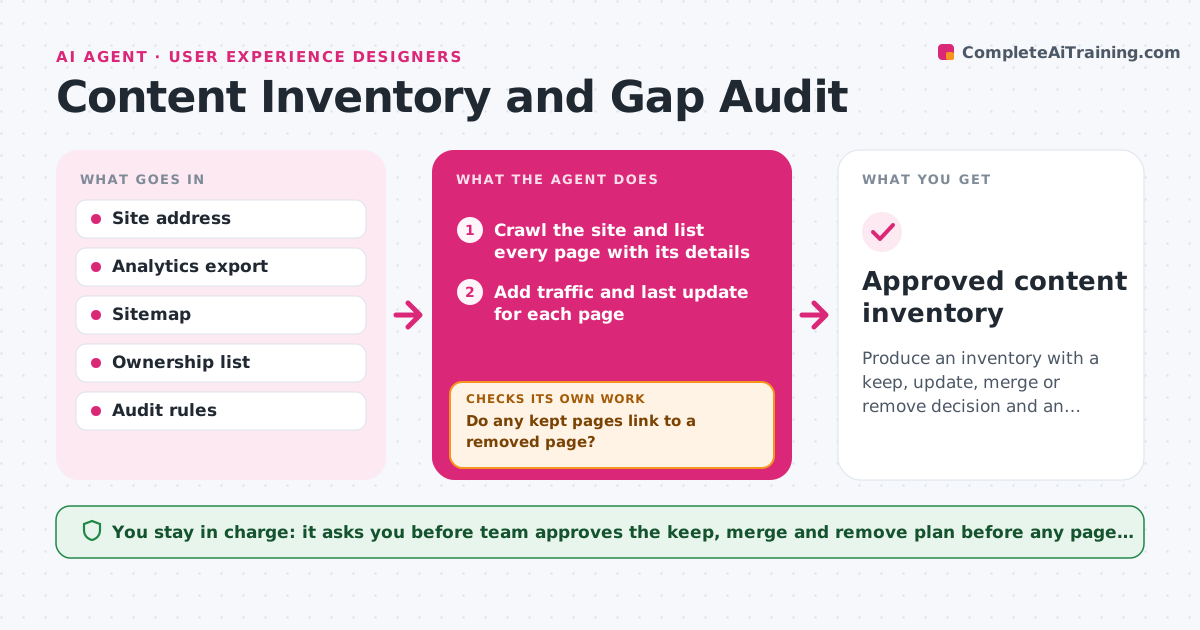
Produce an inventory with a keep, update, merge or remove decision and an owner for every page, with no broken links after the plan.
What it does
Before a redesign, the team argues about which pages matter, and nobody knows what is on the old site. This agent crawls the site and builds an inventory with the address, title, last update, word count and traffic for each page. It tests every page against your rules: older than 18 months, near-duplicate of another page, very low traffic, or broken links. For each page it proposes a status of keep, update, merge or remove, and a likely owner based on section and author. After the plan is drafted, it checks that every merge and removal has a redirect target and that no link on the kept pages points to a removed page. If one does, it adjusts the plan. The team approves the final plan. Edge case: a page has no traffic but is linked from a legal notice, so the agent keeps it.
How it works
Follow the arrows from top to bottom. The orange dashed arrow is the loop: when a check fails, the agent goes back and tries again.
Read the steps as a list
- Audit begins
- Crawl the site and list every page with its details
- Add traffic and last update for each page
- Detect near-duplicates and outdated pages
- Assign an owner and a keep, update, merge or remove status
- Choose a redirect target for each merge or removal
- Test all links against the planned changes
- Do any kept pages link to a removed page?If not: change the status or add a redirect, then recheck the links. Back to step 4.
- Does every page have an owner and a status?If not: ask the team lead for the missing owners and fill the list. Back to step 4.
- Team approves the content planThe agent waits here for your OK.
- Approved content inventory
How it decides
A page is flagged by rules for age, duplication, traffic and links. Pages linked from key pages or legal text are kept even if traffic is low.
- Flag a page for removal if it has no visits for 12 months and no inbound links
- Flag as outdated any page not updated in 18 months with dated facts
- Treat pages with over 80% matching text as duplicates
- Keep any page linked from legal, checkout or navigation
Make it yours
Every agent is a starting point. You choose these settings for your own situation.
- Age limit for outdated content (default 18 months)
- Traffic cutoff for low-traffic pages
- Duplicate similarity threshold (default 80%)
- Page sections that are always kept
- Owner list by section
What keeps you in control
It always asks you first
- Team approves the keep, merge and remove plan before any page is changed
Hard limits
- Never delete or edit a live page
- Never mark a legal page for removal
It stops when
- Done: every page has an owner, a status and no broken inbound link
- Stop: the crawl reaches less than 90% of the sitemap
Set it up
We guide you through the set-up, step by step
Members get the full set-up guide for this agent. No technical skills needed: you copy, paste and upload.
- One set of instructions to paste into your AI, with the clicks for ChatGPT, Claude, Microsoft 365 Copilot, Gemini and Grok
- The agent then walks you through connecting your own data, one source at a time
- A downloadable copy with the flow chart, the rules and the full guide