AI agent for product designers
Design Decision Log and Rationale Agent
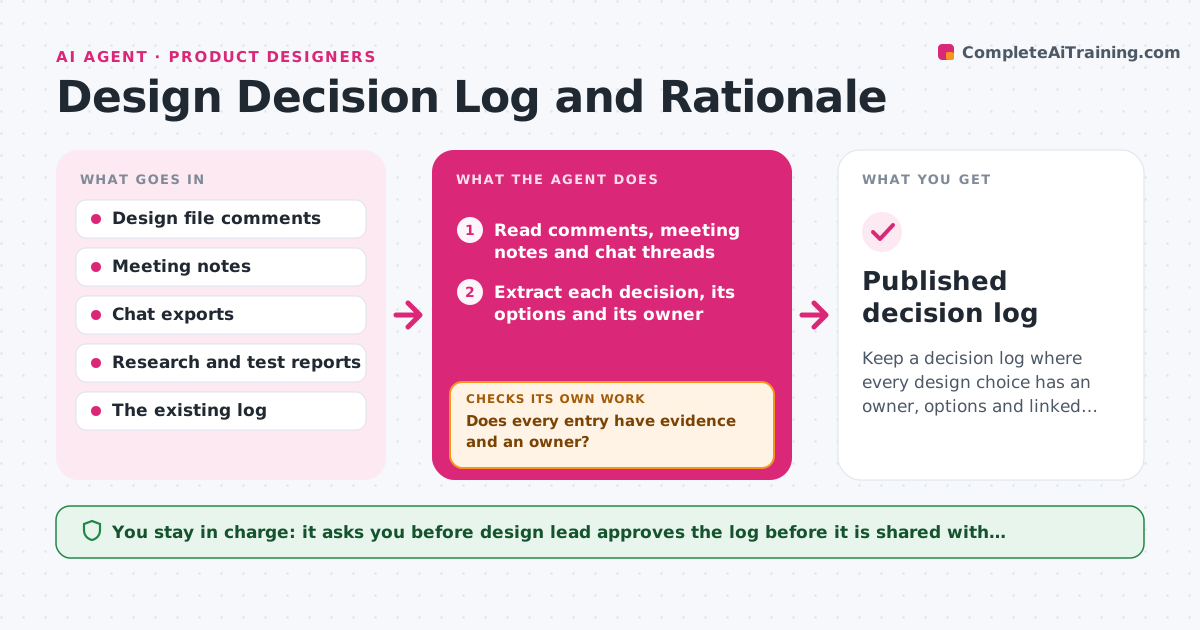
Keep a decision log where every design choice has an owner, options and linked evidence.
What it does
Six months after launch, a stakeholder asks why the button moved to the bottom, and nobody can find the reason. The same debate starts again. This agent collects decisions from design file comments, meeting notes and chat threads. For each decision it records what was chosen, which options were rejected, who decided and when. It links each entry to its evidence, such as a test result, analytics chart or research note. If a decision has no evidence, it asks the owner for it and checks again after a few days. It then checks that every entry has an owner, a date and at least one linked source. Anything still missing is shown as an open gap, not hidden. The design lead approves the log before it is shared. Edge case: two notes record opposite decisions, so the agent lists both and asks which one stands.
How it works
Follow the arrows from top to bottom. The orange dashed arrow is the loop: when a check fails, the agent goes back and tries again.
Read the steps as a list
- Sprint or design review ends
- Read comments, meeting notes and chat threads
- Extract each decision, its options and its owner
- Search research and test folders for matching evidence
- Write or update the log entry and link the sources
- Does every entry have evidence and an owner?If not: ask the owner for evidence, wait, then search again. Back to step 4.
- Flag contradictions with earlier entries
- Are all contradictions resolved by an owner reply?If not: ask the owners which decision stands and re-extract the entry. Back to step 3.
- Design lead approves the logThe agent waits here for your OK.
- Published decision log
How it decides
A statement counts as a decision when it names a choice and an owner. It counts as supported only when a linked source backs it.
- Treat a statement as a decision only if it names a choice and a person who made it
- Ask for evidence after 3 working days with no source
- Mark an entry as superseded, never delete it, when a new decision replaces it
- Escalate entries still unsupported after two requests to the lead
Make it yours
Every agent is a starting point. You choose these settings for your own situation.
- Where decisions are collected from (comments, notes, chat)
- Days before asking for missing evidence (default 3)
- Log format and fields
- Who counts as the approving lead
- Which projects are covered
What keeps you in control
It always asks you first
- Design lead approves the log before it is shared with stakeholders
Hard limits
- Never invent evidence or a rationale that nobody stated
- Never change who made a decision without confirmation
It stops when
- Done: all entries have an owner, date and evidence, or are marked as open gaps
- Stop: the source notes are missing for the whole period
Set it up
We guide you through the set-up, step by step
Members get the full set-up guide for this agent. No technical skills needed: you copy, paste and upload.
- One set of instructions to paste into your AI, with the clicks for ChatGPT, Claude, Microsoft 365 Copilot, Gemini and Grok
- The agent then walks you through connecting your own data, one source at a time
- A downloadable copy with the flow chart, the rules and the full guide