AI agent for bloggers
Content Rights and Image License Check Agent
Publish only content with documented rights and proper credit
What it does
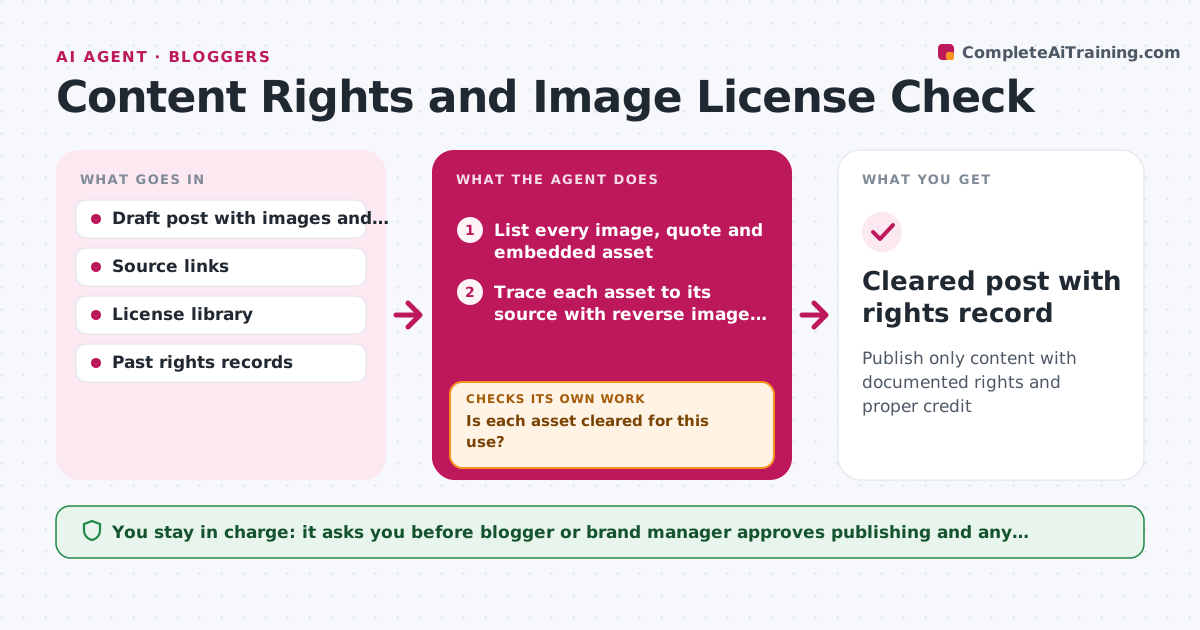
A post uses an image found online and a quote from an article, and months later a claim letter arrives. Most people never check where each asset came from. This agent does it before publishing. It lists every image, quote and embedded asset in a post, traces each to its source using reverse search and file data, and checks the license terms for commercial use, attribution and edits. It flags risks, proposes replacements from licensed libraries or the team's own files, and checks the replacement terms. It keeps a rights record for every asset. The person approves publishing. Edge case: an image is licensed for editorial use only. The agent flags it as not allowed on a sales page.
How it works
Follow the arrows from top to bottom. The orange dashed arrow is the loop: when a check fails, the agent goes back and tries again.
Read the steps as a list
- Draft ready for review
- List every image, quote and embedded asset
- Trace each asset to its source with reverse image search and file data
- Read the license terms for each source
- Check use against the terms: commercial use, credit and edits
- Is each asset cleared for this use?If not: Propose a licensed or owned replacement and check its terms. Back to step 4.
- Check quote length and attribution against fair use rules the team follows
- Does every quote meet the length and credit rules?If not: Shorten the quote, add credit or request permission. Back to step 7.
- Write the rights record with source and license for each asset
- Blogger or brand manager approves publishingThe agent waits here for your OK.
- Cleared post with rights record
How it decides
An asset is cleared only with a proven source and a license that covers the use. Unknown sources are treated as a risk.
- Unknown source means not cleared
- Editorial-only licenses cannot be used on commercial pages
- Quotes over 50 words need permission or are cut
- Attribution text must match the license wording
Make it yours
Every agent is a starting point. You choose these settings for your own situation.
- Quote length limit (default 50 words)
- Approved image libraries
- Credit format
- Rights record location
- Pages that count as commercial
What keeps you in control
It always asks you first
- Blogger or brand manager approves publishing and any permission request
Hard limits
- Does not give legal advice
- Never contacts rights holders without approval
It stops when
- Done: all assets cleared and recorded
- Stop: key asset cannot be cleared and has no substitute, hold the post
Set it up
We guide you through the set-up, step by step
Members get the full set-up guide for this agent. No technical skills needed: you copy, paste and upload.
- One set of instructions to paste into your AI, with the clicks for ChatGPT, Claude, Microsoft 365 Copilot, Gemini and Grok
- The agent then walks you through connecting your own data, one source at a time
- A downloadable copy with the flow chart, the rules and the full guide