AI agent for process development scientists
Continuous Manufacturing Run Monitoring Agent
Steady state is confirmed with evidence and drift is corrected before quality is affected
What it does
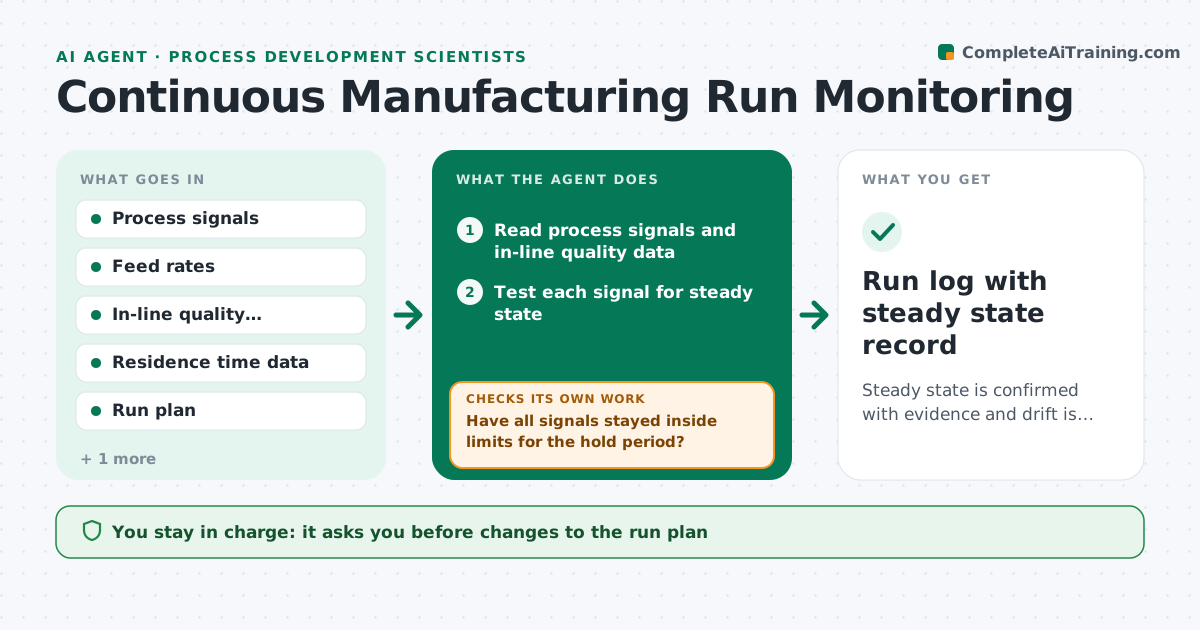
In continuous manufacturing, declaring steady state too early can hide drift for hours. This agent reads the process signals and tests for steady state using statistical rules for each signal, and watches for drift in residence time distribution, quality attributes and feed rates. It proposes adjustments, such as a small feeder change, when a signal moves outside its band. After each adjustment it rechecks whether the signal returned. It keeps a log of each decision. The scientist approves any change to the run plan. Edge case: a quality attribute stays steady but a feed rate slowly creeps, so the agent flags the creep before the attribute moves.
How it works
Follow the arrows from top to bottom. The orange dashed arrow is the loop: when a check fails, the agent goes back and tries again.
Read the steps as a list
- Run starts or signals update
- Read process signals and in-line quality data
- Test each signal for steady state
- Have all signals stayed inside limits for the hold period?If not: keep the run in transient state and continue to monitor. Back to step 3.
- Check for drift in feed rates and residence time
- Propose an adjustment for any drifting signal
- Scientist approves any change to the run planThe agent waits here for your OK.
- Read signals after the adjustment
- Did the signal return inside limits within the expected time?If not: propose a larger or different adjustment and flag for review. Back to step 5.
- Log decisions and times
- Run log with steady state record
How it decides
Steady state is confirmed only when all signals stay within their limits for the required hold period. Drift is flagged on trend, not only on limits.
- Confirm steady state after the signals hold for the set hold period
- Flag drift when a slope is outside its allowed range for 3 readings
- Make one adjustment at a time
- Stop collecting product when quality leaves its limits
Make it yours
Every agent is a starting point. You choose these settings for your own situation.
- Hold period for steady state
- Signal limits
- Drift slope limit
- Check interval (default 5 minutes)
What keeps you in control
It always asks you first
- Changes to the run plan
- Decisions to divert product
Hard limits
- Never changes setpoints itself
- Never marks steady state without the hold period
It stops when
- Done: run completes in steady state
- Stop: quality attributes leave their limits
Set it up
We guide you through the set-up, step by step
Members get the full set-up guide for this agent. No technical skills needed: you copy, paste and upload.
- One set of instructions to paste into your AI, with the clicks for ChatGPT, Claude, Microsoft 365 Copilot, Gemini and Grok
- The agent then walks you through connecting your own data, one source at a time
- A downloadable copy with the flow chart, the rules and the full guide